You can add a watchout for a specific cardfile to pop up whenever a job is added for that cardfile.
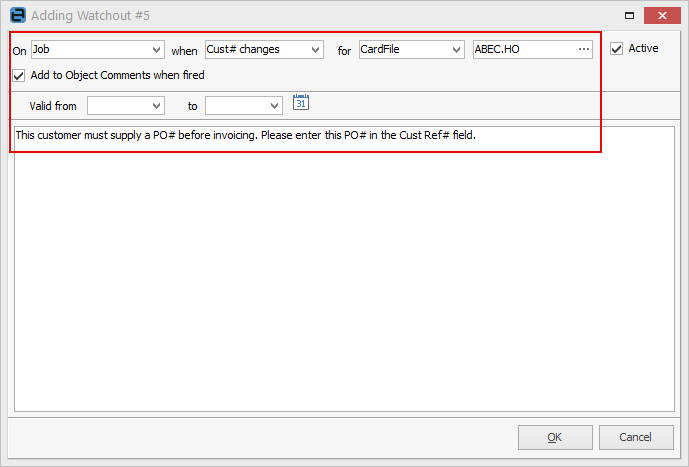
In this instance, we will add a watchout to advise that the job will require a PO before invoicing.
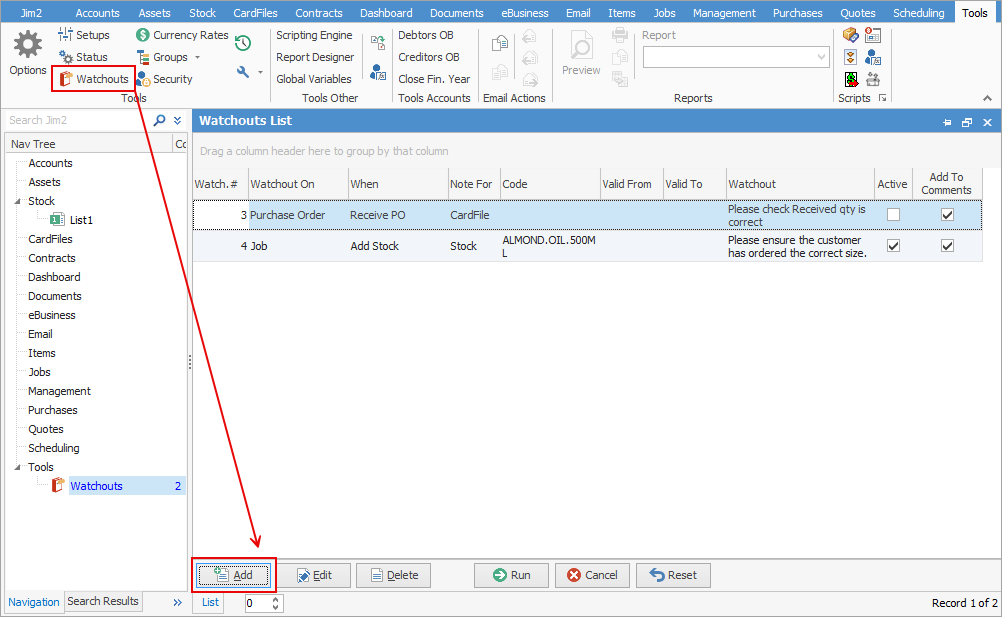
On the ribbon, go to Tools > Watchouts and add a new watchout.
Select Job in the On field, and Cust# changes in the when field. Choose the customer cardfile, then add the required information in the field below:
Further information