The Committed tab details which jobs have stock required, and whether the stock is committed, line reserved or reserved.

|
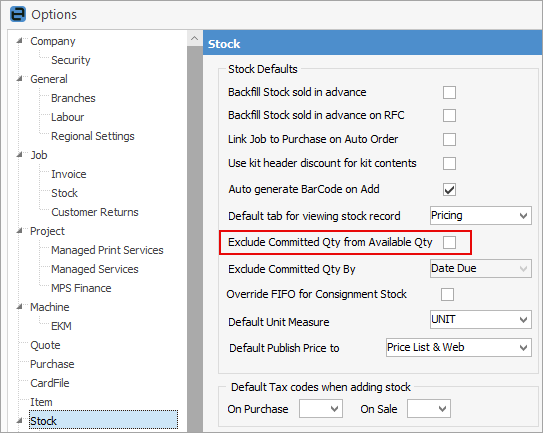
Note: If Exclude Committed Qty from Available Qty is ticked in Options, committed stock will show in this column. If that setting is NOT ticked, the column will not show any committed stock:
Stock that is on jobs will still show in the Committed tab. |

Field |
Explanation |
|---|---|
Type |
The type of job. |
Card Code |
This is the card code of the customer related to this committed line. |
Name |
The full name on record for this card code. |
Item Code |
The Item Code as entered on the original job, eg. Sale, Service, etc. |
Date |
The date of the original transaction. |
Invoice# |
This refers to the invoice number of the sale. In a return from customer transaction, the Invoice# is the original sale invoice number. |
Ref# |
This refers to the job number or return from customer number. |
Loc |
This is the location of the stock when the original transaction was made. |
Reserved |
Shows all committed stock, including any on back order. |
Qty |
The quantity sold. |
Unit |
The unit type of the sale. |
Qty Total |
The total quantity of this sale. |
Price Ex. |
The price of a single unit, excluding tax. |
Price Inc. |
The price of a single unit, excluding tax. |
Total |
The total price including tax, ie. Qty Total x Price Inc. |
Further information