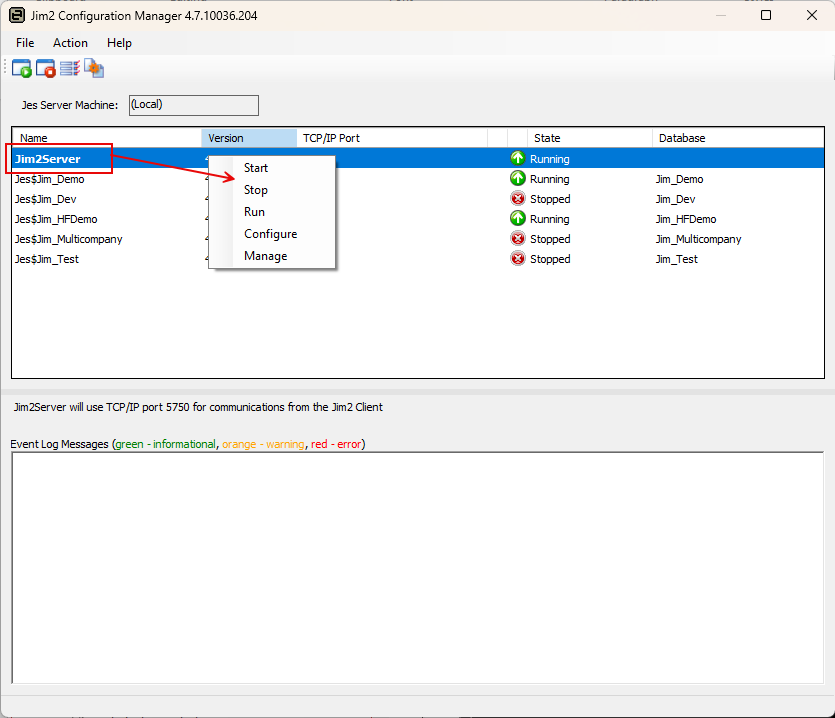
To start or stop the Jim2 Server service:
1.Run the Jim2 Configuration Manager, by opening Jim2CM.exe from the Program Files\HappenBusiness\Jim2Server folder.
2.When the Configuration Manager opens, right click on the line called Jim2Server.
3.Click Start or Stop, as required.
 |
Note: Stopping the Jim2Server instance will boot all users out of Jim2 and release any locks, whereas stopping an instance of JES (for example JES$Jim_HFDemo in image above) will only boot out Jim2 Mobile users. |
Further information
Jim2 Configuration Manager Tasks