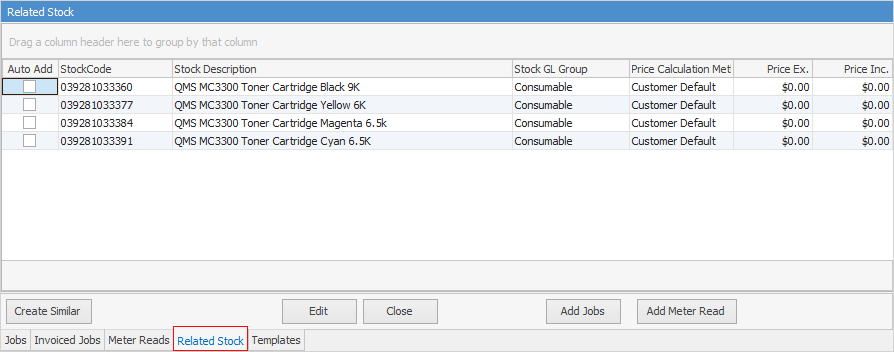
This tab will show whatever stock has been added to the Item used for this Asset. Stock cannot be added from this screen.
 |
Note: If Auto Add is ticked in the Item stock lines, this means that every time a job is created, this stock will be added to the job. It is best to not tick Auto Add, and only add when required. |
Field |
Explanation |
|---|---|
Auto Add |
This box will be ticked if the stock is to be automatically added to a job when that Item is used.
Note: If ticked, the stock will be added to every job that uses that Item. |
Line# |
The line number of the stock in the grid. |
StockCode |
The stock code for that stock record. |
Stock Description |
The description of the stock as set up on the stock record. |
Stock GL Group |
The GL Group as set up on the stock record. |
Price Calculation Method |
The price calculation method as set up on the stock record. |
Price Ex/Inc |
Prices excluding and including GST. |
Further information