To have Jim2 automatically tag an incoming email to a job, set up a new email rule as follows.
 |
Note: This will not work for quotes. |
In this instance the email rule is called Determine Job from Subject with ##.
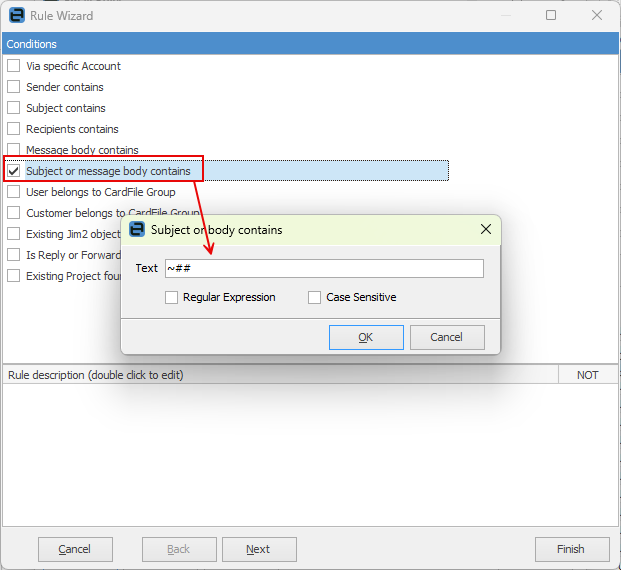
Create a new rule, then choose Subject or message body contains and enter ~##.
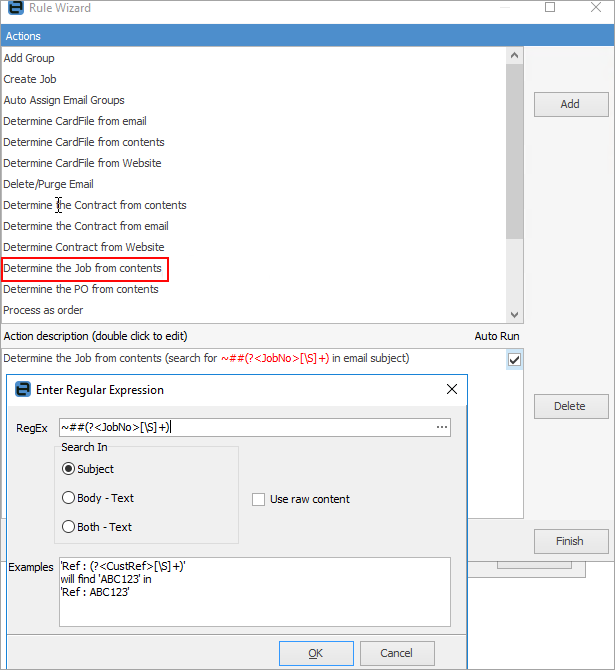
Then apply the following actions:
Determine the job from contents using the below regex.
Regex to use: ~##(?<JobNo>[\S]+)
Further information