The follow instructions assist customers licensed to run Jim2 On Premises to set up their connection to Jim2 Mobile.
Jim2Cloud customers will have this performed for them by Happen Business.
Before starting the following is required:
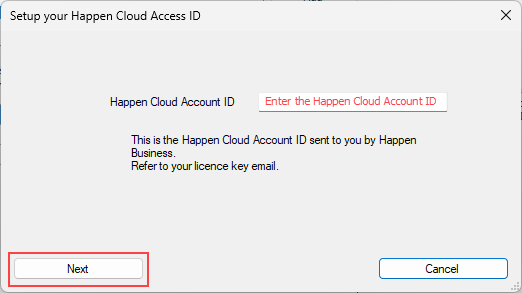
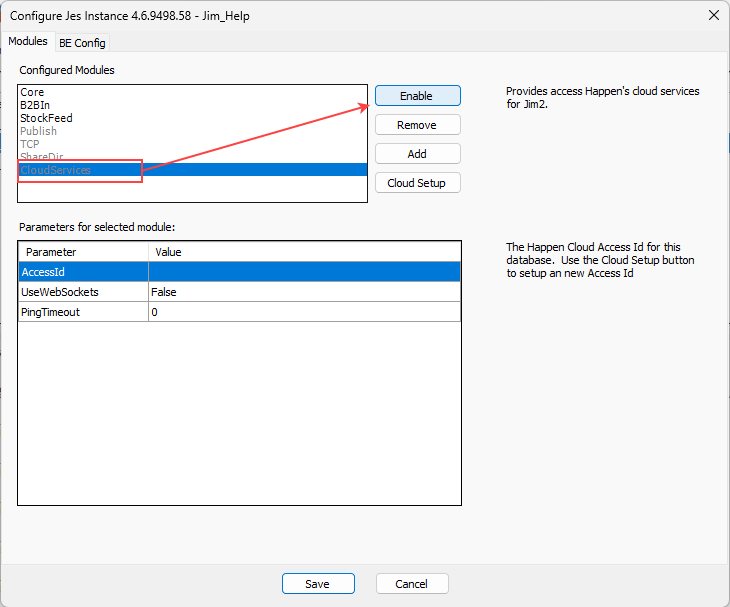
▪The Happen Cloud Account ID number provided in the Jim2 Licence Key email.
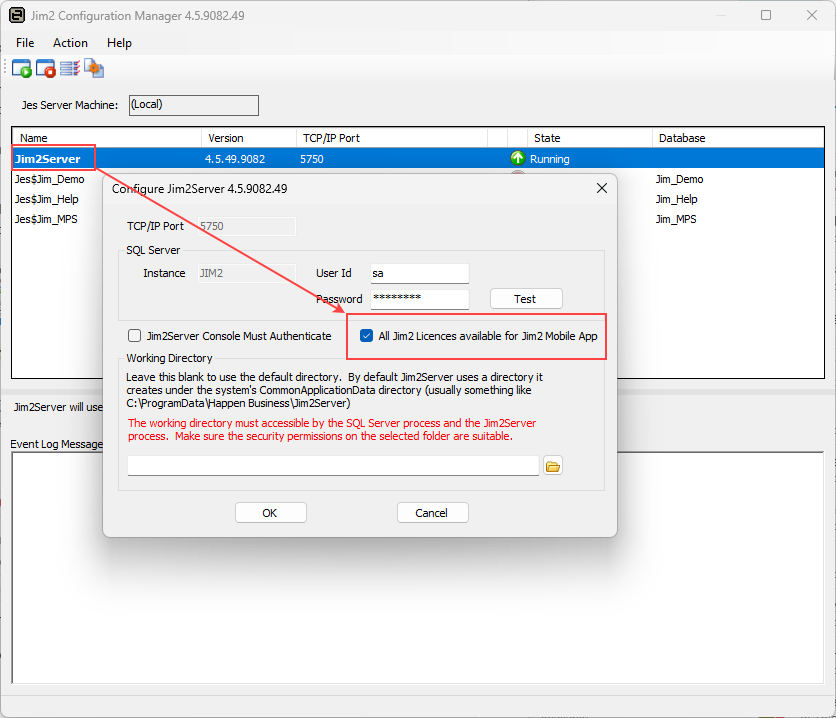
▪Access to the Jim2 Configuration Manager.
▪Access to the Apple App Store for iOS or Google Play Store for Android.
A Jim2 Licence Key email will be sent from Happen Business, which includes an overview of the current licences, plus the Happen Cloud Account ID required to set up Jim2 Mobile.
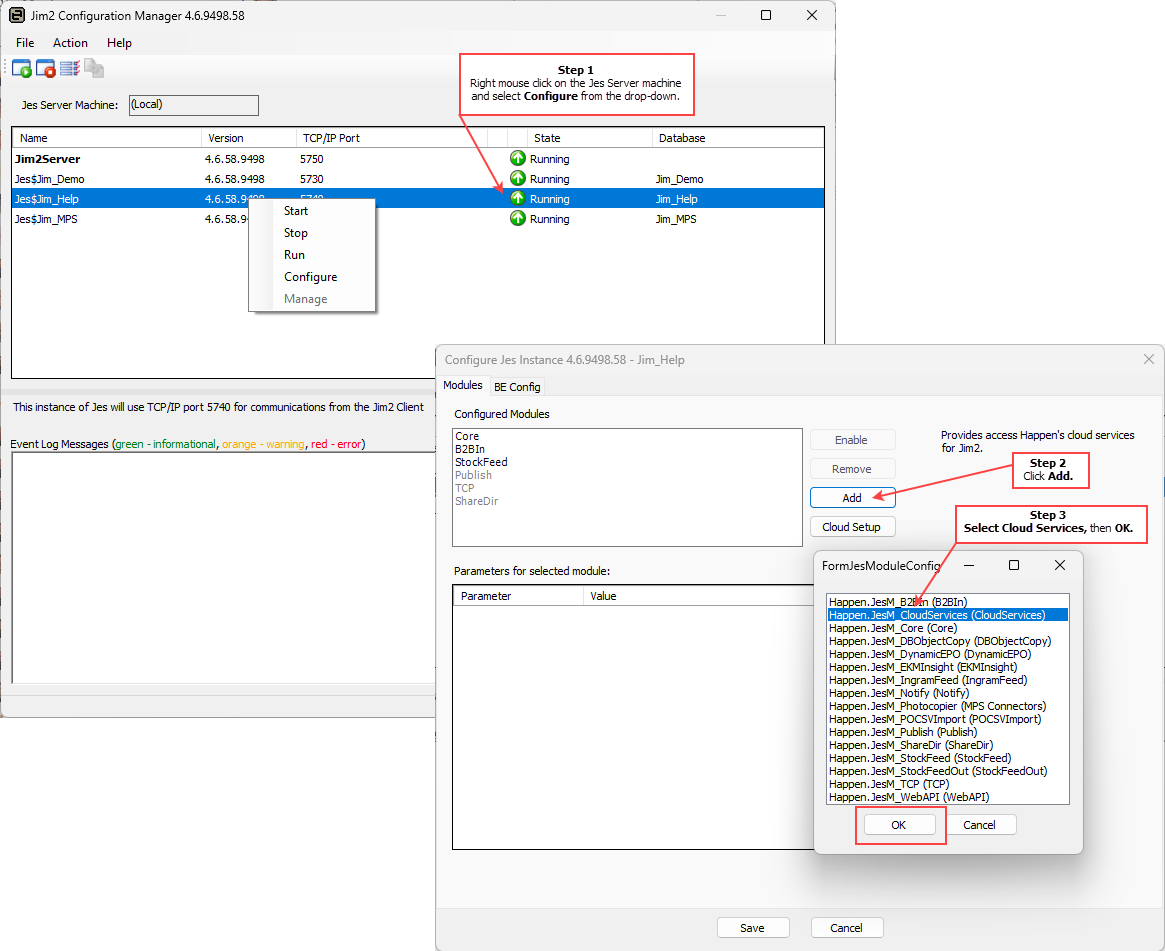
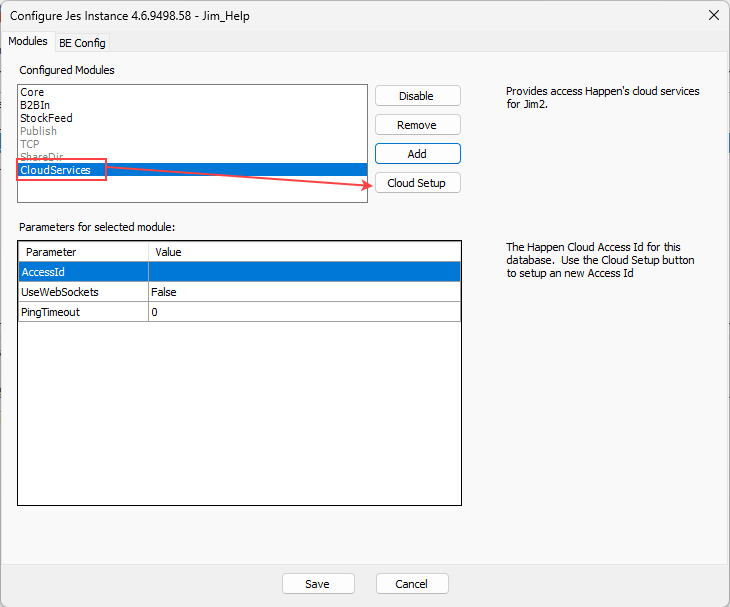
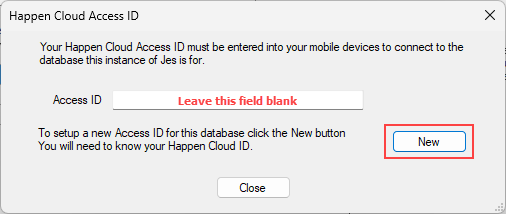
After setting up the Cloud Access ID, complete the following steps to connect the Jim2 database with Jim2 Mobile.

Visit www.jim2.com.au/support/latest-update/ (copy and paste into a browser) to update to the latest Jim2 version available. This ensures that access is available to all the latest features of the mobile app. |


Further information