 | Add manual meter readings for standalone contracts (v4.3 style) |
1.Open the contract. 2.Click Add Meter at bottom of the contract. 3.Choose Add Billing Meter Job from the drop down list. 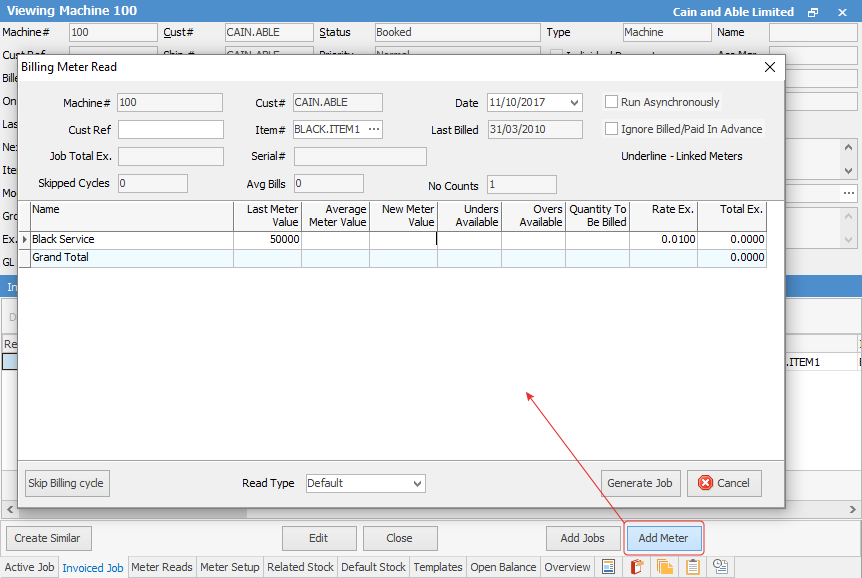 4.Enter the current reading for each meter, using the Enter key to accept the values. 5.Check the Last Meter Value to ensure the opening balance is correct. 6.Check the Rate Ex to ensure the meter rate is correct. 7.Check that, if the contract is a rental, it has a third line listed for the rental amount, and that it is correct. 8.Click Generate Job. 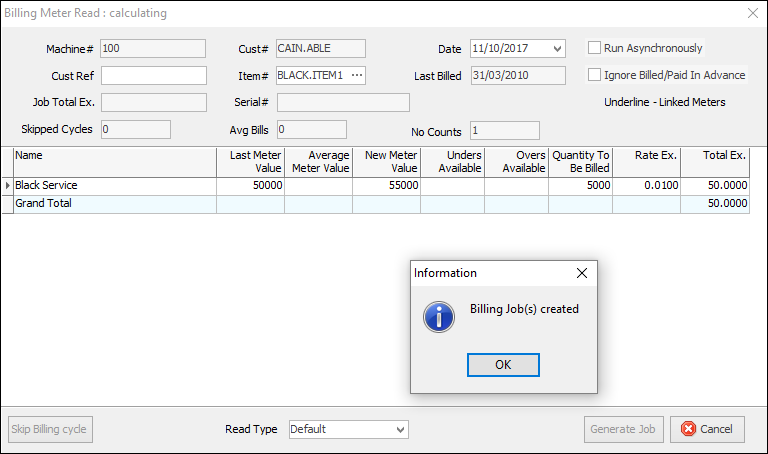
Create a Job List where only Ready is selected, and Type = Meter Billing. Invoice those jobs in a batch. |
1.Create a contract list where Master# = Contract# of the master contract. This should list both the master and all child contracts for that customer. 2.Sort the list so that the master is at the bottom, and the first contract in the list is selected (not open). 3.Click Bill Contract at the bottom of the list. Jim2 will ask for reads for all contracts in the list. 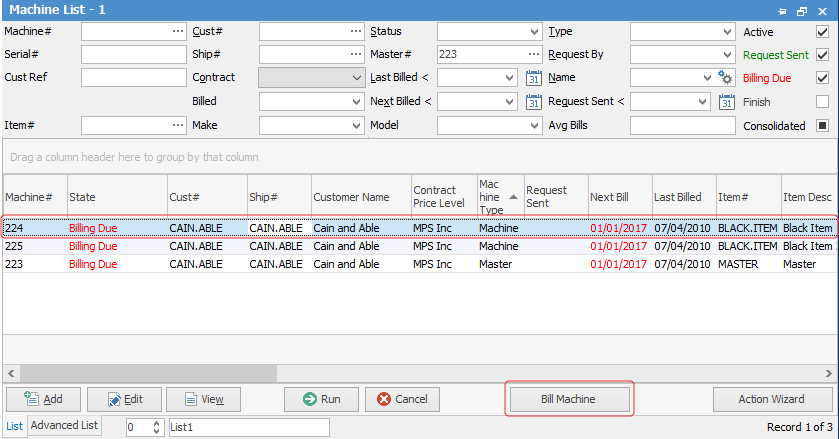 4.Enter the current reading for each meter, using the Enter key to accept the values. 5.Check the Last Meter Value to ensure the opening balance is correct. 6.Check the Rate Ex to ensure the meter rate is correct. 7.Click Generate Job for each child contract. 8.When the master comes up, it will list all contracts and summarise the totals. Click Generate Job. 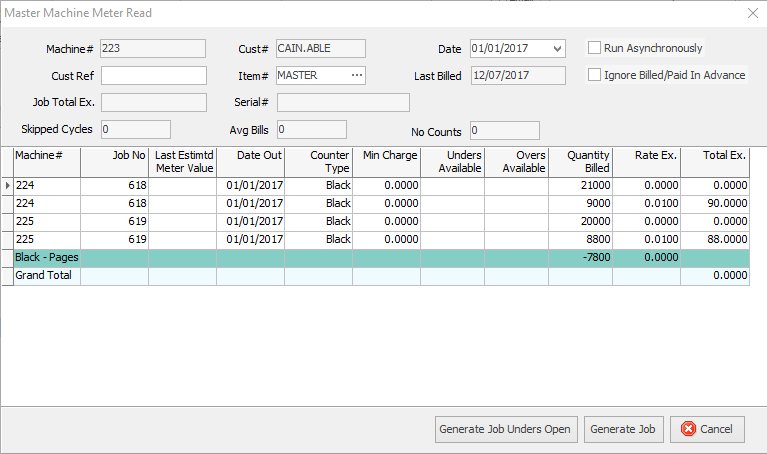
9.Create a Job List where only Ready is selected, and Type = Meter Billing, Master# = the master contract number. 10.Invoice all jobs in the list. Jim2 should add them all on to a single invoice. |

Further information