
Not choosing a Condition means the rule will be run on all emails. To do this, select Next and confirm that the rule will apply to all emails before continuing to Actions.
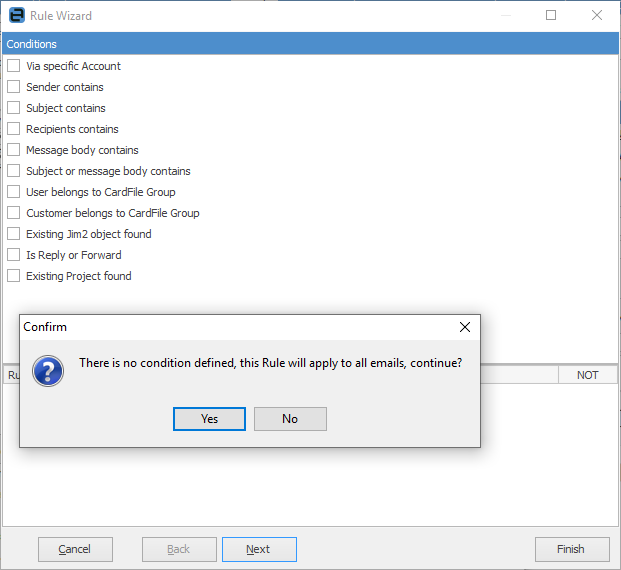 |
Most conditions are based on returned values, such as True or False. Most are based on the value of some part of the email, or part of the text that is within the email's subject or body.
For example:
|
Rules can also be negative, that is the condition applies if it is not met. Any condition can be ticked as NOT, ie. the condition becomes true if the conditions are not met.

Most rules can be based on Text or Regular Expressions. |
Text means contains the following text, and can optionally be case sensitive.
Regular expressions – true/false result Regular Expression, or RegEx for short, means apply the entered regular expression to the text (email subject for example). Regular Expressions allow extremely powerful text processing to be applied, and return True if the expression is met. They also allow for multiple conditions to apply.
Regular expressions – value result Regular expressions also allow for a value to be extracted from within some text. For example, a customer card code could be extracted from an email subject or body, then used to match the email to a specific customer, even if that email was not actually sent directly from that customer. For example, if the email was sent to support@ via an automated monitoring application.
Example email sent from automated monitoring application:
From: ticket@remotemonitoring.com To: support@mycompany.com Subject: Problem with server details servername.customercode Body: Help required: Unable to Access the server
A regular expression can be used to extract customercode from the above email's subject and use this to match the email with a cardfile. |
Further information