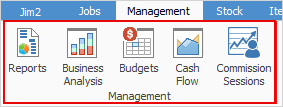
Jim2 Management contains powerful tools which can provide up-to-date and easily configurable information about how the business is performing.
This information can be broken down by branch (if branches are enabled), sub-branch, GL Department etc. and perform comparisons over multiple databases.
Management boasts many useful reports that can be exported into a number of different formats, and report designer allows designing other reports.
Formats:
▪Archive file ▪Text file ▪Report Emulation Text file ▪PDF file ▪Bitmap file ▪JPEG file |
|
▪GIF file ▪Metafile ▪PNG file ▪PDF/A file ▪RTF file ▪Word (doc) file |
|
▪Word (doc) form file ▪XLS data File ▪XLS report file ▪Xlsx data file ▪Xlsx report file ▪HTML file |
Jim2 also offers up-to-the-minute Balance Sheet and Profit & Loss statements, as well as budgets to track and measure the company's progress.
To get to Management either select in the ribbon, or select Management in the Nav Tree on the left-hand side of the screen.
Right click options in the Nav Tree
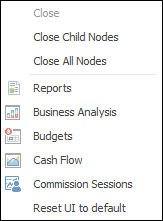
After the top 3 (which are self explanatory), these options mirror what is on the ribbon in the Accounts tab, except for the last tab, which will reset all tabs to default.
Further information