The ability to add, edit, view and amend contracts is handled via Jim2 Security.
To enable other users to view specific areas, go to Tools > Security on the ribbon, select the Security Group, click Edit and expand the Contracts folder checkbox. If Contracts has been renamed in Tools > Options, the name will appear here.
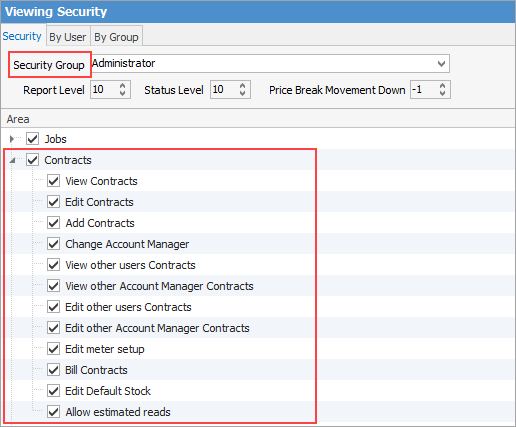
The image above shows all the security settings available for contracts, all self explanatory.
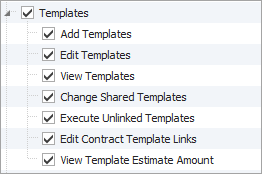
There is also security for contract templates:
Checkbox settings:
Checkbox |
Explanation |
|---|---|
|
Will only return results for what is ticked. |
|
Will not return any results. |
|
Will return results for all of the above. |


Please see User Group – Tags/Category Groups for more in-depth information on security.
Further information