
If a message appears stating that JES is not running, or alternatively, if JES needs to be stopped, follow these steps: 1.Run the Jim2 Configuration Manager, by opening Jim2CM.exe from the Program Files\HappenBusiness\Jim2Server folder. 2.When the Configuration Manager opens, right click on the line called JES$_nnn (JES$Jim_HFDemo in the example below). 3.Click Start or Stop, as required. 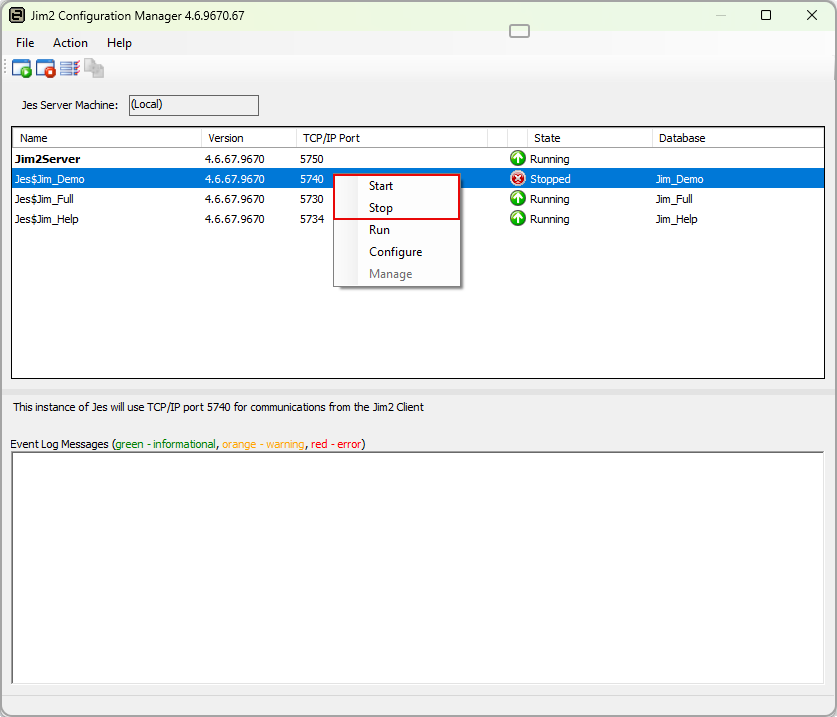
|

Further information
Jim2 Configuration Manager Tasks