As you will receive the payment from Services Australia and then pass it on to your staff member, this can be set up in Jim2 with a clearing GL account. That way the money in and out balances and doesn’t affect your wages expense.
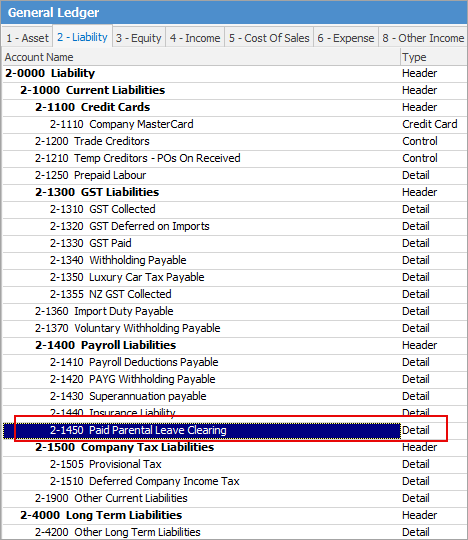
If you don’t have one yet, add an account called Paid Parental Leave Clearing. This would normally be a liability account.
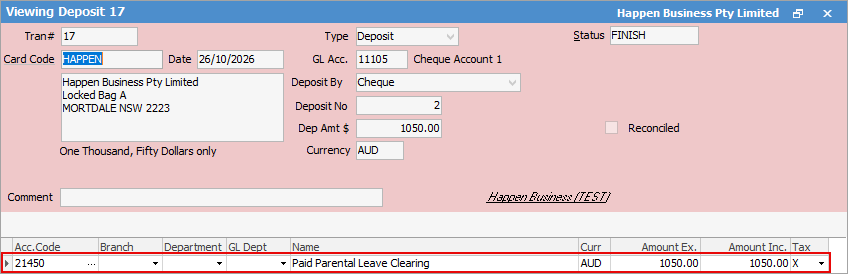
When you receive the payment enter it as a Deposit and code it to the clearing account, using Tax code X.
When you pay your staff member. Enter your payroll general journal as normal (noting that the wages and salaries should also include the paid parental leave, with an additional debit line for the clearing account. Or, you can simply enter the paid parental leave as a single general journal:

The journal needs to balance and the clearing account will return to nil once the full amount has been paid out.
Further information
Create Similar or Recurring GJs
Delete/Reverse a General Journal
Provision for Long Service Leave
Record Superannuation Salary Sacrifice