Once stock has been set up, there are a number of areas that can no longer be edited, usually because there have been transactions against the stock.
Following are the areas that cannot or should not be changed:
▪Unit Measure should not be changed once there have been transactions.
▪The Stock GL Group cannot be edited if there have been transactions.
▪Type, Attributes, Manufacturing, Serial#.
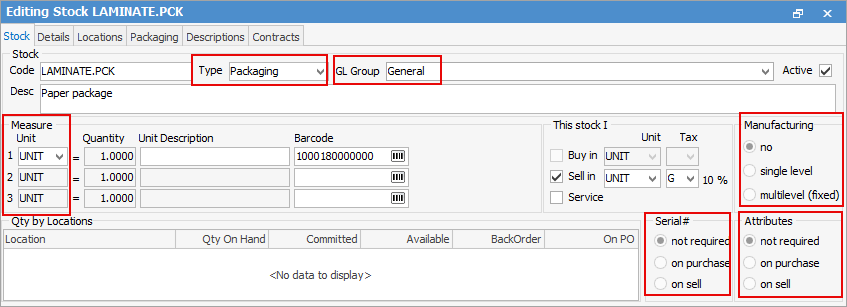
In the above cases, follow the steps below to fix the issue.
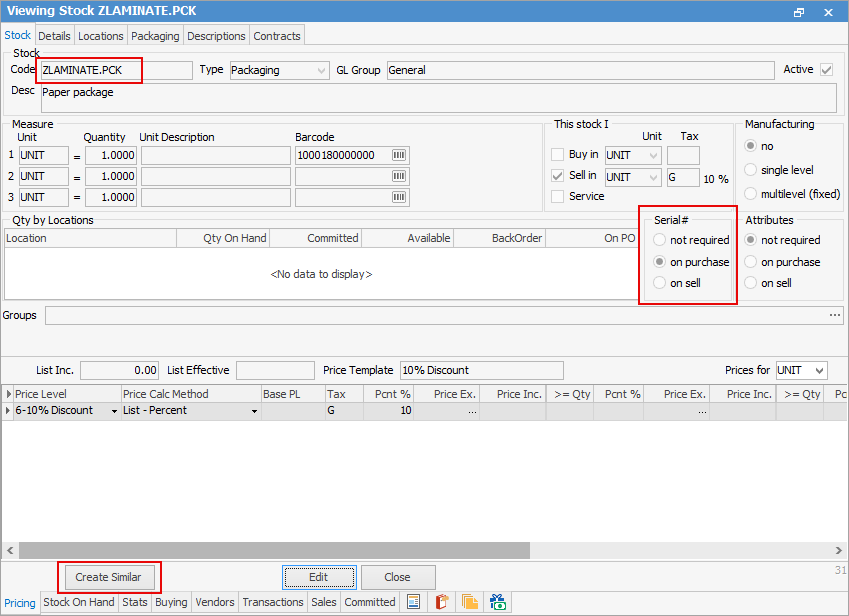
In this example, the stock was incorrectly set up with serial on purchase.
1.Edit the original stock code and place a z in front of the stock code, then save it. The select Create Similar.
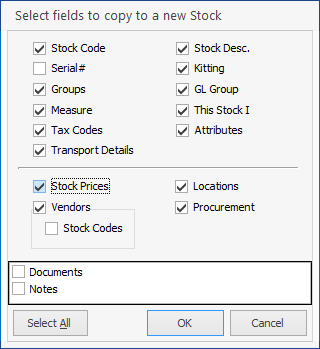
2.Tick the required fields to copy.
3.Make sure the stock code is now correct.
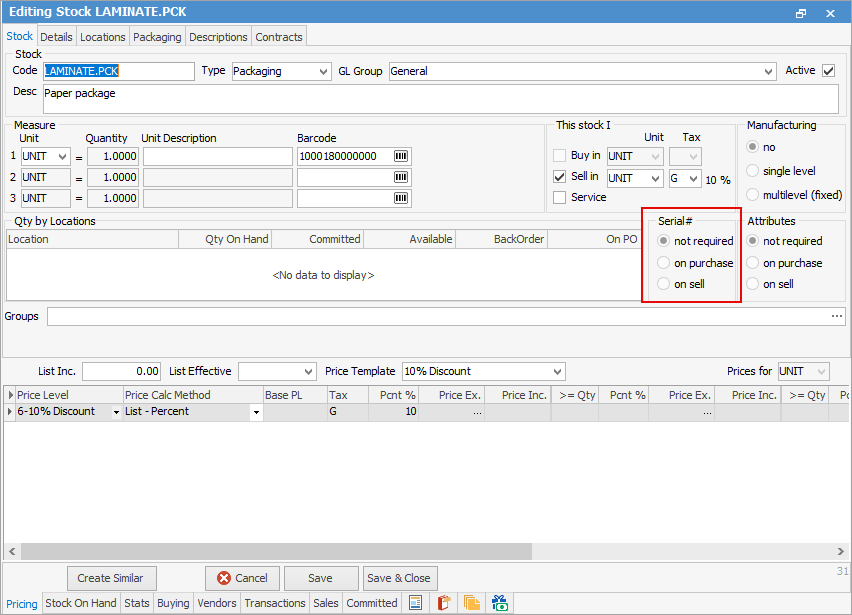
4.Once you have saved the stock code, the next step is to perform a stock adjustment down from the original stock code, then a stock adjustment up to the new stock code and it is now ready for use.
Further information
Add Customer Specific Pricing to Stock
Backfill Stock Sold in Advance
Buy and Sell in Different Measures
Change a Serial Number on a Stock Record
Export a Stock Report to Spreadsheet
Generate Backdated Stock on Hand Report
Move Stock from Depleting to Asset
Report Showing all Vendors on Stock
Stop Users From Giving Discounts
Update Existing Vendor Pricing
Update Lead Time on Vendor Tab