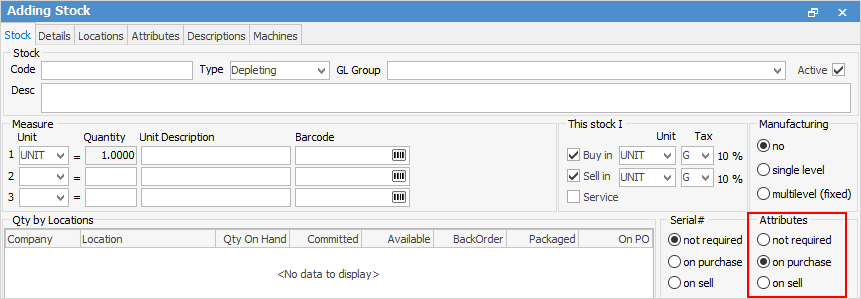
If the Attribute on purchase option is selected when creating stock, you can select attributes for it when purchasing, as well as selecting stock with specific attributes when selling.
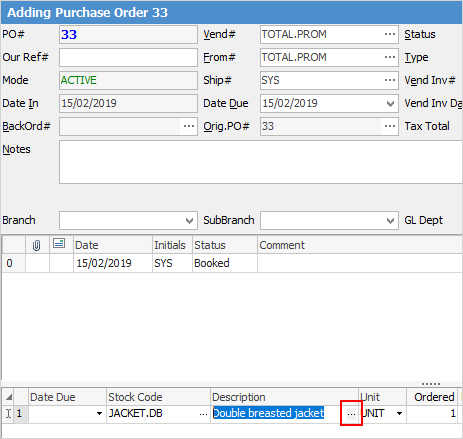
Note the ellipsis [...] in the Description field on the stock code line. This is Jim2's way of showing that there are attributes that apply to this stock, and they should be applied on the purchase order.
When clicking the ellipsis, this will bring up the Attribute Configuration screen. There is also a Template selection field, allowing the use of the Apply option to apply previously saved templates for this stock.
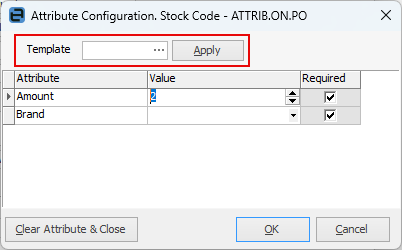
Attributes can be entered manually by selecting or entering values, then clicking OK. In this instance a previously created template for this stock is being selected. Enter the name of the attribute template if known, or click the ellipsis [...] to search for attribute templates available for this stock, highlight the desired template name, then click OK.
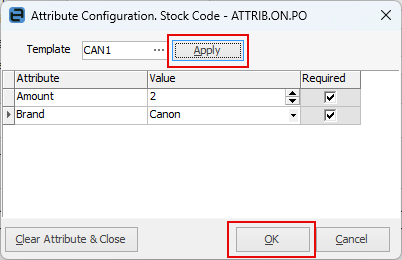
When the template name has been chosen, click Apply for Jim2 to apply the template values to the stock.
To view the attributes just entered is via View mode rather than Edit mode, so click Save to enter View mode.
The purchase order is now ready to finish and invoice.
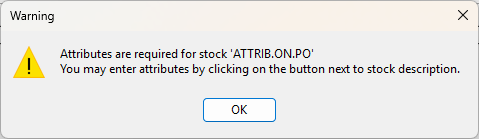
If attributes have not been applied when trying to finish a purchase order, the following message will appear, advising the stock code requiring the attributes:
|
Only one set of attributes can be entered per line – this applies to both purchase orders and jobs. |

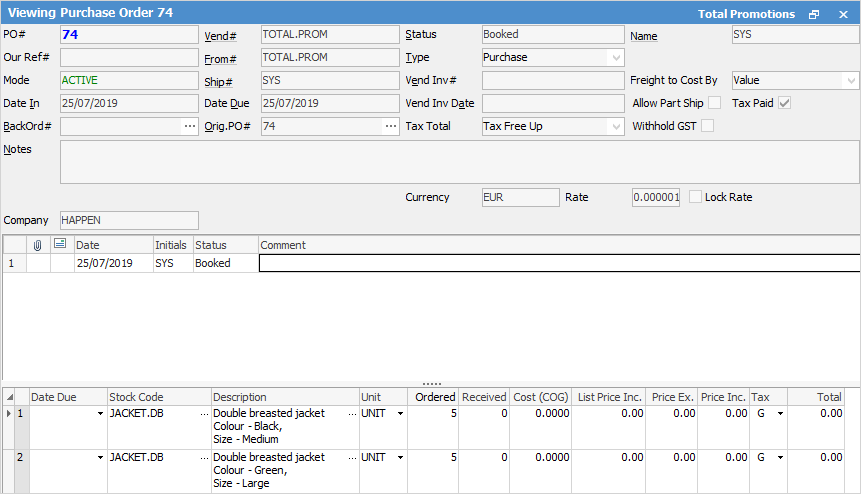
For example, if buying 5 black jackets and 5 green jackets, they will have to be entered in Jim2 in two lines of stock:
|
When entering one line of stock with any quantity and an Attribute Template is set up, you can use the Attribute Matrix tab to enter the values.
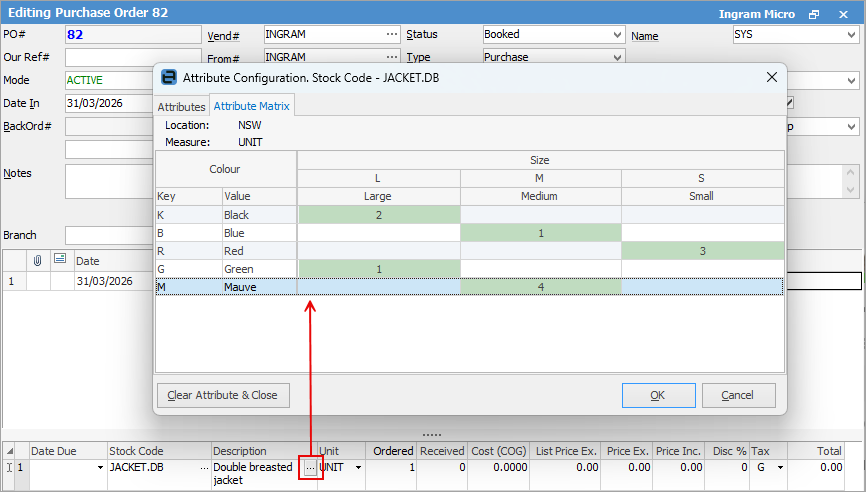
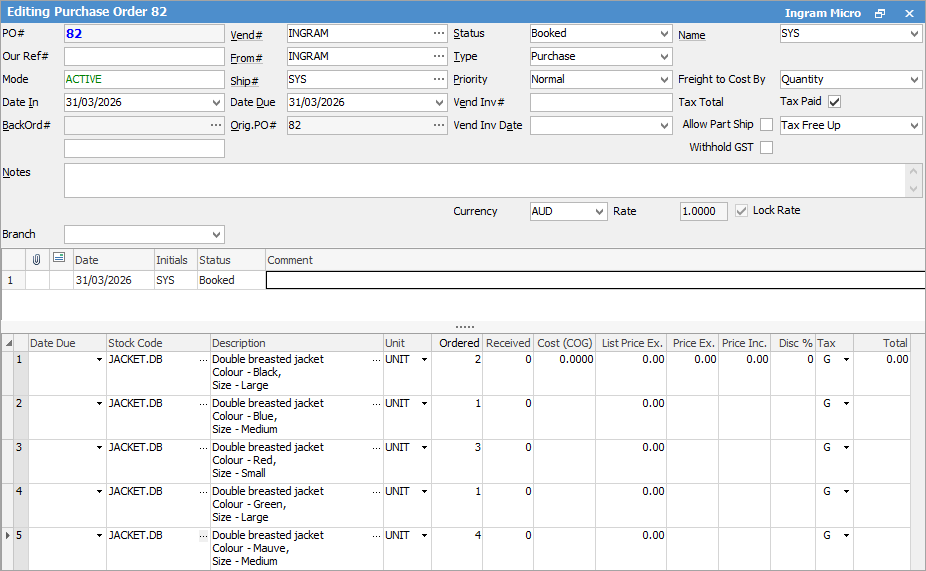
This will create the required number of stock lines to correspond with what is entered in this screen.
 |
Selling stock with attributes on purchase. When stock has attributes on purchase, select which stock with which attributes are being sold on the job.
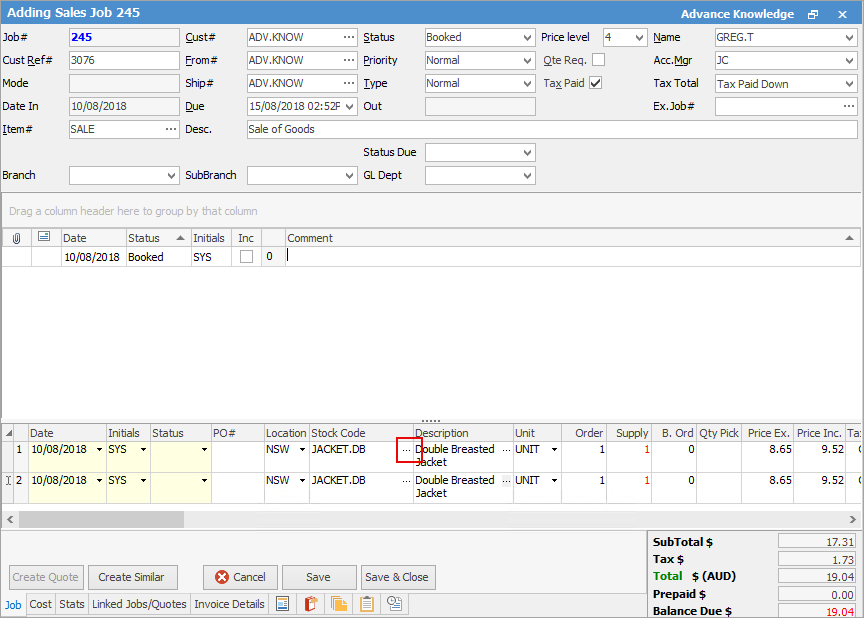
Before Jim2 will allow selling of the stock, attributes that are required for selling this stock must be selected.
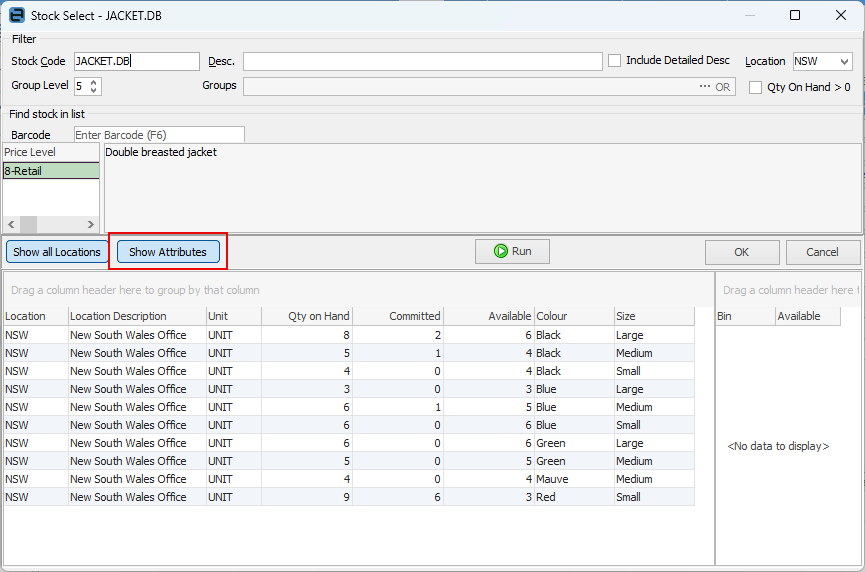
Within the Stock Select screen, clicking Show Attributes will show how many jackets, in what colour and sizes are available.
|
Because attributes are on purchase, all this screen allows is to highlight the lines with different attributes – not actually enter any new attributes. Attributes still need to be selected via the ellipsis [...] in the Description field. |
Once the attributes have been chosen, you can invoice the stock out correctly.
Further information