|
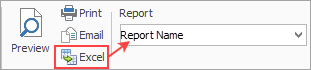
You can use the Excel icon to produce reports directly to Excel. Permission for use of this is based on security since it accesses the report for the information.
When Excel is selected, it will open spreadsheet windows and populate it with raw data from the selected report. Each report pipeline with be represented in a separate sheet, eg. Job, JobComments, JobStock etc. This will produce a much more comprehensive report in spreadsheet format for all these reports.
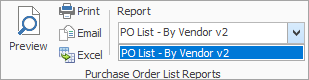
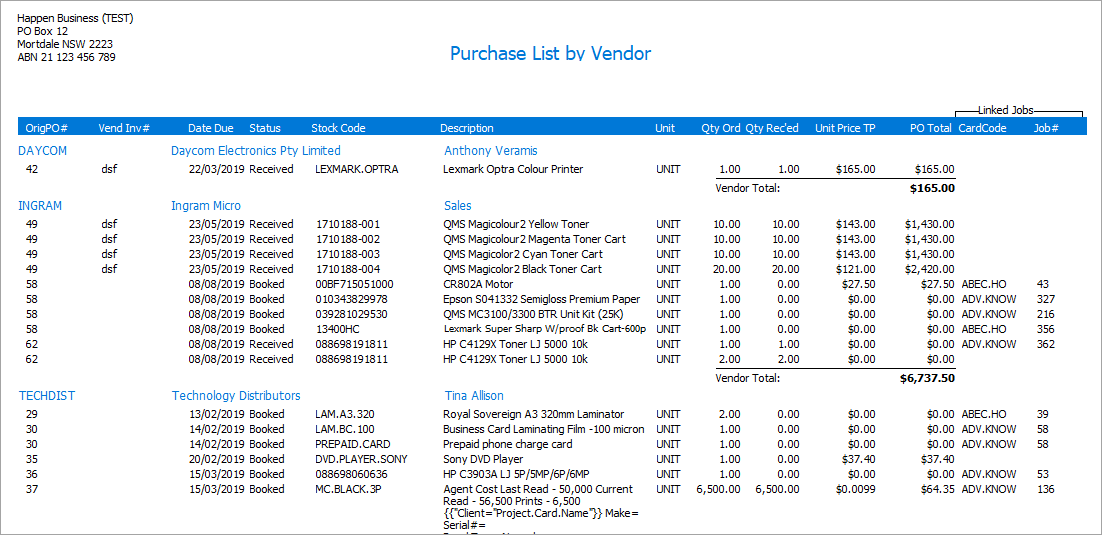
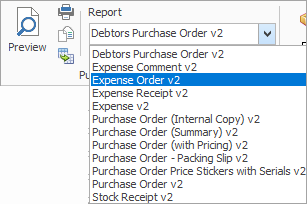
A purchase order list by vendor can be run from the Report section of the ribbon:
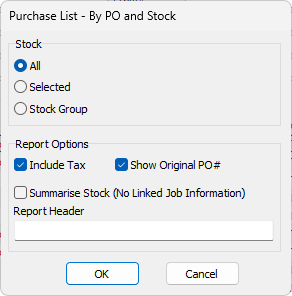
Filter this for a more refined report:
|
|
Note: If you tick Show Original PO#, if there are any back orders, the original PO status will show, rather than the back order status.
Leaving Summarise Stock unticked will allow you to see both purchase orders for stock, as well as those specifically for linked customer jobs.
|
|
|
|
Note: If you are produce this report for expense orders only, the Stock Code field will display the general ledger account chosen.
|
|
|
|
Note: Expense order reports can only be produced for expenses. You cannot use these reports for purchase orders, and vice versa.
|
|
|
|
Debtors Purchase Order v2
|
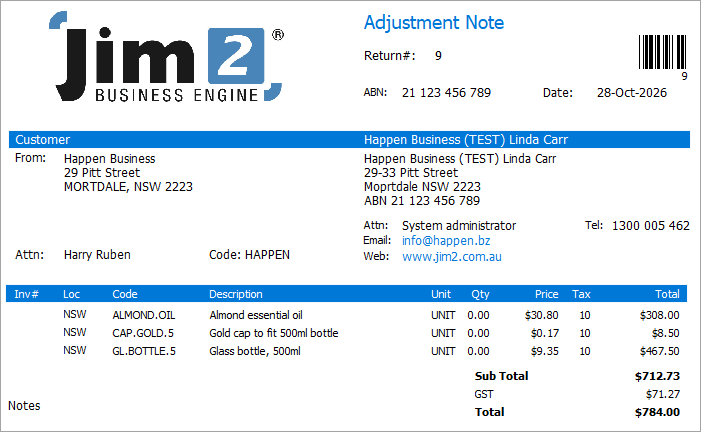
This can only be produced if the Type is debtors purchase order, and will produce a debtors purchase order report. The resulting report will state Adjustment Note:
|
Expense Comment v2
|
This will produce an expense order including comments from the Comment grid.
|
Expense Order v2
|
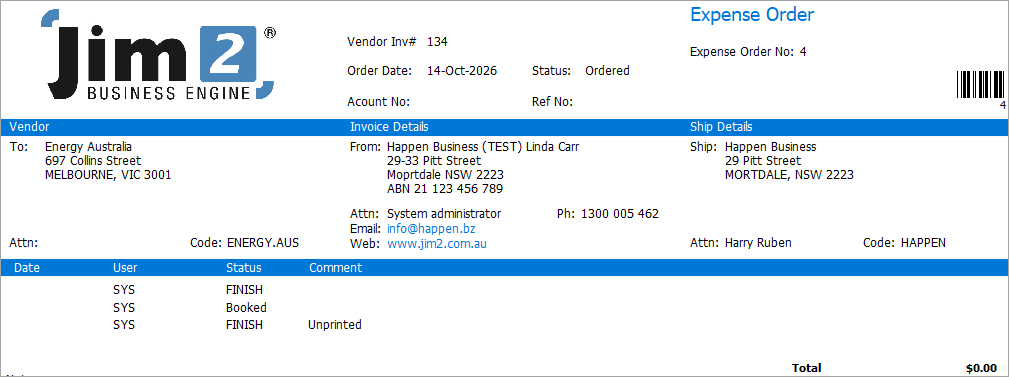
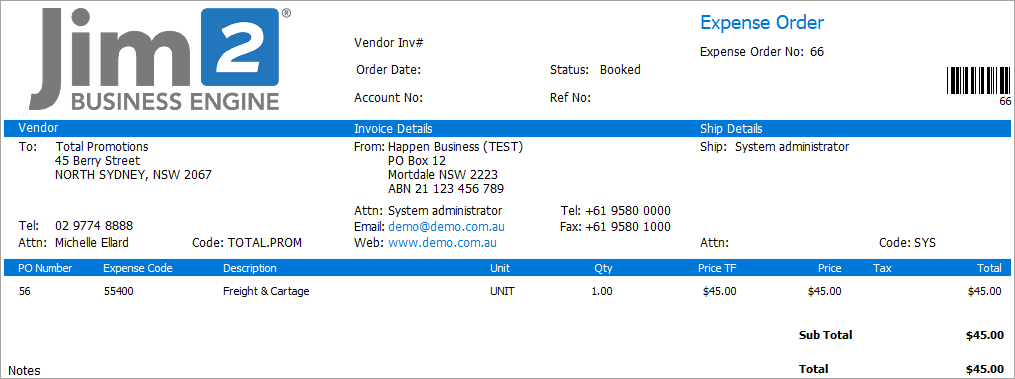
This will produce an expense order report for sending to the supplier.
|
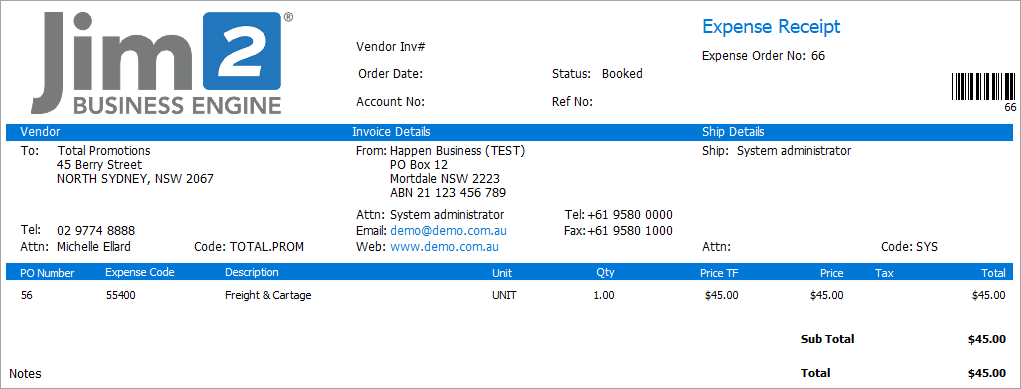
Expense Receipt v2
|
This will produce a receipt for the current expense order.
|
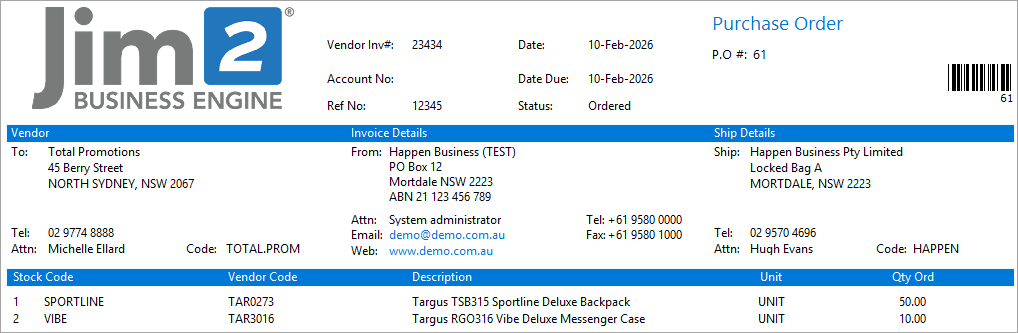
Purchase Order v2 report
|
This will produce a purchase order report, and will display exactly as entered – line for line.
|
Internal Copy: produces a copy of the purchase order.
|
Summary: produces a summary of the purchase order, which will group the stock by code, rather than by line, and in alphabetical order..
|
With Pricing: produces a purchase order with pricing in the same order as the stock grid.
|
Purchase Order – Packing Slip v2
|
Produces a packing slip listing stock on the purchase order.
|
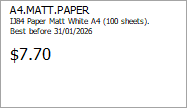
Purchase Order Price Stickers with Serials v2
|
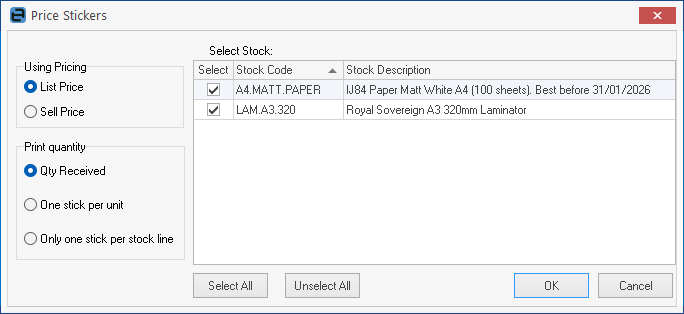
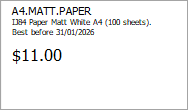
Here, you can choose to print price stickers for all or some of the stock lines within the purchase order:
List Price option uses the list price from the stock code.
Sell Price option calculates the expected sell price level 1 information from the stock code.
|
Stock Receipt v2
|
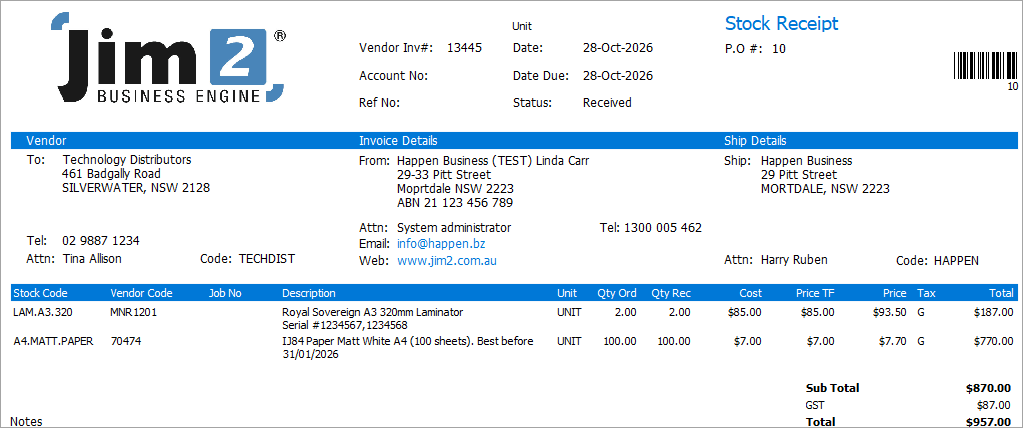
This will produce a receipt form for the stock.
|
|
Further information
Purchases Security
Expenses at a Glance
Purchases at a Glance
Purchases and Expenses How To
Return to Vendor
|