On the ribbon, go to Purchases > Return to Vendor.
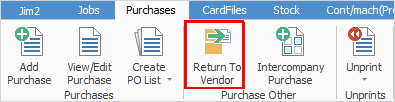
The Return to Vendor list is displayed.
▪Click Add at the bottom of the list.
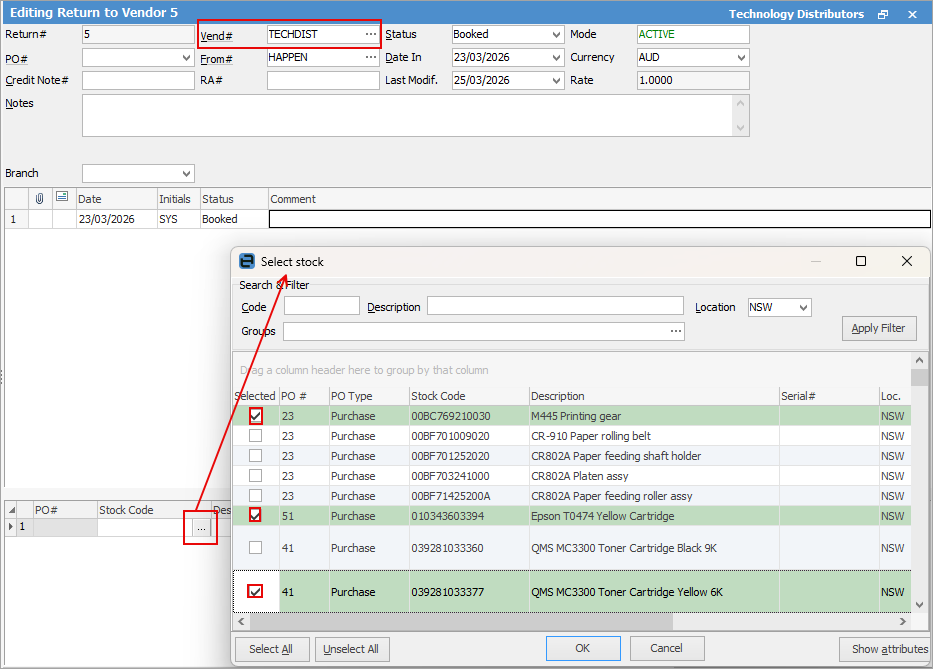
▪Enter the Vend#.
 |
Note: Do not enter a PO# in the PO# field. |
▪Click the ellipsis (...) in the stock grid.
▪The Select stock menu will appear. Select the stock from the appropriate purchase orders.
▪Click OK and the stock will drop into the RTV.
|
Some letters in the field names within the header are underlined, eg. Vend#. Using Alt+ the underlined letter will jump to the field beside that heading. |

Further information
Add an RTV Against a Different Vendor
Add an RTV for Stock Not Purchased in Jim2
Add Discount or Restocking Fee on a Return to Vendor
Add Stock to a Return to Vendor