
Start the Jim2 Configuration Manager (Jim2CM.exe) on the Jim2 Server, and confirm the JES service is started and running. |
In the JES Configuration in Jim2 Configuration Manager confirm that the module for the vendor is enabled for feeds. If the module is enabled it will not appear greyed in the Modules list.
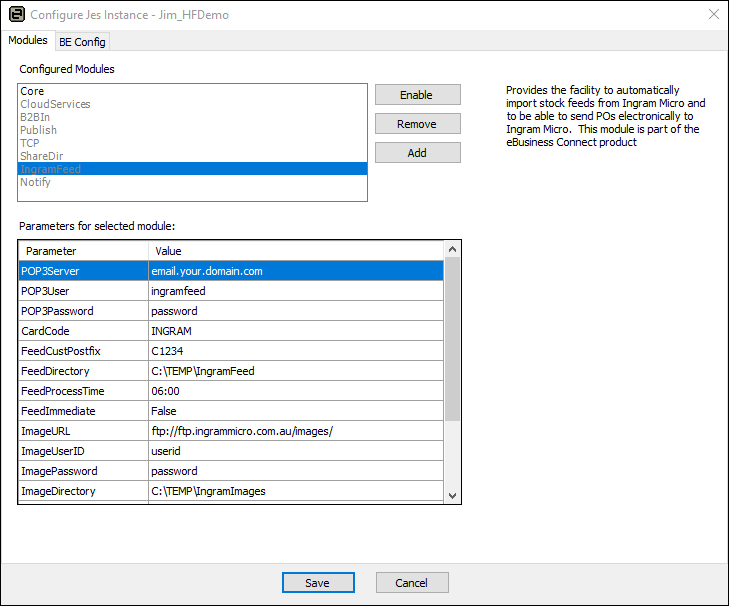 |
Are there Emails to be Processed?
Log on to the email account and confirm there are emails to be processed. Do not delete the emails from the account.
Are There any Errors in the Event Log?
Has JES recorded any errors in the Windows Application Event Log on the Jim2 Server computer?
Has the Email Password Changed?
Ensure the email password in JES matches the current email password.
Can JES Communicate with the Email Server?
Us a tool like Telnet to make the connection from the server to the email server.
Did JES Process any Emails?
There should be processed files in the Feed directory, as set up in the JES configuration (see FeedDirectory in above image).
When setting up a new vendor feed, please follow the instructions here, or read the eBusiness Framework installation notes at https://www.jim2.com.au/support/latest-update/.
Further information
Set Up Cloud Services for Jim2 Mobile