Create Similar Project

Back Top Prev Next Print

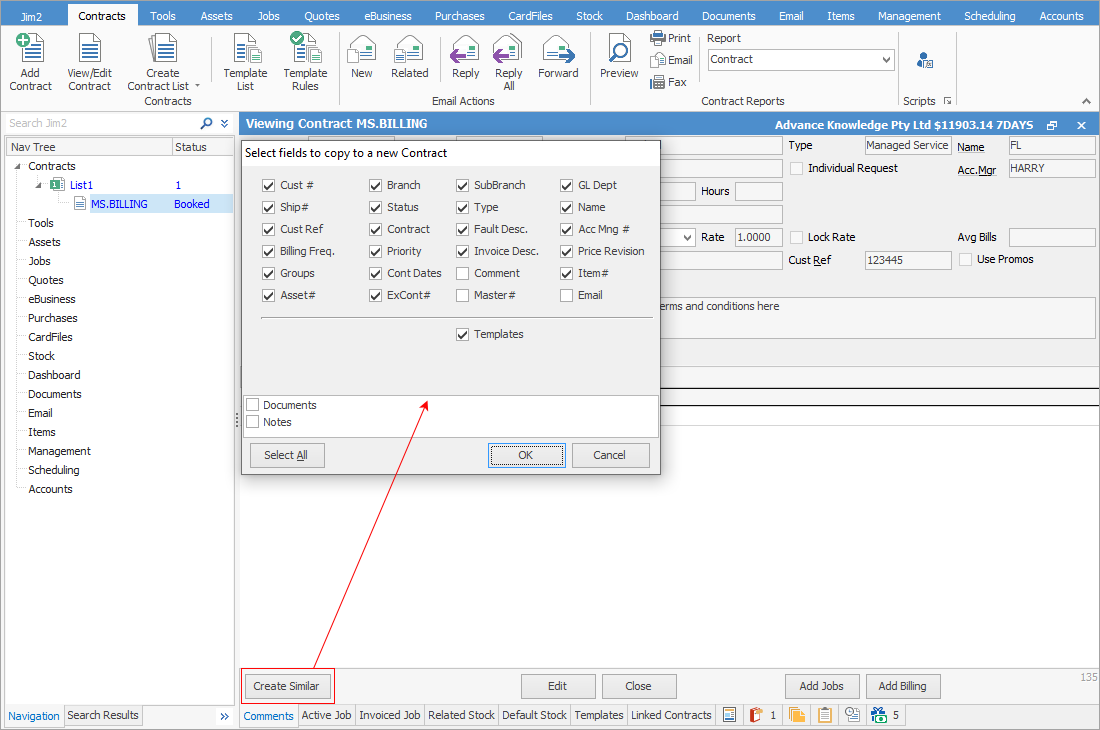
Open the Project, then click Create Similar. A selection screen will appear.
 

CreateSimilarProject


Choose which fields of that are to be duplicated on the next Project, and select OK. The newly created Project will use the next Project system number available.


Selection of the fields is self explanatory, but also includes the ability to copy the templates across as well.


Further information

Project Security

Set Up Managed Services

Assets

Preview Pane

Project Footer Tabs

Project Header

Project List

Project Reports

Project Templates

Promotional Pricing

Workflow Example

Add a Job to a Project

Add a Document to a Project

Add Recurring Managed Service Jobs

Prepaid Labour Reporting

Set up a Managed Service Contract