
It is often the case that businesses buy from and sell to the same entity, where the cardfile is set as both a customer and a vendor. On occasion, money could be owed to both the company and the cardfile entity at the same time. Rather than doing a physical exchange of funds, use the Contra feature.
Although contra invoices can be performed by doing a separate debtors/creditors adjustment up/down for each invoice to transfer, with the Contra feature the invoices to be transferred can be indicated and the contra can be performed in one process.
Whether to do a creditors contra from debtors or a debtors contra from creditors depends on which side of the ledger the credit should reside. However the contra is performed, it does not need to be performed from the other side, as the process is automatic.
|

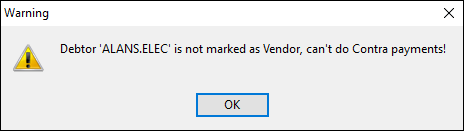
Contras work the same way, whether from debtors or creditors. This example illustrates the steps required to perform a creditors contra – from debtors to creditors. 1.On the ribbon, go to Accounts > Debtors. Find the debtor in question and click Edit. 2.In the Type field, choose Creditors Contra from the drop down options. 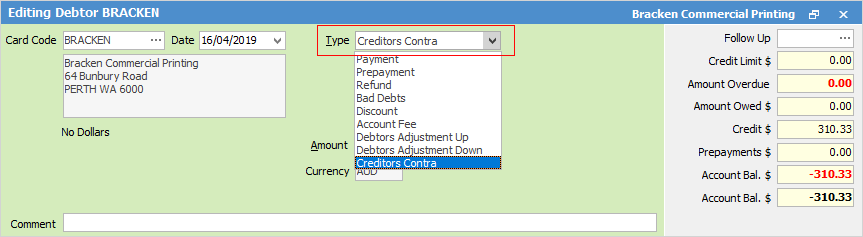 3.Enter or tick off the amounts against the invoices, as per normal. 4.Click Save.
The invoices will then be marked as paid and a corresponding credit will be created in creditors. This credit can then be applied against purchase orders in creditors, as normal.
Having performed the above, it does not need to be performed from the other side, as the process is automatic. |
A contra payment can be reversed or deleted (depending on Account Options) in much the same way as any other payment.
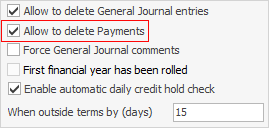
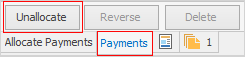
For example, to reverse a creditors contra from debtors: ▪if the corresponding credit that was created in creditors is allocated, this must be unallocated from creditors first ▪locate the creditors contra from the Payments tab (bottom left of form) of the debtor, and click Unallocate. Any applied payments will then be unallocated. Now click Reverse, or Delete.
 |
From an accounting point of view, one of the following transaction journal entries will be created as a result of doing a contra.
|
Further information