Jim2 allows for unallocating all or part of a creditor's payment where all or part of the payment has been incorrectly applied to an invoice (or invoices). To unallocate a payment, open the creditor form and remain in View mode (this cannot be performed in Edit mode).

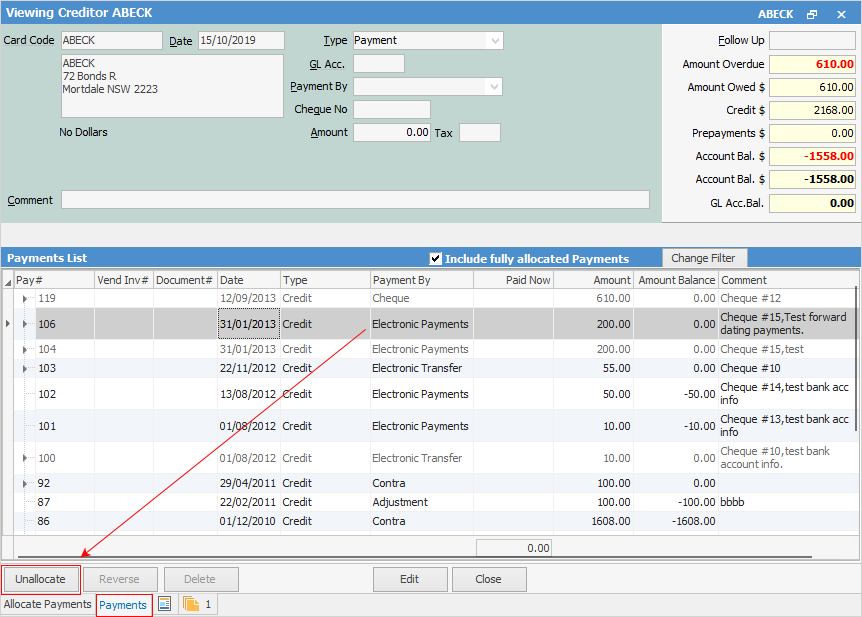 1.Go to the Payments tab at the bottom of the form (in View mode). 2.Select the line of the payment to unallocate. 3.Click Unallocate. 4.A message confirming the payment number to be unallocated will appear. 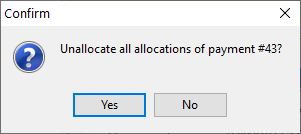
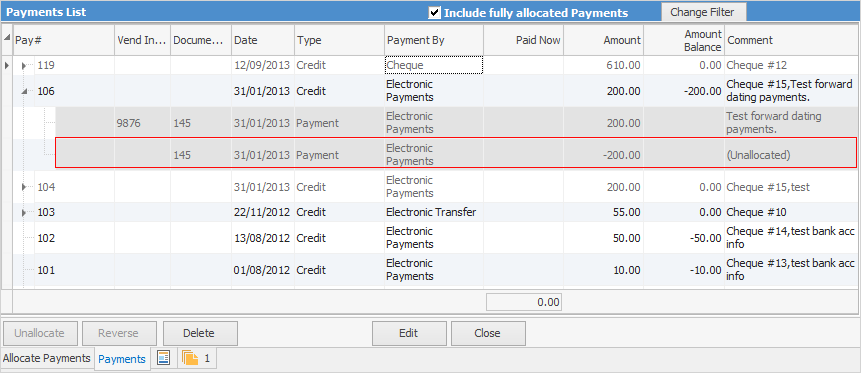
Click Yes, and the Payments screen will have another line attached to that payment, including negative amounts and a comment (Unallocated). Click on the solid arrowhead at left to view. The amount balance on the credit line will also be updated.
 |
1.In View mode (not Edit mode), go to the Payments tab at the bottom of the form. 2.Select the line of the payment to unallocate. 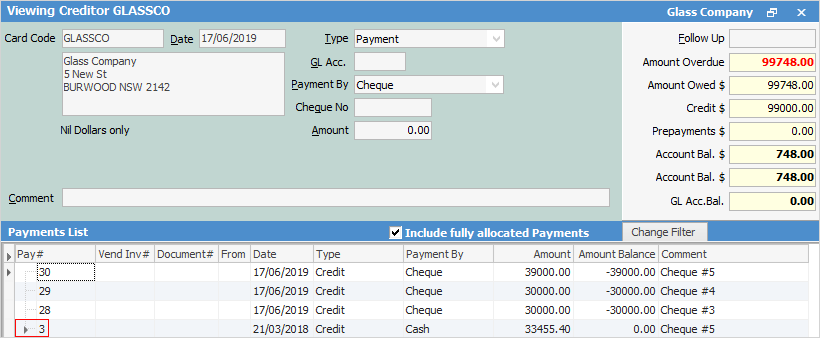 3.Click the 4.Select the invoice to unallocate the payment from by clicking on it once. 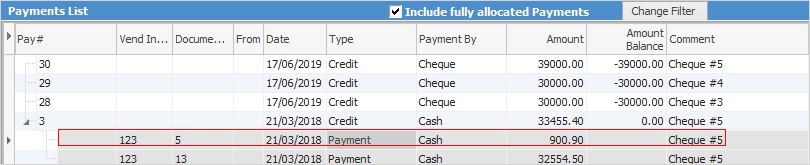 5.Click Unallocate (bottom left of screen). 6.A screen confirming the amount of the payment to be unallocated will open. 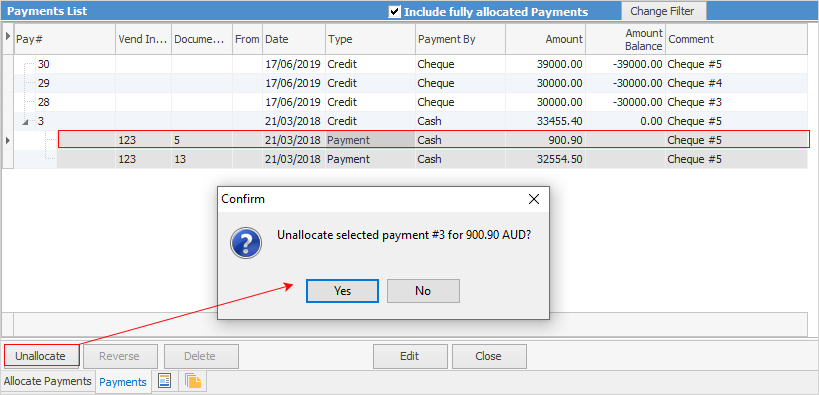 On clicking Yes, part of the payment will show as unallocated and the amount balance on the credit line will be updated. 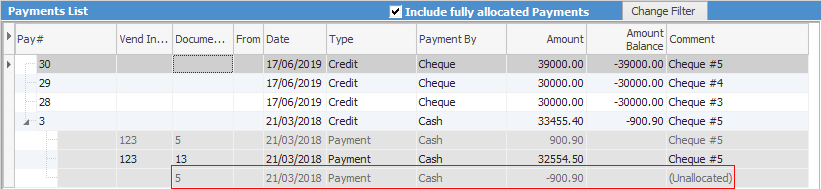 The amount of the payment will now be included within the credit balance for this vendor.
|
 at the left of the payment to show the invoices the payment has been applied to.
Hyperlinked fields
Some fields provide hyperlink access to view associated information. Hovering the cursor over the wording to the left of the field will display the label name in blue if it is hyperlinked. Click on the label and choose the option to view. Card Code – will open the cardfile of the code entered here.
Further information
Discounts and Account Fee entries
Manage Payment Returned from Bank