 |
A creditor's payment cannot be deleted unless it has been unallocated or if it has been reconciled. It can only be cancelled or reversed. |
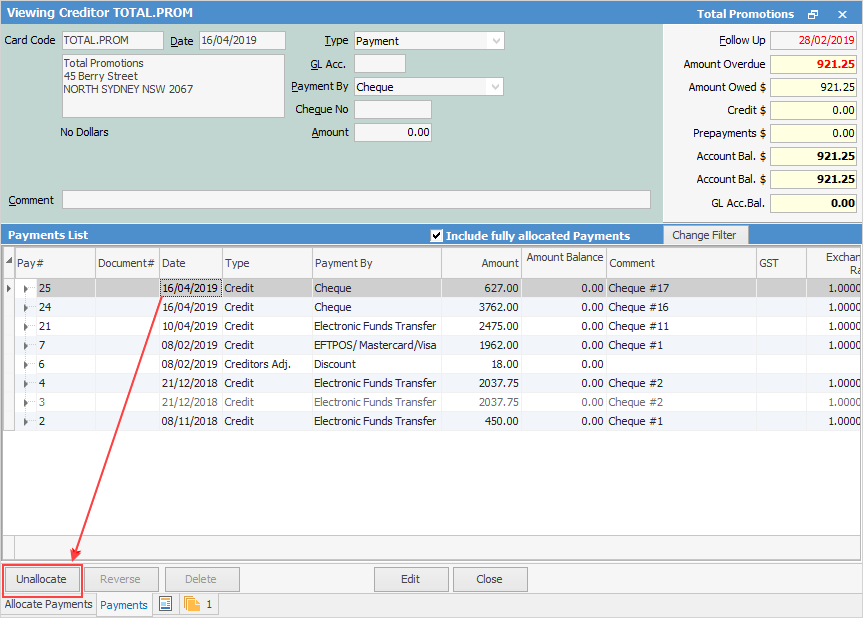
To cancel a payment, begin by first unallocating the payment from invoices.
|
It is advisable to use the Refund or Reverse facility instead of cancelling a payment. The refund and reverse facilities will keep a complete audit trail of any entries made and/or refunded. |


1.On the ribbon, go to Accounts > Cheque Book to open the cheque book list and enter the Cheque# to locate the correct cheque. 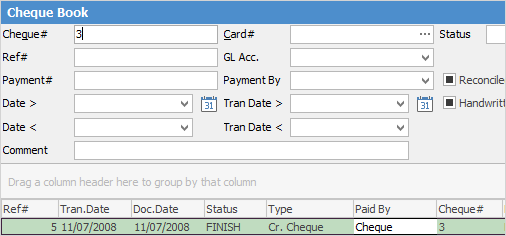
2.Open the creditor's cheque by either double clicking on the entry or clicking View. 3.At the bottom of the Viewing Cheque screen is the Cancel Cheque button. 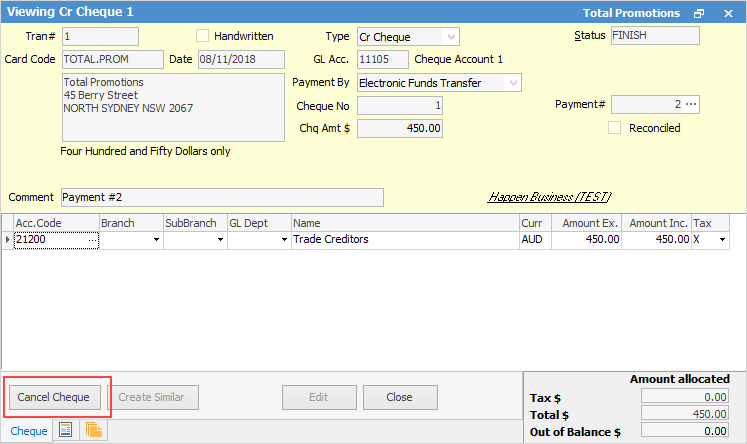 4.Click Cancel Cheque and a confirmation will appear. 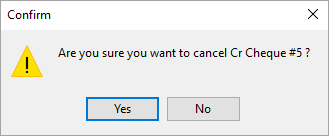 5.Click OK and the creditor's cheque will be cancelled. |

Further information
Discounts and Account Fee entries
Manage Payment Returned from Bank