To sell a company asset (not to be confused with Assets on the ribbon), eg. a motor vehicle, a tax invoice may need to be provided to the purchaser. Since the purchase of an asset is usually recorded on an expense order to a 1-XXXX Asset at Cost general ledger account, create a stock record and move the asset value in the general ledger in order to sell the asset and account for the value.
|
To ensure that the value of the asset being sold is recorded correctly at the time of the sale, it is advised to discuss the sale of the asset with the company's accountant before processing the sale in Jim2. Enter any adjustments required, such as depreciation, prior to following these steps. |

 |
Some letters in the field names within the header are underlined, eg. Status. Using Alt+ the underlined letter will jump to the field beside that heading. |
Complete the following steps:
1.Move the excluding GST value of the asset from the 1-XXXX Asset account to the 5-XXXX Stock Adjustment account by adding a general journal, BAS Type – Purchase, using tax code X on all lines on the journal.

2.Add a new stock record with Type – Depleting and select a relevant Stock GL Group (it may be necessary to add a new one).
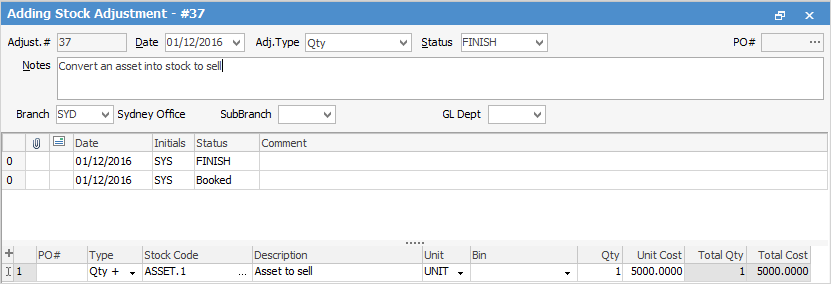
3.Add a Stock Adjustment Qty+ to increase the stock on hand count for the new product at the correct excluding GST asset value. This transaction will also move the value from the 5-XXXX Stock Adjustment account to the correct 1-XXXX Stock on Hand account.
4.Add a job and sell the stock as normal.
Further information