Enter a Capital Asset

Back Top Prev Next Print

To enter a company asset, ie plant and equipment, vehicle, etc. into the accounts, it is entered as an expense order. When choosing the account code, if the relevant Asset account is not in the drop down list, go to the general ledger and choose from one of the Fixed Assets, or add a new account:
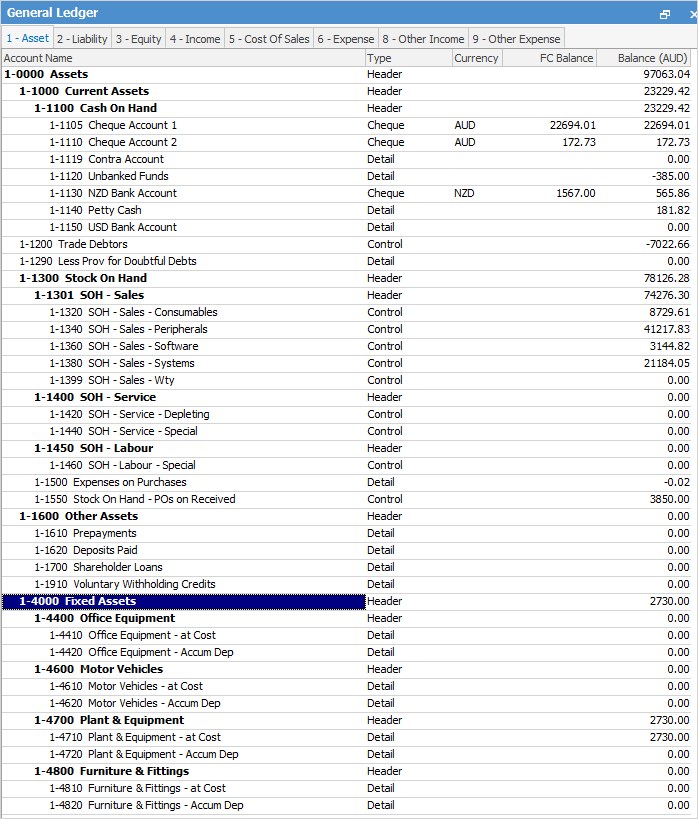
 

Fixedassets


Double click on the account and ensure that it is ticked as an Expense PO Account with a Default Tax Code C (Capital Acquisition).


Proceed to entering it as an Expense order using Tax Code C.


Jim2 does not have an asset register as such, however you should be able to locate asset information via the expense orders added to Jim2 as above.


Further information

Accounts Security

Debtors

Creditors

Advanced Creditors

General Ledger

Account Inquiry

Transaction Journal

General Journals

GST Sessions and the BAS

Credit Cards

End of Financial Year

Clear the Historical Balancing Account

Suggested End Of Month Procedures

Enter Child Support Payments

Enter Government Support Payments

Enter Prepaid Expenses and Amortising Costs

Purchase a Capital Asset Under Finance

Handle Paypal (and Similar)

Record Debtors/Creditors Contras

Rounding Issues

Sell a Company Asset

Set up a Loan Account

ATO Reportable Sub-Contractor Payments

Share Utility Expenses with other Businesses

Understanding Debits and Credits

Use Debtors and Creditors Adjustments

Variance in Trade Creditors and Creditor List Total

Recover Bad Debts

Withhold Tax

Write off a Bad Debt

Write off Fixed Asset

Work with Tax Codes in Jim2