There are two ways to deal with removing duplicate payments.
1.Reopen the Period
Untick the Closed checkbox for the relevant financial period, then proceed to reverse the payments.
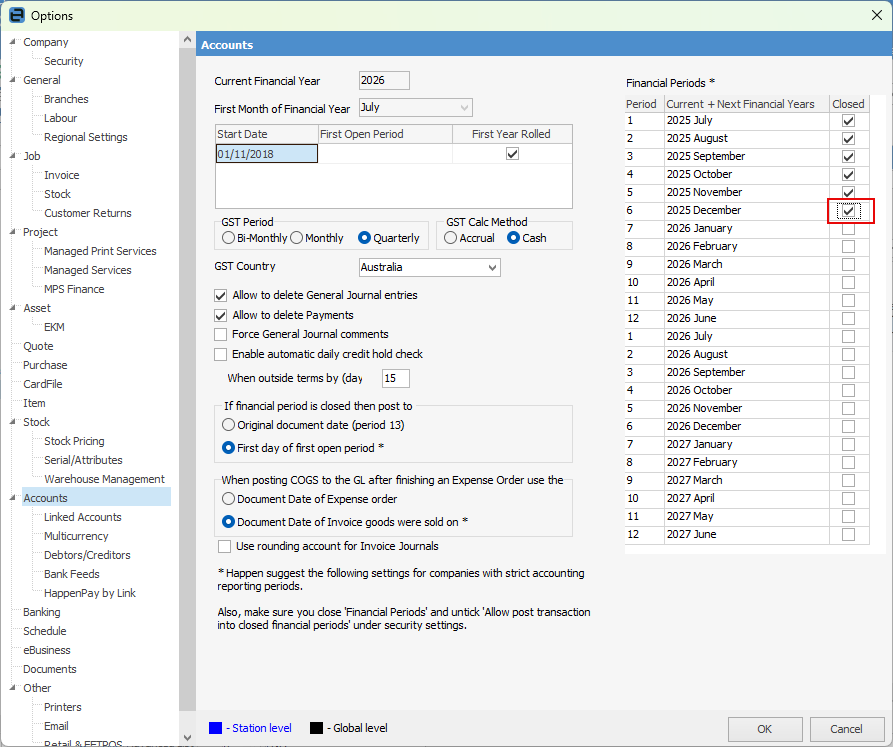
2.If you’d prefer not to reopen the period, you can still reverse the payments by using a reversal date in the first open period available.
Further information
Charge a Customer an Account Fee
Clear the Historical Balancing Account
Enter ATO Reportable Sub-Contractor Payments
Enter Capital into the Business
Enter Government Support Payments
Enter Prepaid Expenses and Amortising Costs
Share Utility Expenses with other Businesses
Suggested End Of Month Procedures
Understanding Debits and Credits