In addition to user/user group security within the Item itself, the ability to add, edit, view and amend Items is handled via Jim2 Security.
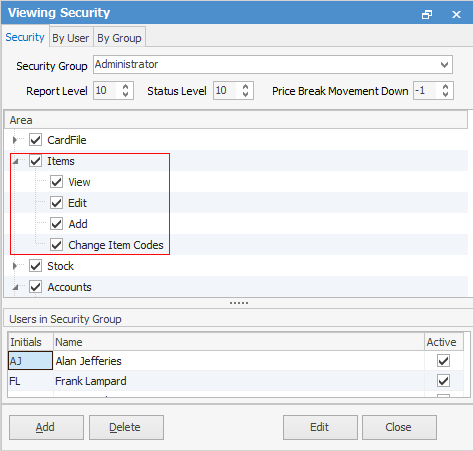
The image above shows all the security settings available for Items.
To enable other users to view specific areas, select the Security Group, select Edit and expand the Items (and sub-folder) checkbox.
 |
Selecting Edit will show all usernames within that security group. |
Choose what the user is able to do.
Checkbox settings:
Checkboxes |
Explanation |
|---|---|
|
Will only return results for what is ticked. |
|
Will not return results for any unticked boxes. |
|
Will return results for all of the above. |


Please see User Group – Tags/Category Groups for more in-depth information on Items security.
Further information