This section of the Item form contains a grid for recording the user or group of users to be assigned to the Item.
This allows choosing only users who have been specially trained, or who are otherwise competent to sell, service or manufacture this Item.
The selection grid contains the card code and name of all user cardfiles to choose which users (other than the default user) are required.
This is particularly useful in ensuring that inactive users don't appear when selecting Name/Account Manager within a job, quote, etc.
Specify who an Item can be assigned to based on individual users and/or users within specific User Groups as per below:
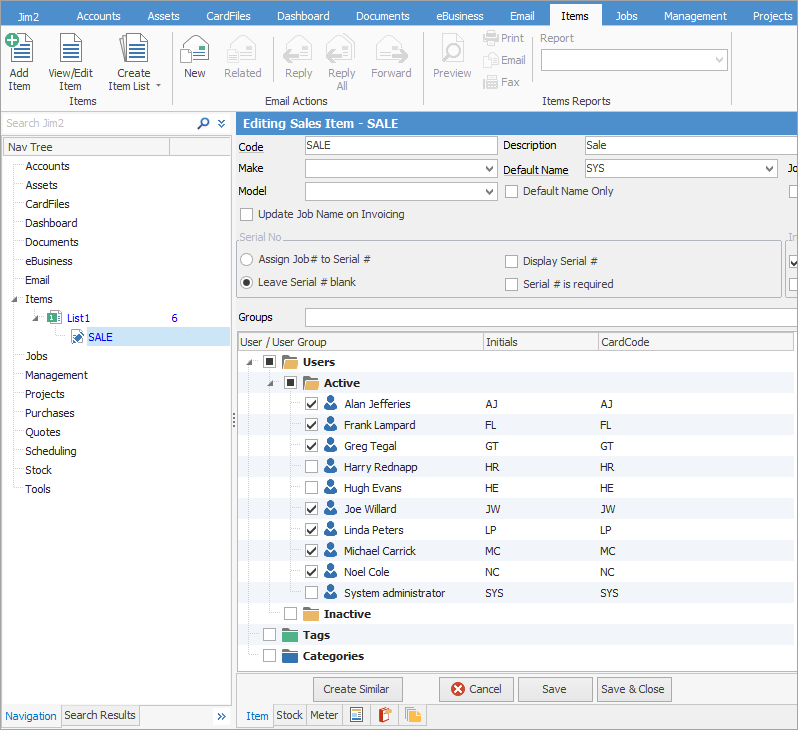
Choose the users/groups to be available (or nominated) against this Item by ticking the box next to their card code.
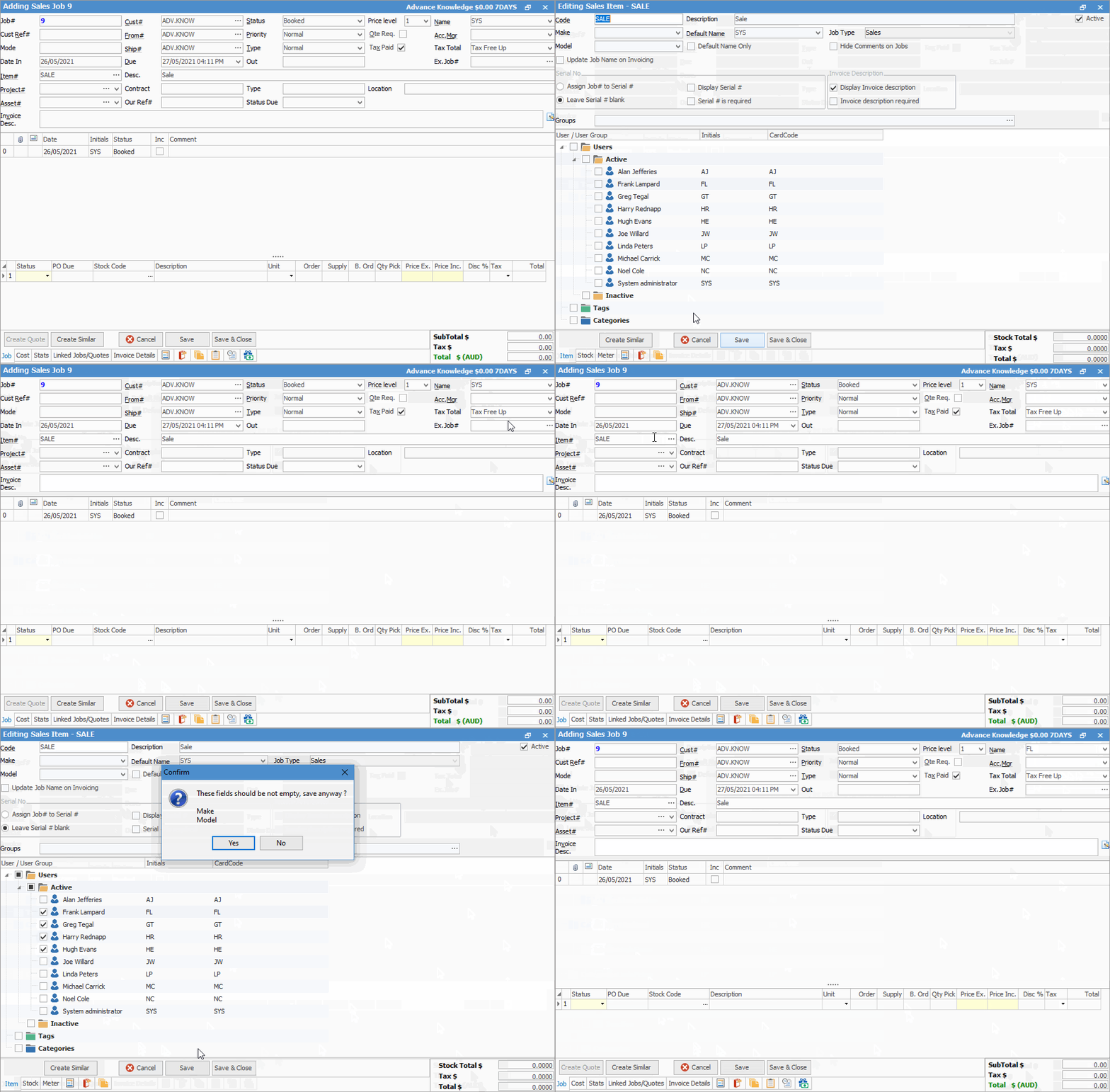
Example: add more users to Item
 |
If no names are ticked, all users will be available in the Name field in jobs and quotes. However, if any usernames are ticked, they will be the only ones that appear in the drop down options in the Name field in jobs and quotes. |
Further information