
Field |
Explanation |
||
|---|---|---|---|
TranNo |
Transaction journal number. |
||
Date |
Document date.
Note: If the date is coloured blue, this signifies that it is a different date to the transaction date. |
||
Tran.Date |
Transaction date.
Note: If the Tran.Date is coloured blue, this signifies that it is a different date to the document date. |
||
The Document date is the date that the transaction impacted on the general ledger accounts. This is the date entered in the Date field in the general journal. The Transaction date is the date the transaction was entered into Jim2. This is the actual date of entry, ie. entered today but entered a different date in the Date field of the general journal. |
|||
Type |
Type of transaction. |
||
Account |
Account number |
||
Account |
Account name, ie. cheque account. |
||
RefNo |
Reference number. |
||
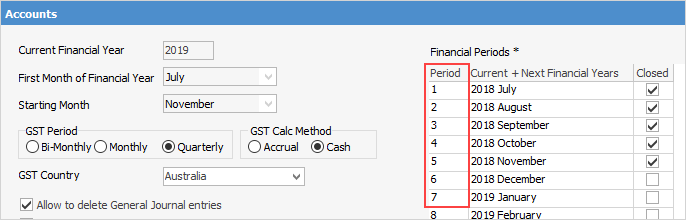
Period |
The financial period of the transaction, according to Tools > Options > Accounts.
 |
||
Comments |
Description of the transaction, ie. payment. |
||
Detail Comments |
Comments entered by user.
|
||
Debit |
Debit value. |
||
Credit |
Credit value. |
||
Tax |
The tax code used. |
||
AccumTotal |
The accumulated total. |
||
FC AccumTotal |
The foreign currency accumulated total (if applicable). Otherwise, this field will display the same as AccumTotal. |
||
Branch |
The branch used (this column is only displayed if branches have been set up in Tools > Options > Branches). |
||
GL Dept |
The GL Department (this column is only displayed if GL Departments have been set up in Tools > Options > Branches). |
||
GST # |
The GST session number that the transaction was included in. |
||

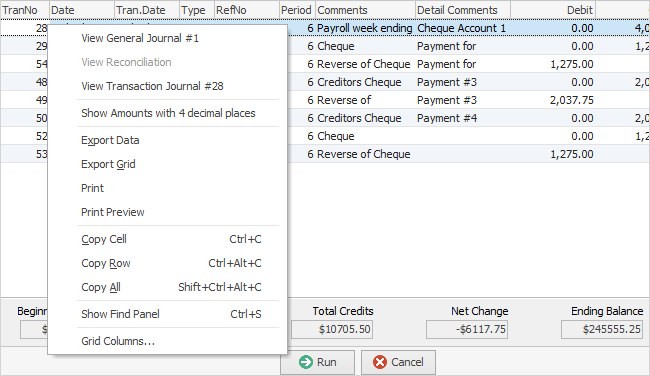
▪Transactions that are coloured blue mean the transaction and document date are different. The document date is the date the transaction impacted on the general ledger accounts, whereas the transaction date is the date the transaction was actually entered. ▪Transactions that are coloured red mean those transactions are reconciled. ▪Transactions that are coloured black mean those transactions have not yet been reconciled. |
|
The grid is always ordered by transaction number – select a column and order by that column but this will place the Accumulated Total column out of order.
 |
The background of any transactions where the document date doesn't match the transaction date will be shown in a light blue colour. |
Further information