The main Cash Flow Analysis tab allows selection of the bank account on which to base the analysis, and how many days forward to project it. The default is 90, but use  to change this.
Select the bank account and number of days forward, then select Run. The generated list will display a dated running total of the bank account balance, and the inputs that affect it.
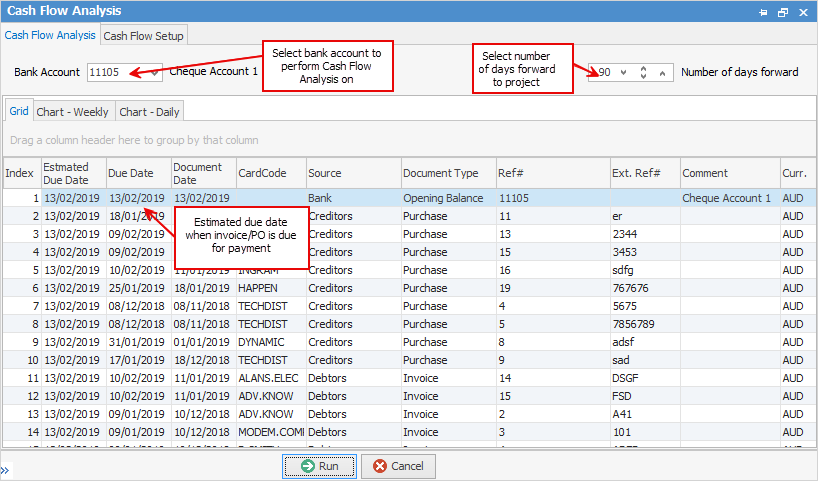

The Due Date column picks up the payment due date of the purchase order. This is obtained from the vendor payment terms entered on their cardfile. |
If purchase orders are are past due, Cash Flow Analysis expects them to be paid today. Therefore the Estimated Due Date for overdue invoices will be the day Cash Flow Analysis is generated.
If the PO is not overdue, the Estimated Due Date will be the same as the Due Date.
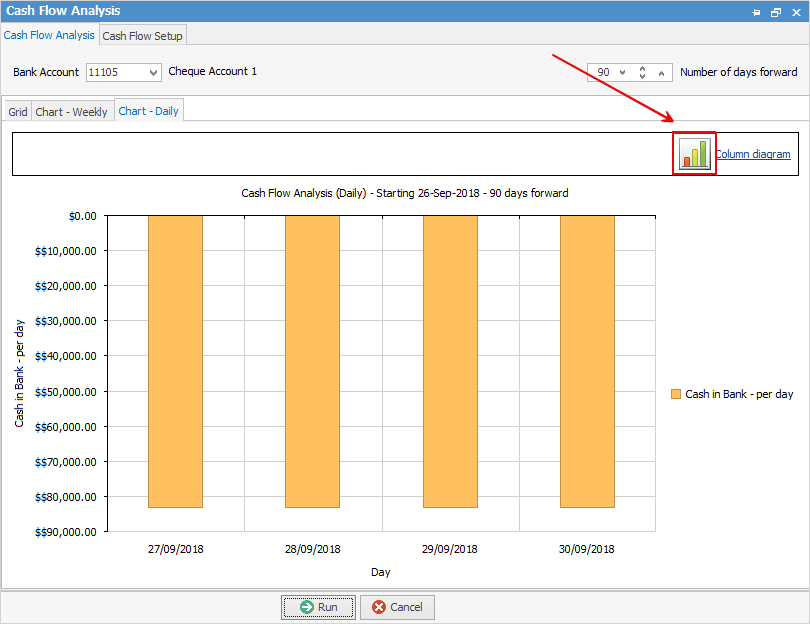
The Chart – Weekly or Chart – Daily tabs display a graphic view allowing easy discovery of any potential problems.
The image below shows the Column diagram in use. Any of the other diagrams can be used instead.
To do this, select the Column diagram icon (highlighted in the image below), and choose from Area, Bar, Column, Line, Pie, Stacked Area, Stacked Bars or Stacked Columns.
 |
Further information