The Job widget is designed to display active jobs (in bar chart type only) or to view job statistics over a period of time, as well as by branch (if branches are enabled), sub-branch or GL department.
 |
Note: The Job widget will only display total including GST. It cannot show ex GST. |
Example usage includes:
▪all active jobs by region
▪all active sales jobs by account manager
▪all invoiced jobs for X days, grouped by name, displayed monthly.
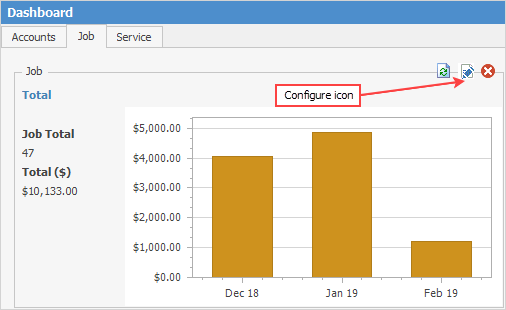
Click the Configure icon to open the Job Widget Options screen. The example above shows the results of a Job widget filtered by selections made in the Job Widget Options screen:
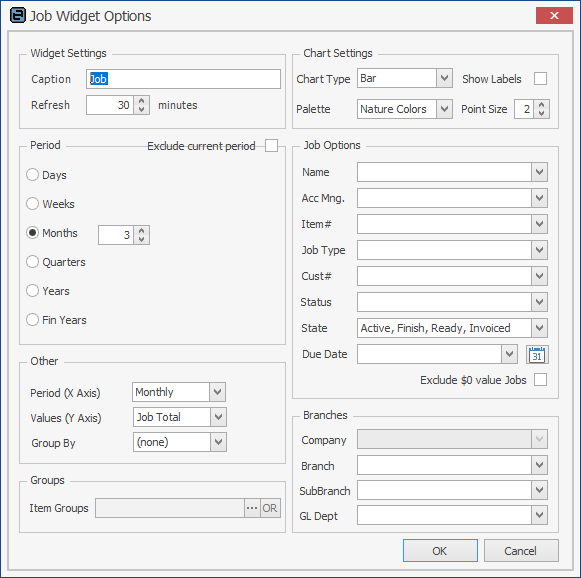
Group |
Option |
Description |
|---|---|---|
Widget Settings |
Caption |
This is the caption that will be displayed at the top of the widget. For example, Job. |
Refresh |
The widget's refresh interval in minutes. It is suggested not to set this too low (eg. 15 minutes or higher). |
|
Chart Settings |
Chart Type |
Only the Bar chart type is available in this widget. |
Show Labels |
Show description and value above each bar of the chart. If not ticked, the label will be displayed as a hint when hovering over a graph point. |
|
Palette |
Select the colour palette that will be used in the graph. |
|
Point Size |
The size of graph's Points. Default = 2. Try 8 or 10 on smaller graphs.
2 points: 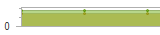
10 points: 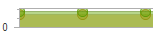
Bar type charts do not have graph points. |
|
Period |
Days |
Default is 365. Use up/down arrows to change number of days. |
Weeks |
Default is 1. Use up/down arrows to change number of weeks. |
|
Months |
Default is 3. Use up/down arrows to change months. |
|
Quarters |
Default is 1. Use up/down arrows to change quarters. |
|
Years |
Default is . Use up/down arrows to change calendar years. |
|
Fin Years |
Default is 1. Use up/down arrows to change financial years. |
|
Exclude current period |
Tick to exclude the current period from any results for a chosen period, eg. if Months is set to 1 and this box is not ticked, the current month will be shown. If it is ticked, the previous month will be shown. |
|
Job Options |
Name |
Filter by a specific name (blank for all), or by logged user |
Acc Mng. |
Filter by a specific account manager (blank for all), or by logged user |
|
Item# |
Filter by a specific Item number (blank for all). |
|
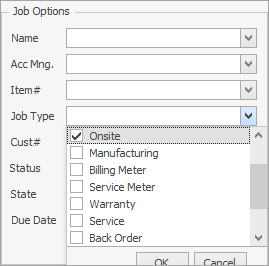
Job Type |
Filter by a specific job type (blank for all), or select multiple types.
|
|
Cust# |
Filter by a specific customer code (blank for all). |
|
Status |
Filter by a specific status (blank for all). |
|
State |
Filter by one or more job states. Any combination of Active, Finish, Ready, Invoiced. |
|
Due Date |
Filter by due date. |
|
Exclude $0 value jobs |
Tick to exclude $0 value jobs |
|
Other |
Period (X Axis) |
Daily, Weekly, Monthly, Quarterly, Yearly, None. |
Period (Y Axis) |
Job Total, Labour Total, Job Count, Job Count/Job Total. |
|
Group By |
(None), Acc Mng., Job Type, Branch (if branches are enabled), Sub-Branch, GL Dept, Region. |
|
Groups |
Item Groups |
Display Item groups. |
Branches* |
Branch |
Filter jobs by a specific branch, or by logged user |
Sub-Branch |
Filter jobs by a specific sub-branch, or by logged user. |
|
GL Dept |
Filter jobs by a specific GL Department, or by logged user. |
*There may be a Company field in the Branches section if you are using Multi-Company.
Within the Job widget, click on an area within the bar section to display more information.
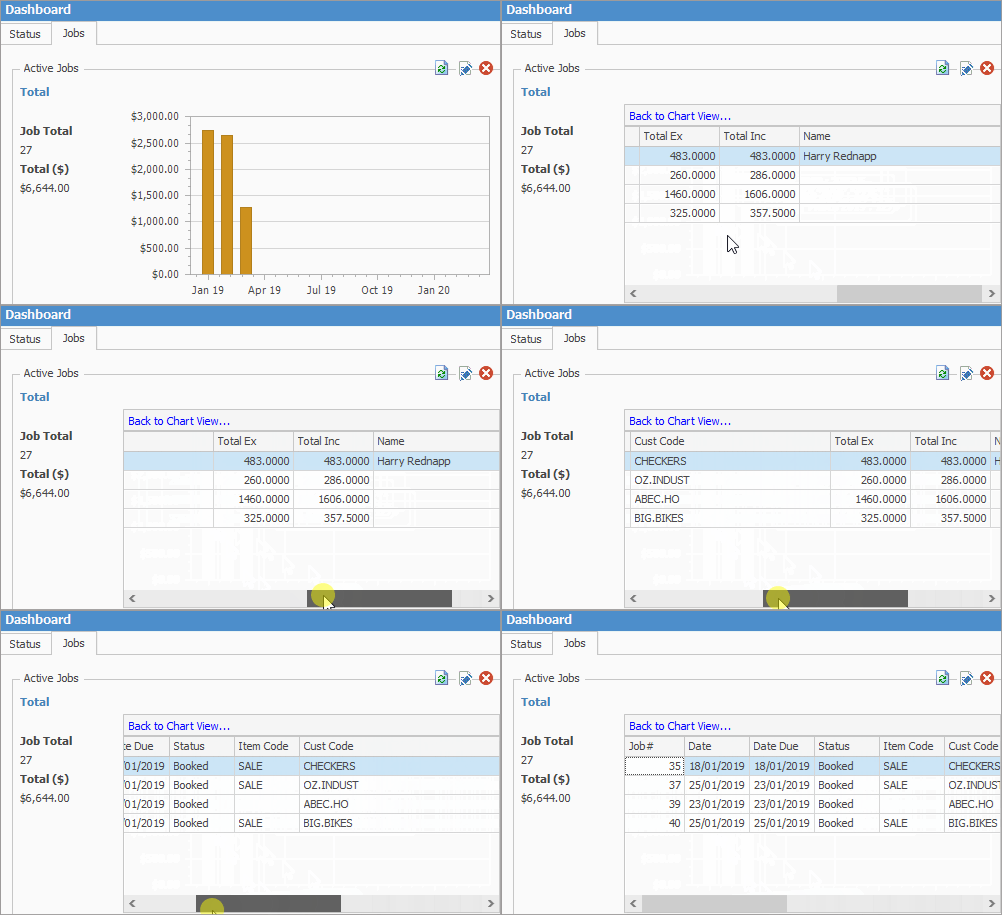
Field |
Explanation |
|---|---|
JobNo |
Job numbers for that period. |
Status |
Status of the job, ie. Active, etc. |
DateIn |
The date the job was entered. |
DateDue |
The date the job is due. |
DateOut |
The date the job is due to be finished. |
CustName |
The customer card name. |
ShipName |
The ship card name. |
JobGroup |
The Job Item#. |
JobCost |
The amount on the job. |
Further information