The purpose of a stock’s minimum low/high values is to provide a sliding window for ordering stock using stock procurement. For example, where minimum low is 5 and minimum high is 10. Once the stock on hand quantity drops below 5, Stock Procurement will ensure that enough will be purchased to bring the stock on hand up to at least the minimum high quantity of 10.
Estimating quantities for stock procurement can be completed using a nominated minimum quantity required, a calculated quantity to meet the requirements of a stated number of days, or a comparison of the two methods, with the higher unit calculation being used to create the resulting purchase order.
The Min Qty Low and Min Qty High procurement parameters provide a window for purchasing, and provide a way of batching orders, rather than ordering the same stock every day.
As an example, the requirement is to keep between 5 and 10 in stock. When the stock level drops below 5, purchase enough stock to bring the level back up to 10.
Both parameters are optional, in which case they are not used and the procurement order quantity is calculated based purely on how many days’ worth of stock to be maintained.
 |
Note: The Limit Qty field is also optional, however it can be used to indicate the absolute maximum quantity to order, which must be greater than the Min Qty High field. |
To combine both methods for nominated stock codes, enter a minimum required quantity and the number of days supply required.
|
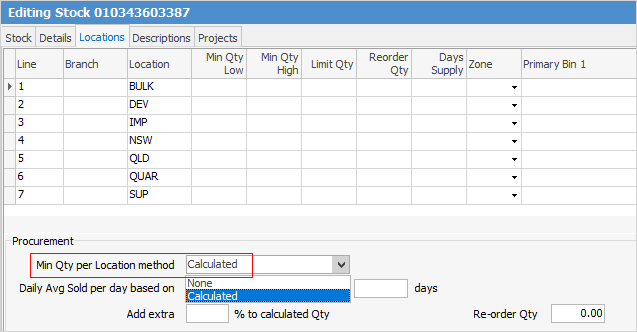
Note: Within the stock code, on the Locations tab in the header, Min Qty per Location method must be set to Calculated (this is normally the default). If this is set to None, that stock will not be used in a Stock Procurement session.
 |

1.On the ribbon go to Stock > View/Edit Stock.  2.Either enter the stock code to view or edit, or click the ellipsis (...) to open the Stock Select screen and locate the stock code from there. 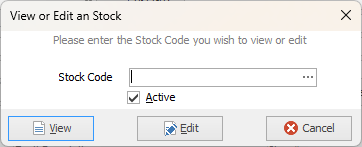 3.In Edit mode, go to the Locations tab at the top left of the screen. 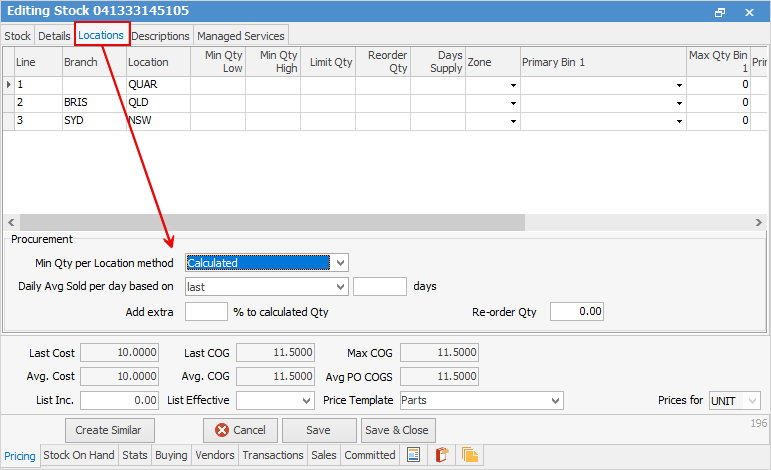 4.Move to the Min Qty per Location method field and select Calculated (choices are Calculated or None). 5.For each required location enter a minimum quantity in base units (ie. Unit Measure 1) in the various fields, Min Qty Low, Min Qty High, etc.  6.If applicable, enter a reorder quantity for the stock code. This would most likely be the preferred minimum order required by the vendor. 7.If applicable, enter a number to the Add extra % to calculated Qty field. This will have the effect of a loading, ie. increase the quantity ordered by this percentage. 8.When finished, click Save or Save & Close. |
Limit Qty provides a way of putting an absolute limit on how much stock to order. This is useful when average usage gets thrown off because of one-off bulk sales, catalogue sales and promotions, seasonal peaks, etc.
The Limit Qty parameter is optional, meaning if left empty there is no limit on how much stock can be ordered, however, if entered the quantity must be greater than the Min Qty High quantity. |
Reorder Qty can be at a stock or stock location level. If a location level reorder quantity is specified it will be used, otherwise the stock’s default reorder quantity will be used. Either way, both parameters are optional. |
Days Supply allows users to specify how many days’ worth of this stock they wish to purchase or transfer, based on average usage. |
Further information