You can link external emails coming into Jim2 via the subject line of the email.
For example, use ~## Job Number in the subject line and then create an email rule to tag it to a job.
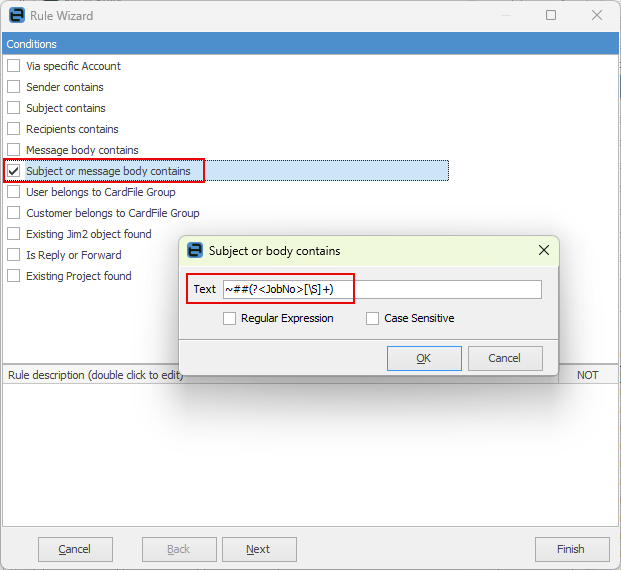
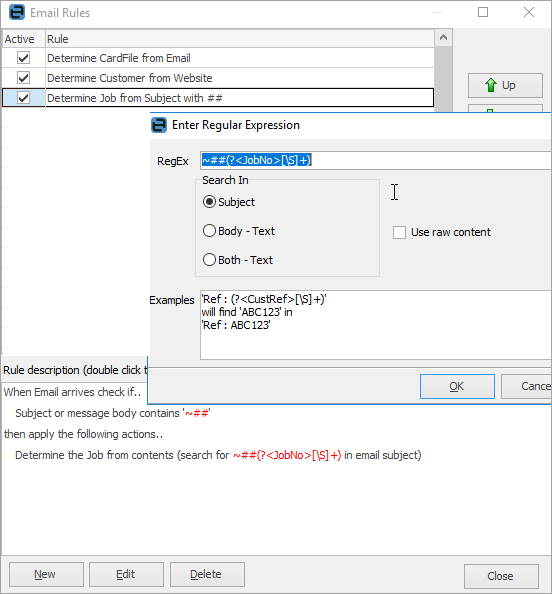
This way, when composing an email outside of Jim2 that relates to a job, enter the subject line ~## 123 and ensure to email it to an address that is valid in Jim2, then it tags to the job.
Further information