Invoicing follows the normal Jim2 procedure once the job is completed. Several invoicing options are available to suit each particular business application.

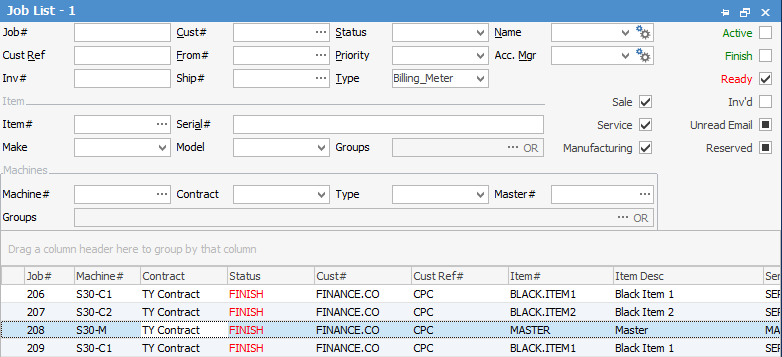
Run a list of jobs by type Billing Meter and Finish.
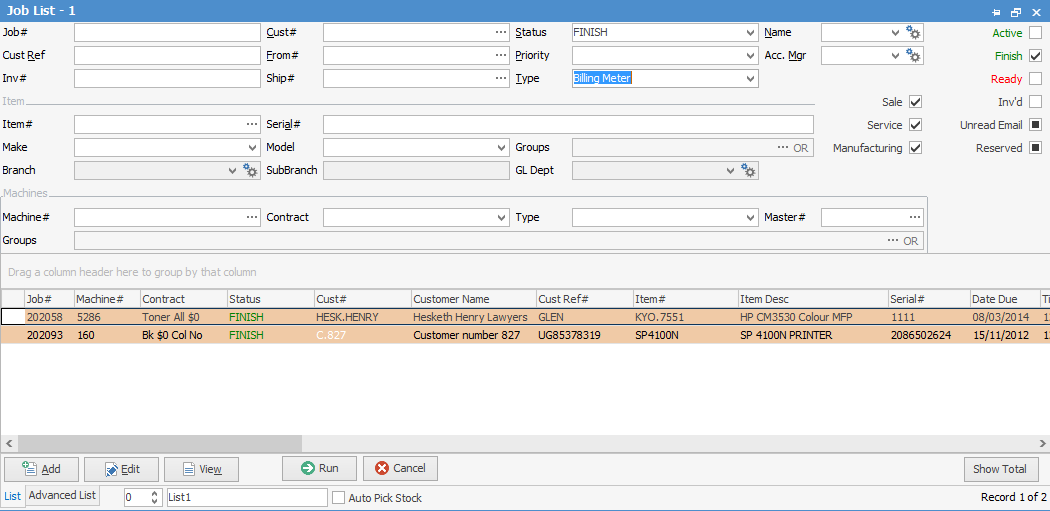
As with all Jim2 lists, additional filtering can be applied to display a smaller, more specific list.
|

In the above example, the jobs are on green Finish, meaning they are still Active. Each job will have to be edited individually and invoiced by pressing F6 or the Invoice Job icon.
Create a list of jobs of Type Billing Meter and only Ready ticked.
Jobs that have a red Finish, can be invoiced by opening each one without going to Edit. |
Only jobs that have been set to Ready can be invoiced in a batch.
Run a list of jobs by type Copier Billing and Finish as previously but also untick Active and Finish in the top right of the list.
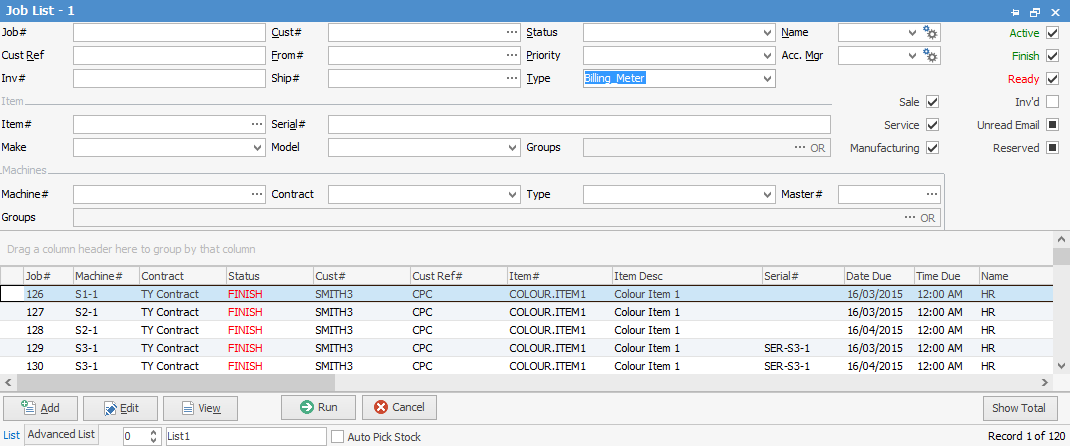
The list only displays jobs that are ready (red Finish), and notice that the Invoice Job icon is active, meaning these jobs can now be invoiced directly from this list.
This whole list can now be invoiced by pressing F6 or the Invoice Job icon, and Jim2 will produce as many invoices as there are billing customers.
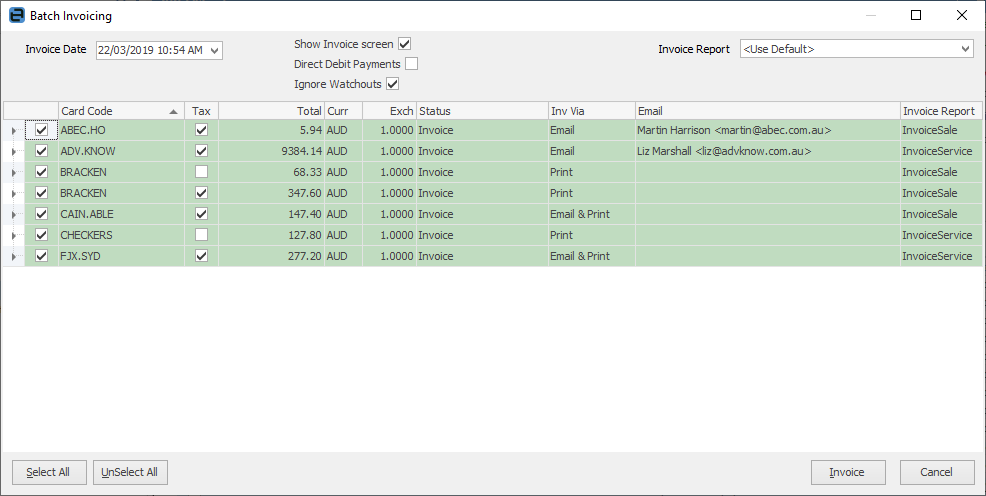
Where there are multiple contracts for the one billing customer, Jim2 will consolidate those details on the one invoice.
Invoiced jobs are ordered by the following: •Job's Ship No •Job Status •Contract Type (master contracts are ordered first) •Project Code •Job No
Again, this list can be further filtered to specific customers, invoicing types, or any other criteria required by following the normal Jim2 List process.
|

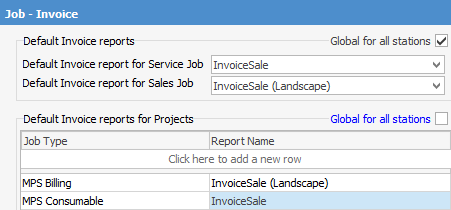
If a master contract is used, there are several other invoice layouts available.
This invoice layout shows only the summary of the contract, showing the minimum and billed volumes and any unders or overs (if there are any).
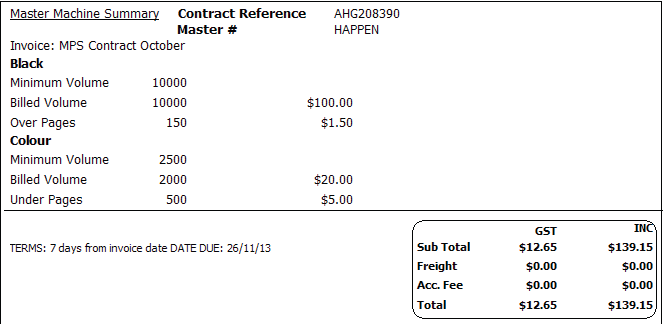
For a lot of customers, this will be sufficient, and they may only require more if they feel there has been an error.
Invoice Meters Master Detailed Run a Job List and tick Ready, then select Type Billing (or whatever it has been named), then choose the customer.
Clicking Invoice Job on the ribbon and the Invoice Meters report, something similar to the following will be produced:
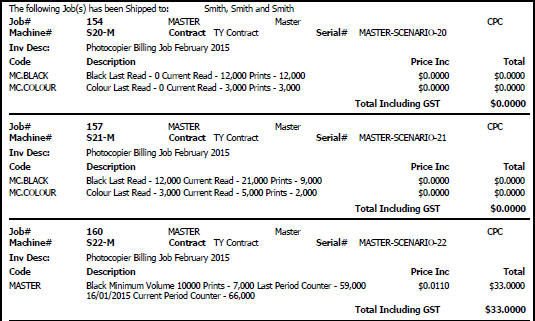
Invoice Meters Master When dealing with master-child contracts, the invoice may have more specific requirements.
For those customers who wish to see how this total is calculated, a copy of the InvoiceMeters – Master Detailed report can be provided.
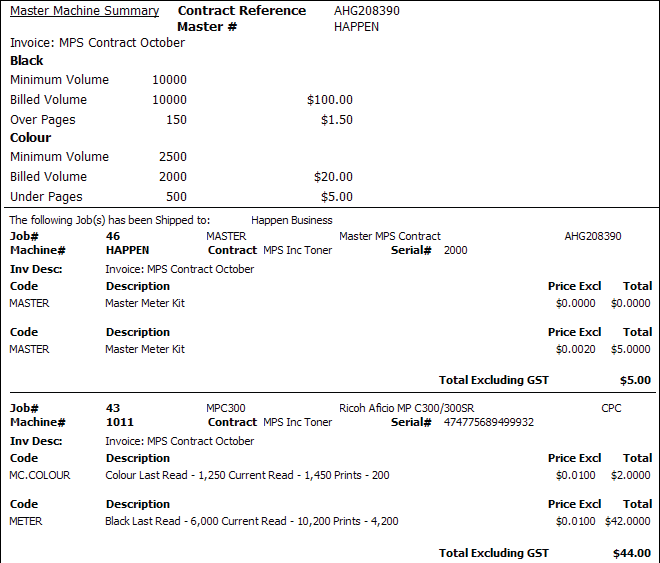
In all cases, the preferred layout can be set on the cardfile of the customer, if it differs from the default. Each contract can have a different invoice description to the default via Tools > Options > Contracts > Managed Print Services. |
The master invoice summary may calculate that there were 2,000 over pages, and 750 of these were clawed back. This would display two lines on the invoice summary.
If the rates for standard and overs pages are the same, then this has exactly the effect as just having only 1,250 over pages, which simplifies the invoice appearance.
It is even more important when they cancel each other out. If there are 600 overs and 600 pages clawed back this can be unnecessarily confusing on an invoice. In this case the NetOvers and NetClawback fields would both be empty, requiring no other line than the Min Volume line. |
|
If a service meter has been invoiced and the wrong reading was entered, go to the Invoiced Job tab on the bottom of the contract and view the service meter jobs. Unprint the invoice in question. Fix the read, then re-invoice. |
Further information