The billing engine is designed to streamline billing of master/child contracts. Whilst reads can be entered on standalone child contracts, entry of reads for all child contracts can be done via the master. When choosing the master contract, this will also show all child contracts in the left hand pane, allowing entry of reads on all those contracts.

Contracts in a state of Active are those that are not yet due for billing.
As a contract comes up for billing, based on its Next Bill date, the contract's State will show as Billing Due (coloured red) within a list.
Once meter reads have been entered and jobs have been created, the contracts will become Billable, meaning they can now be invoiced.
Create a list of Master contracts and tick Billing Due.
There are two ways to bill contracts: 1.Run a list of all Master contracts. Billing can be performed on a list by clicking Bill Contracts at the bottom of the list. 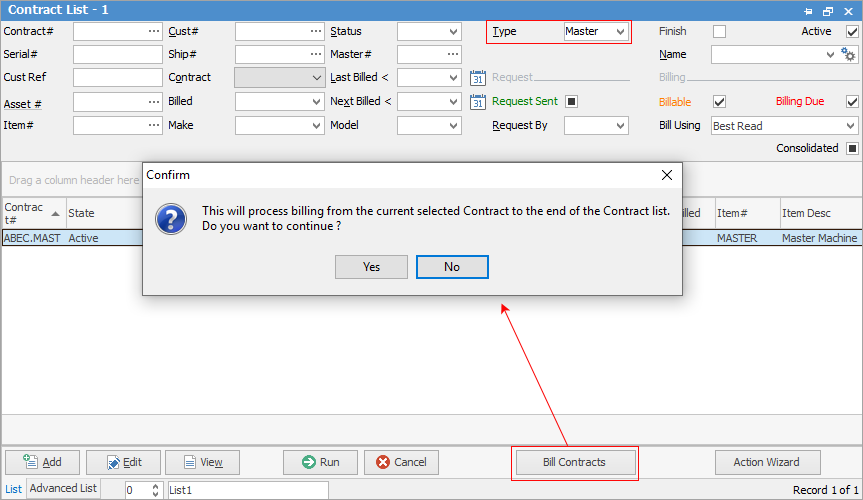 The following will appear for making selections: 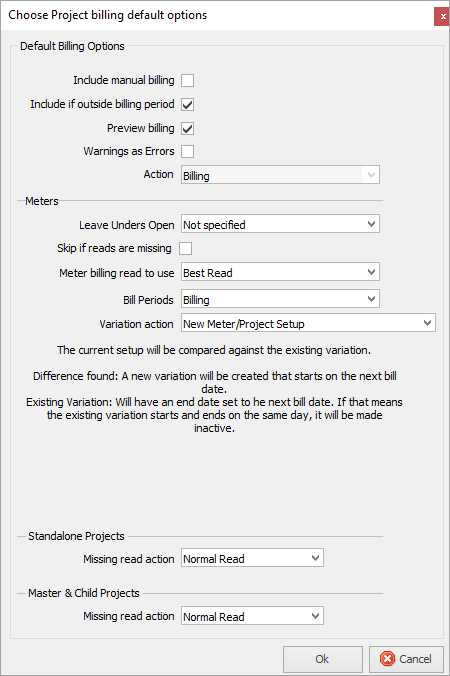 2.Open a master contract, then click Add Meter then Add Billing Meter Job at the bottom of the list (shortcut key is Ctrl B, or right click on the desired contract). 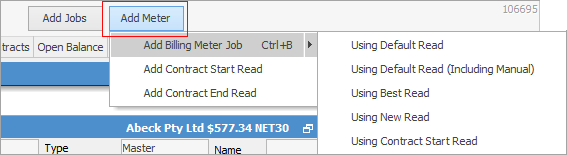 When selecting Add Billing Meter job without making a further choice, Jim2 will use what has been set up via Tools > Options > Contract > Managed Print Services. 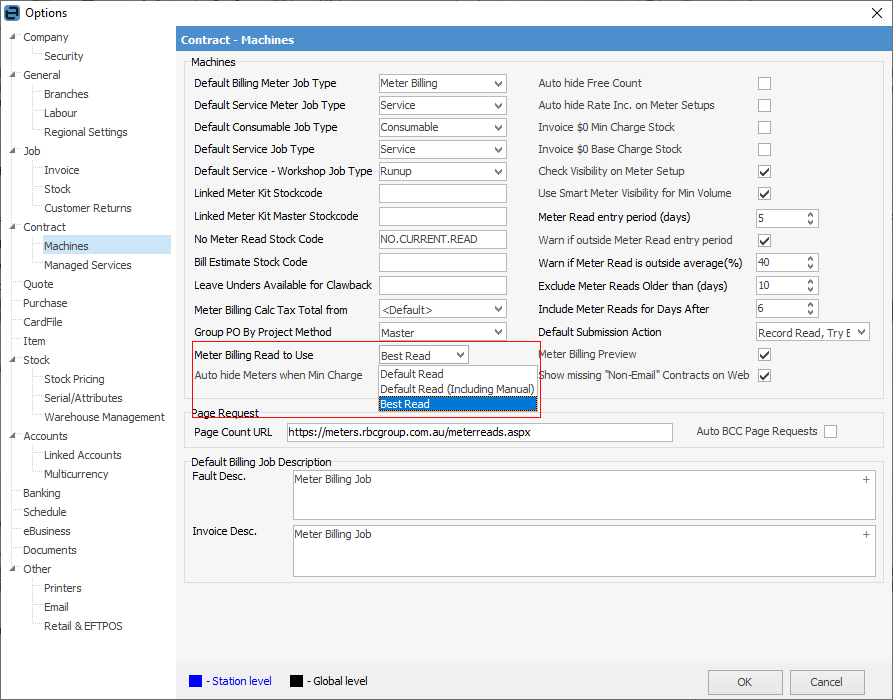 The other two choices are self explanatory. The following screen will appear. 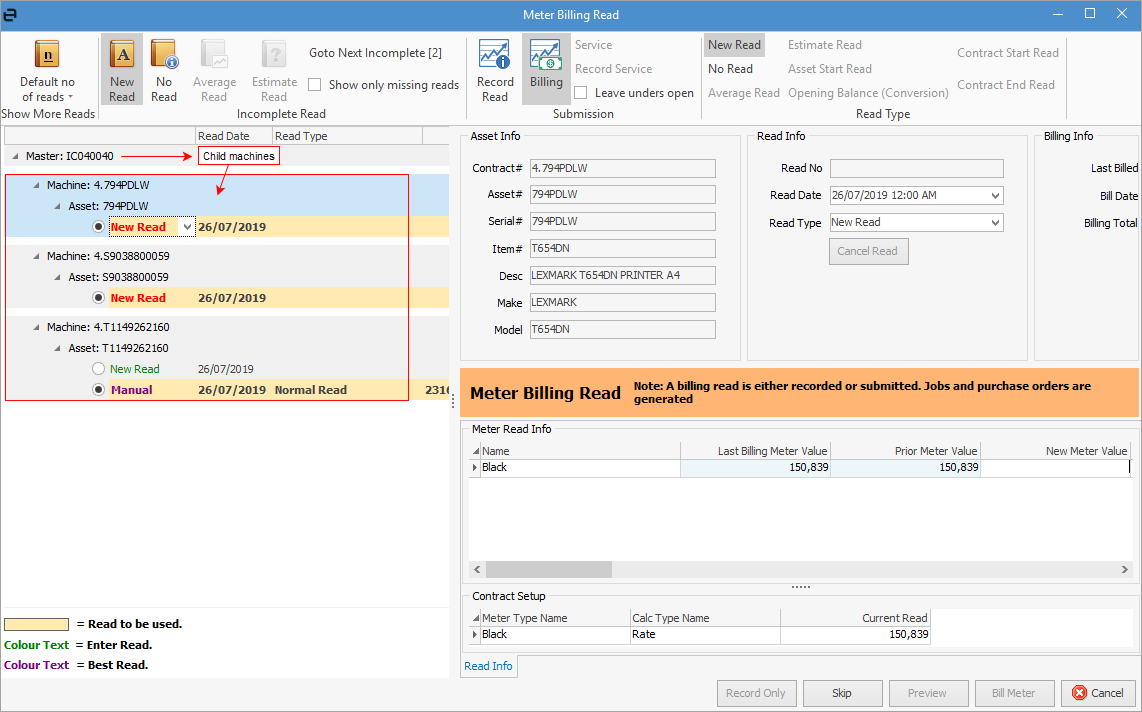 |
Item |
Explanation |
|---|---|
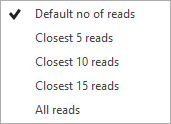
Show More Reads |
Select from one of these for the default number of reads:
 |
Incomplete Read |
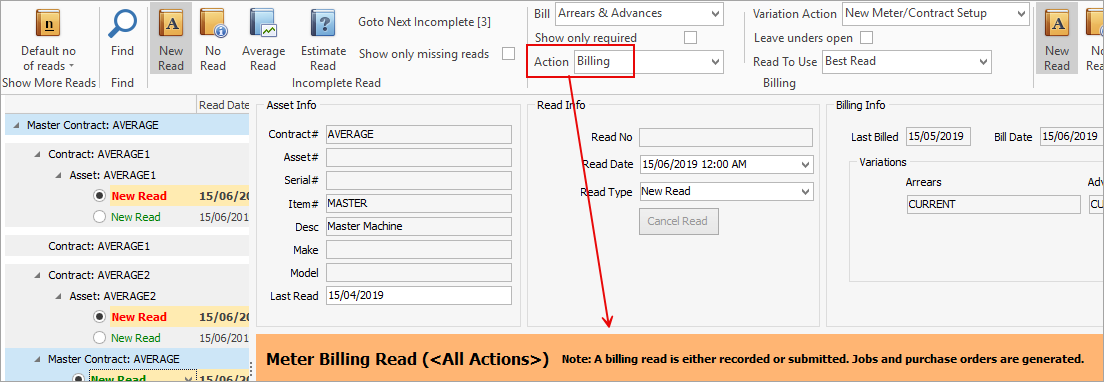
When selected, this will change all the fields for each contract as shown below.
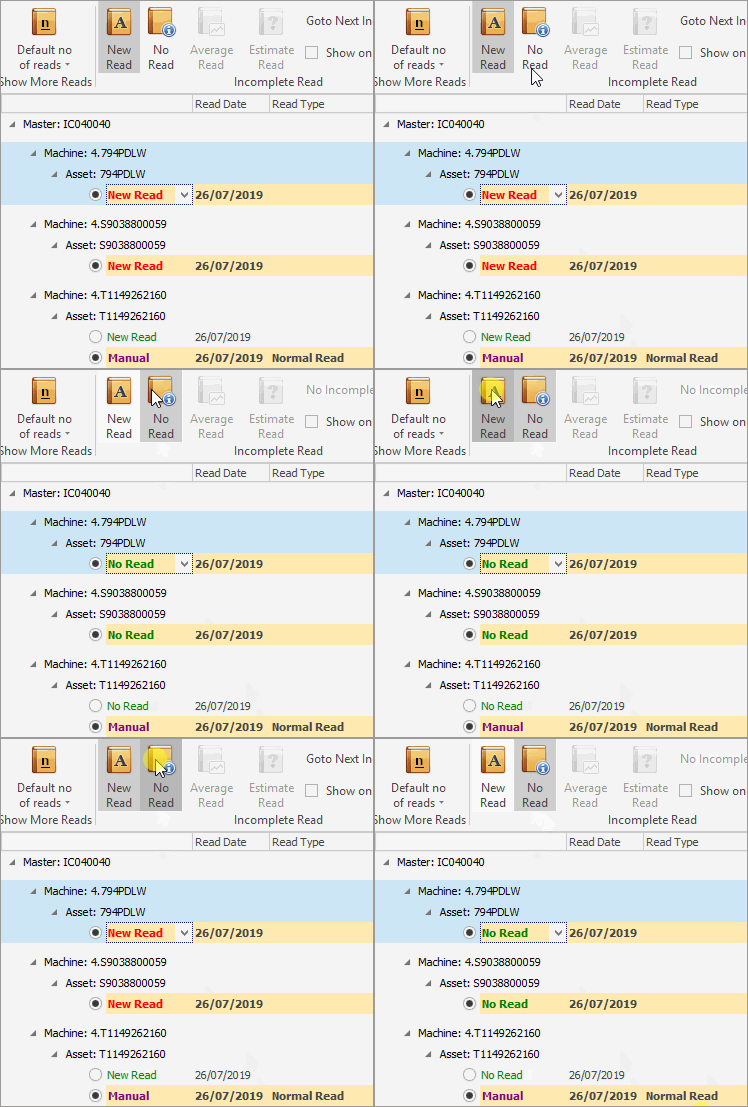
Go to Next Incomplete will move down the list in the lower window.
Show only missing reads will show only those contracts that are missing reads. |
Submission |
Selecting this will place the cursor in the New Meter Value field, ready for entry.
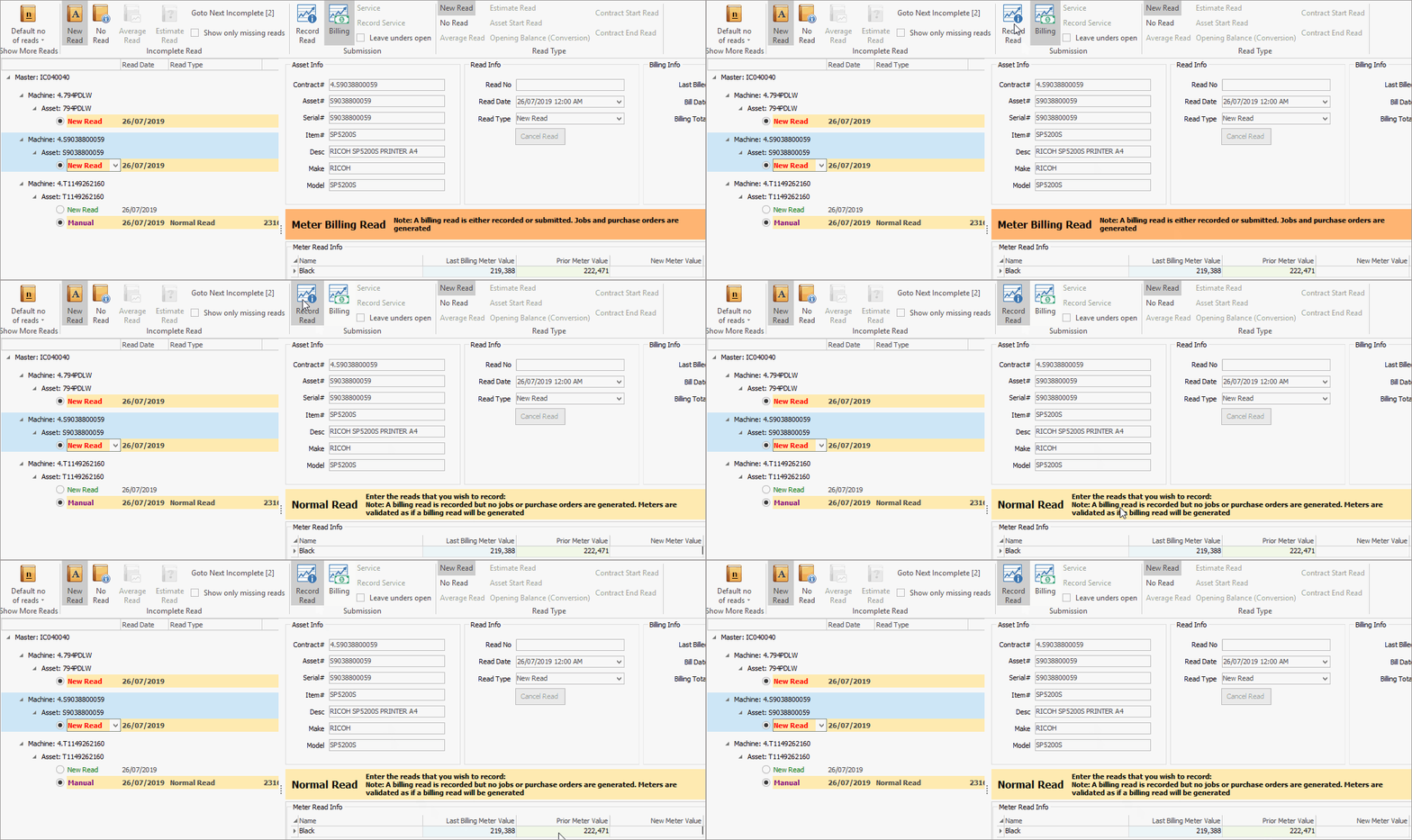 |
When Billing is selected, the Normal Read area will change to Meter Billing Read.
 |
|
Service/Record Service |
|
New Read/No Read, etc. performs the same function as the New/No/Average/Estimate read icons above, however it will only do so on the highlighted contract rather than all contracts. |
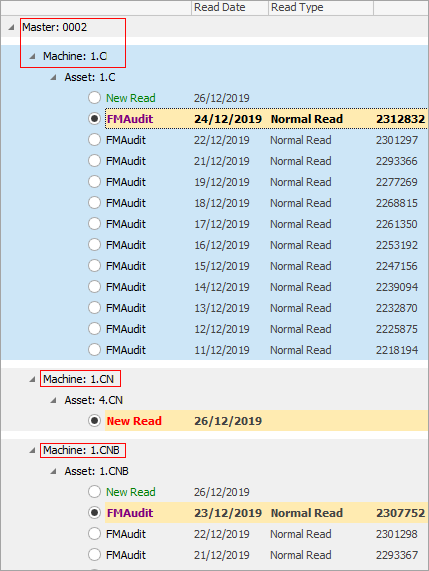
The area below the header lists reads received, the date they were received and how received (ie. FMAudit connector). In the case of a Master contract, all child contracts will be listed here under the master contract.
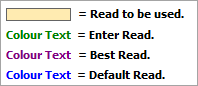
Explanation of colours:
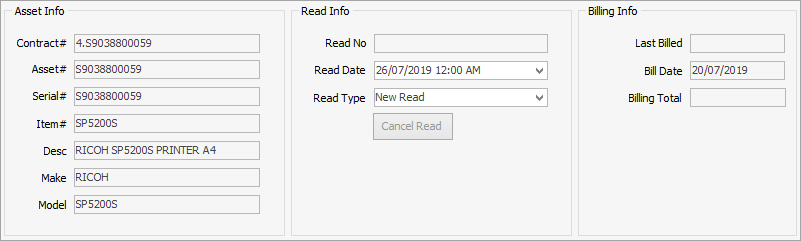
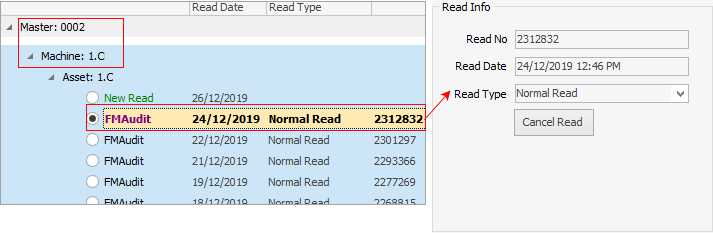
The area to the right shows information on the Asset (the actual machine). The Read Info will match what has been highlighted in the machine area to the left, ie.
The Billing Info area shows the last billed, bill date and billing total information.
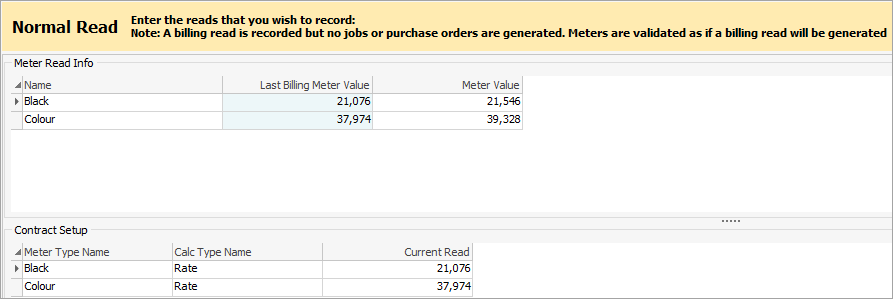
This area shows both the meter read information and the contract setup. If the meter read info is coming from a read such as FMAudit, the meter values will already be populated for that read.
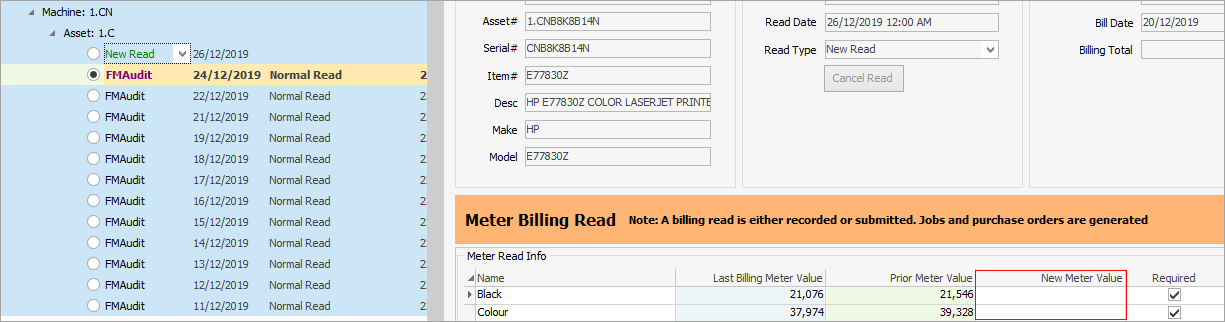
If New Read is selected, the screen will change to allow entry of manual meter reads.
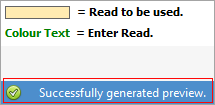
Once all reads have been entered, in the bottom left of the task bar it will state Generating Preview. Once done, the following will appear, meaning that billing can be performed.
If there are any issues, a warning will appear in this area to allow for fixing any problems.

Click Preview in the bottom right of screen, which will then show a preview of all jobs and purchase orders that will be created. Select any of the jobs/purchase orders and the screen below will display exactly what will appear on the job or purchase order.
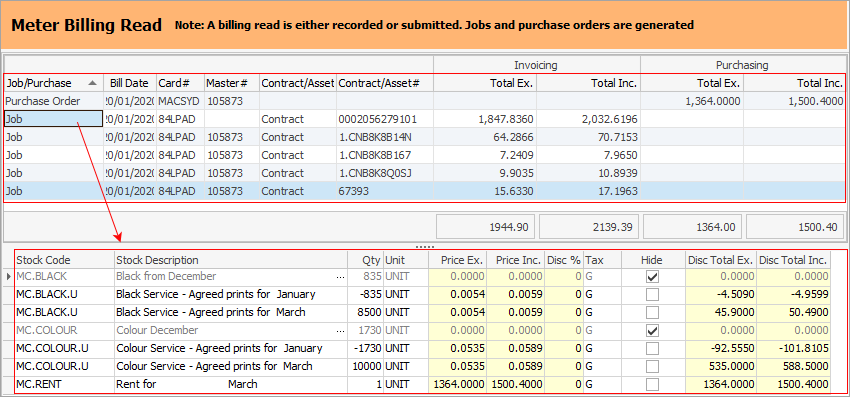
Click Bill Meter at the bottom right of screen and all jobs/purchase orders will be created. The jobs will then appear under the Active Job tab within the contract, ready to be invoiced.
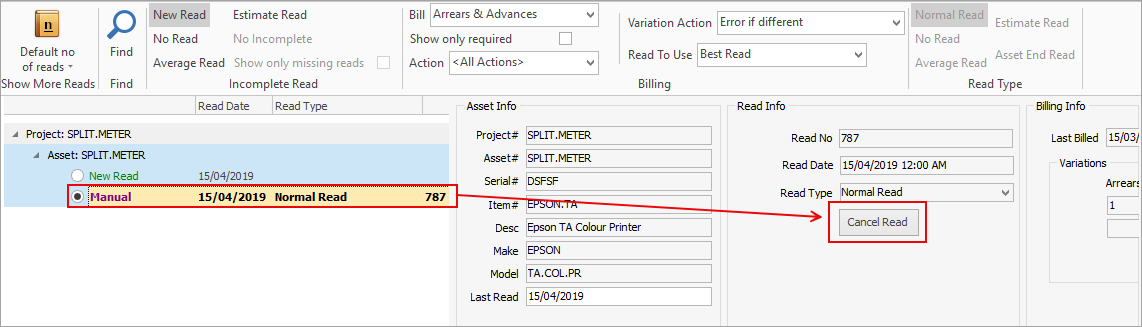
To delete a read, select it in the billing engine, then select Cancel Read:
 |
If a contract is billed using No Read, the no read will use the most recent read values for each meter when billing.
If at a later time, a new actual read is recorded, any no reads previously recorded will be ignored. This means an actual read can be recorded that has a read date before the no read, but the read is higher than what was on the no read.
No reads can only be reused when rebilling a contract. They are otherwise ignored. When rebilling using a no read, all reads in the history are ignored, except for Asset start and end reads |
Further information