The following reports are recommended to be run on a regular basis.

Create a job list and set Type to Service, then run the list. ▪From the Reports area of the ribbon select the report named Job List – Fault Desc. 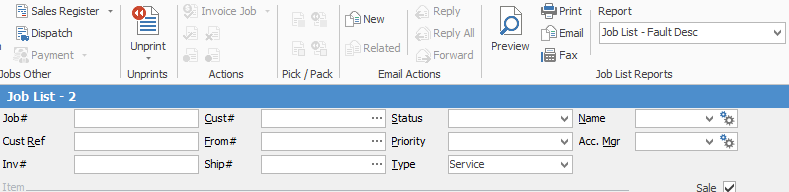 This report is good to sit down with the service department to get an update on active jobs. The same could be performed for Type=Refurb, Type=Consumable etc.
Create a job list and set Type to Service. Go to Advanced List at the bottom left, then select Contract=T&M and run the list. ▪From the Reports area of the ribbon select the report named Job List – Job Labour Analysis ▪From the Reports area of the ribbon select the report named Job List – Job Profit ▪From the Reports area of the ribbon select the report named Job List – Job Profit by Job
Create a job List and set Type to Service, tick only Inv'd, then run the list.

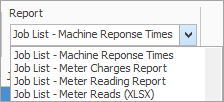
From the Reports area of the ribbon you can select from the following:
|
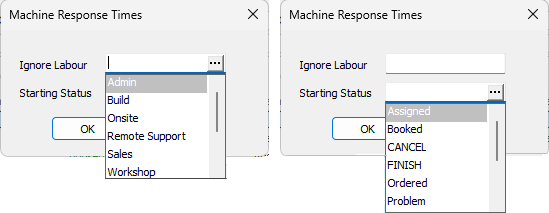
Open a contract record. ▪From the Reports area of the ribbon select the report named contract Service History. Select the report named Contract Profit. 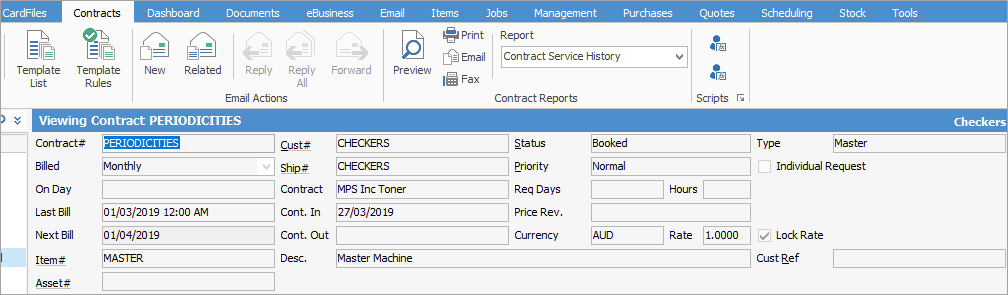
Create a contract list and enter a Cust#, then run the list. It is recommended to choose a customer with multiple contracts. ▪From the Reports area of the ribbon select the report named Contract List – Contract Profit. ▪From the Reports area of the ribbon select the report named Contract List – Service History by the Month. |
On the ribbon, go to the Management tab, select the following, then run the list: ▪Go to Business Analysis > Profit & Loss tab ▪Go to Business Analysis > Balance Sheet tab ▪Go to Reports >Job Reports > Labour Daily > Select Last Week > Ok. This might be a report to print and discuss with technicians. ▪Go to Reports > Stock Reports > Stock in Advance Liability. Also shows stock invoiced where the purchase order is still sitting on received. ▪Go to Reports > Stock Reports > Stock Profit. Try all the different filters. Suggest By Account Manager with Item = SALE to see salesperson reports ▪Go to Reports > TopX > TopX Customers ▪Go to Reports > TopX > TopX Stock |
Further information