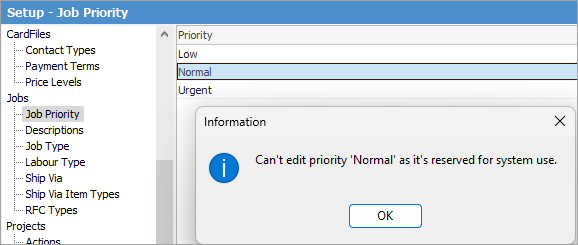
Jim2 automatically sets the priority of all jobs entered to the default of Normal, however additional priorities (up to 15 characters) can be created. The priorities that are set up for jobs need to have a meaning that is clearly understood by all users. By creating lists of jobs that are sorted by priority, users should be able to sort their workload into a correctly prioritised workflow order.
 |
Normal customer expectations for job turnaround should be reflected in the default due date set in Job Options. Create specific labour pricing to suit these priorities. In that way, all users have a clear understanding of what labour rate to charge for each priority. The date due specific to a customer in relation to contract requirements is set within the cardfile Transactions tab for that customer, and automatically overrides defaults set here. |
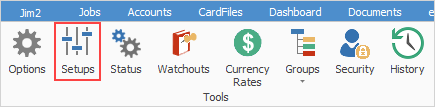
On the ribbon, go to Tools > Setups > Jobs and select Job Priority.
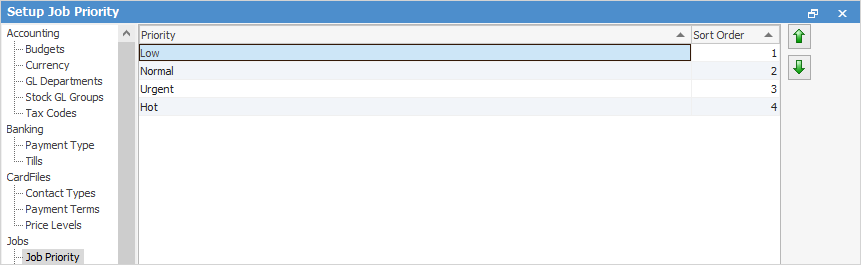
Priority can be up to 15 characters.

▪Set up a job priority of Urgent so that users can apply as a job list to set apart individual jobs that need escalation or urgent resolution. ▪Set up a job priority of Hot so that users can apply as a job list to set apart individual jobs that can be performed immediately. The due date may bear little relevance to the customer's expectations of completion.
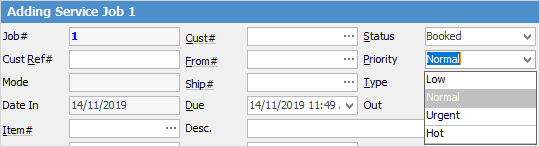
To change the priority of an active job, select from the drop down list in the Priority field on the Job screen, or use the keyboard shortcut ALT-P.
 |


Further information