Please see Overview for an explanation of Contract lists.
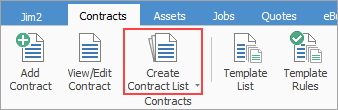
On the ribbon, go to Contracts > Create Contract List.
|
Note: If the Create Contract List icon is greyed out there are two reasons for this: 1.Jim2 only allows 25 lists per object. If there are already 25 lists in the Nav Tree, a list will need to be closed to allow creation of a new list. 2.The user's security does not allow them to create the list. |

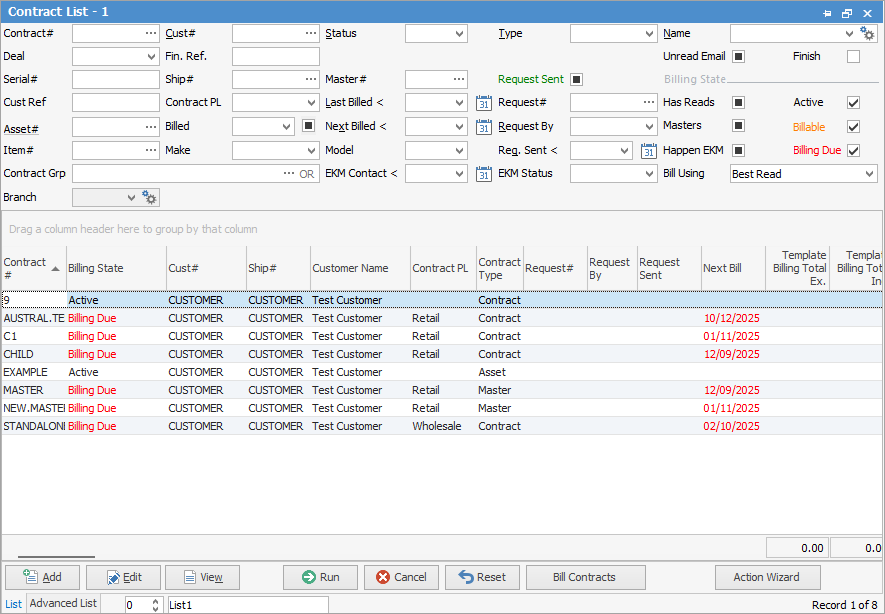
See here for information on the use of the Reset button.
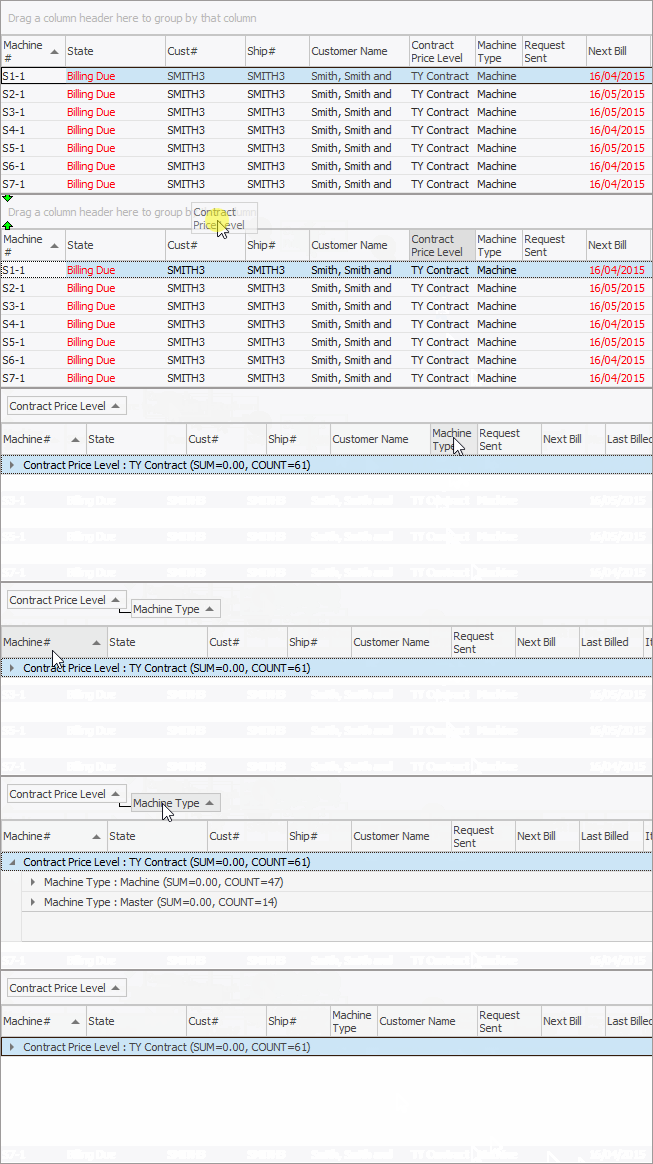
Sorting, searching and grouping are available as per other lists in Jim2. Select the column header in the grid to sort, then drag it to the Group By area to group.
|
Some letters in the field names within the header are underlined, eg. Cust#. Using Alt+ the underlined letter will jump to the field beside that heading. |


Field |
Explanation |
|---|---|
Contract# |
Enter a contract number here to return a list for that number only, or leave it blank to run a full list of contracts. |
Cust# |
Entering a customer card code here will display a list of all contracts for that customer. |
Status |
Choosing a status will display a list of all contracts on that status. |
Type |
Refine the list to show only master contracts, or child contracts (Contract type), etc. |
Name |
Produces a list of all contracts for the name entered here. |
Deal |
Used for finance brokers. Entering a Deal number here will produce a list of all contracts with that Deal number. |
Fin. Ref |
Adding a Fin. Ref here will produce a list of all contracts with that reference. |
Unread Email/Finish |
Ticked will show all (unread email/finished contracts), unticked will show none, solid black box will show everything. |
Serial# |
Entering a serial number will produce the contract with that serial number only. |
Ship# |
Enter a Ship cardfile here to see all contracts for that cardfile. |
Master# |
Entering a master contract number will list the master and child contracts for that master number. |
Request Sent |
Ticked will show all contracts where a meter request has been sent. |
Cust Ref |
Produces a list of all contracts using this customer reference. |
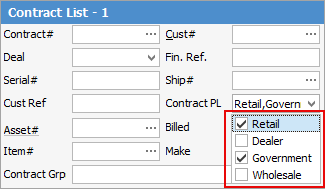
Contract PL |
Produces a list for all contracts of this contract type, ie. Retail.
Note: More than one can be selected if required.
 |
Last Billed < |
Produces a list of all contracts last billed prior to the date entered here. |
Request # |
Enter a cardfile here to see all contracts where the Request is that cardfile. |
Has Reads |
Tick to see all contracts that have reads against them. |
Asset # |
Enter an Asset number to return a list of all contracts for that Asset. |
Billed |
Produces a list of all contracts billed based on the period selected here. Choices are: monthly, quarterly, biannually, annually, manual, 2 monthly, 2 yearly, 3 yearly, weekly, fortnightly, four monthly, 4 yearly and 5 yearly. |
Billed Checkbox |
This changes the behaviour of the filter to apply as follows: ▪Ticked will be based on next billing frequency or to filter based on the Project containing a meter/template which has this billing frequency. ▪Solid black box is based on the contract header billing frequency. ▪Unticked means any meter setups or templates containing this billing frequency. |
Next Billed < |
Produces a list of all contracts with their next bill date due prior to the date entered here |
Request By |
Produces a list of all contracts using the Request By method selected here, ie. email, fax, etc. |
Masters |
Tick to produce a list of master machines based on the choices to the right. |
Item# |
Produces a list of all contracts using this Item. |
Make/Model |
Produces a list of contracts using this Item make and/or model. |
Req. Sent < |
Enter a date prior to which the request was sent to produce a list of all contracts with dates prior. |
Happen EKM checkbox |
Ticked will produce a list of contracts under Happen EKM. |
Contract Grps |
Selecting groups here will produce a list of contracts for those groups only. |
EKM Contact < |
A date can be selected here. See Happen EKM for more information. |
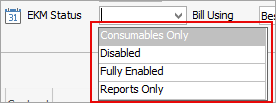
EKM Status |
Selecting an EKM Status will produce a list of devices with this status.
 |
Bill Using |
Default Read – This is the default as set up on an Asset in the Request By field. Default Read (including Manual) – This allows for using the default as set up on an Asset, but also includes any manual reads entered. Best Read – This will take the best read based on settings in Tools > Options > Contracts > Managed Print Services. The default choice can be set up in Tools > Options > Contract > Managed Print Services, but can be changed at object level. |
Frequency Fields |
The Active, Billable and Billing Due frequency fields change the behaviour of the Billed filter. This enables the user to apply the filter to either the header or next billing frequency, or to filter based on the contract containing a meter/template which has this billing frequency. |
Active |
Produces a list of all active contracts. |
Billable |
Returns a list of all contracts where the current date is less than the Project's Next Bill date, but is within the billing window as set up via Tools > Options > Contract > Managed Print Services (Meter Read entry period), however this can be overridden on a connector basis. The billing window allows for contracts to be billed prior to their next bill date, but not too early. Text will be coloured orange.. This allows right clicking in the list to bill all jobs in the list, or select individual jobs to bill. It is not possible to preview when billing from a Job List. No child jobs are created – only master jobs. If a child is found with no master, it will only add the read to the Asset – it won’t create a job. |
Billing Due |
Tick this to return a list of all contracts with billing due. |
Branch |
Select a branch here, if branches are being used. |
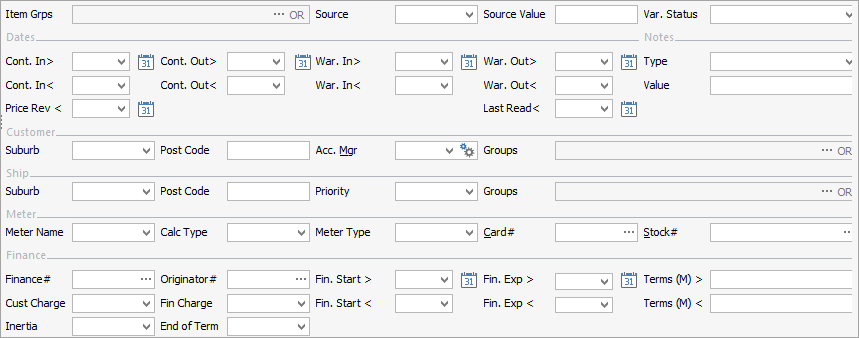
|
||||||||||||||||||||||||||||||||||||||||||||||||||||||||||||||||||||||||||||||||||||||
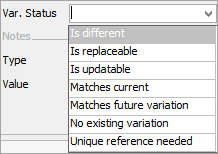
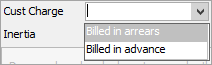
Refer to Lists for details on sorting, naming, grouping, etc. The headings may not be strictly in this order.
If user security allows it, right click within the grid, select Export Data and save the list information as an XLSX file. |


Within the State and Next Billed fields, text coloured red means that an action is required on that Project, ie. a billing job needs to be generated, etc.

Once billing has been performed, the text will revert to black, ready for the next billing due cycle.
Request Sent text is green to indicate that the request has been sent, otherwise the field will be blank. |
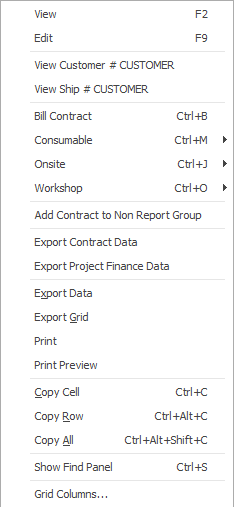
|

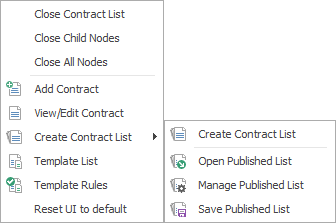
After the top 3 (which are self explanatory), these options mirror what is on the ribbon in the Contracts tab, except for the last tab, which will Reset to Default all tabs. |
Further information