Once a contract has terminated, open the contract, and set the status to Finish.
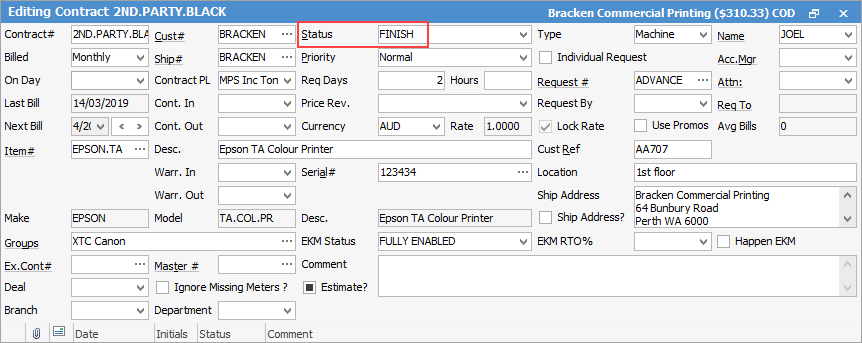
Change the Contract# to (in the case of the above contract) ZZ2ND.PARTY.BLA. The contract history will remain, however the contract will appear at the bottom of the list.
This will also remove a child from a master contract, however all the history will remain on the master.
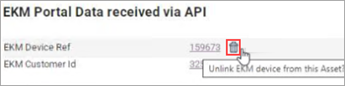
If using Happen EKM and the machine is likely to be provided to a new customer, you will need to unlink the serial number via the EKM Detail preview screen of the contract:
Further information
Assets Swaps and Early Billing