The Documents feature extends to Jim2 Mobile, with enhanced functionality by way of signable reports. All documents within Jim2 are accessible via Jim2 Mobile, providing sales and service staff with instant access to applicable information.
As in the Jim2 Client, Jim2 Mobile includes a Documents menu, along with the ability to search documents and document lists.
A Documents tab is also available on jobs, quotes, cardfiles and stock, allowing quick access to related sales, service and contract documents.
Documents can be viewed and emailed (but not directly from an object), with the added benefit of delivering documents via text message, iMessage and directly to a customer’s phone via Air Drop.
|
Scroll across the top of jobs, quotes, contracts and cardfiles allows adding images/documents, tasks, jobs and leads. |


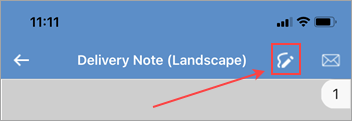
Where Documents in Jim2 Mobile really comes into its own is with signable reports. Reports in Jim2 with a Signable flag can be presented to the customer to be signed. The report, along with the customer's (and the Jim2 user’s) signature is then saved as a document linked to the related object (job, quote, etc.) and is then available for viewing, emailing (or even Air Dropping on iOS) directly to the customer.
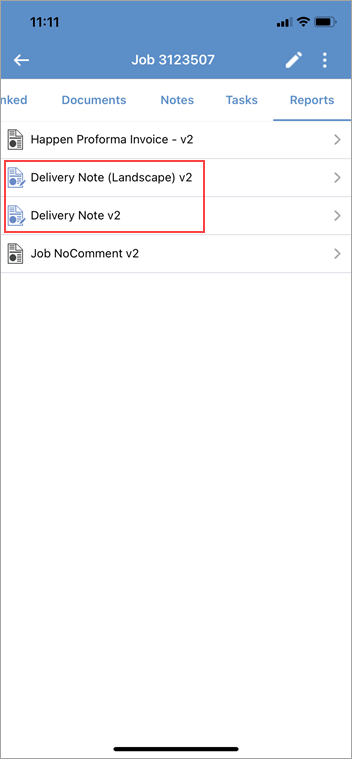 Showing documents that are signable
|

|
Since all documents are stored within the Jim2 database, the Jim2 backup file size will increase accordingly. See Database Size Maintenance for more information. Note that this is managed via the Jim2 Client only, not via mobile. |

|
Watchouts do not currently work with Jim2 Mobile. |
Further information