To transfer from one bank account to another, use the cheque book.
1.On the ribbon, go to Accounts > Cheque Book.
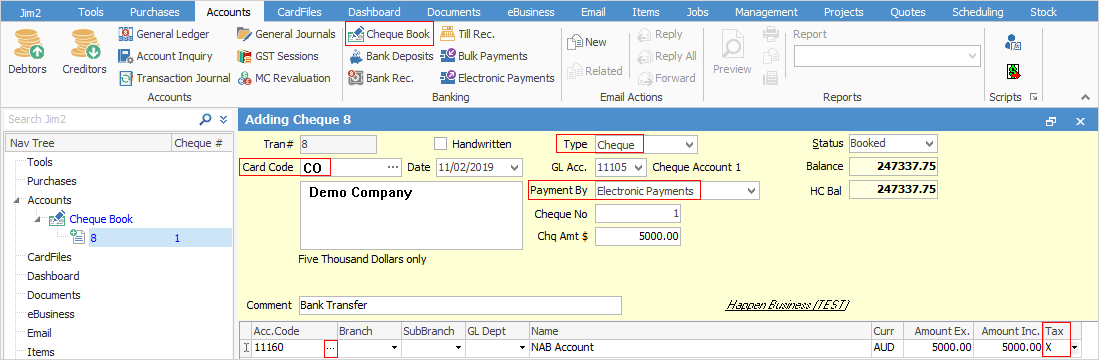
 |
Some letters in the field names within the header are underlined, eg. Status. Using Alt+ the underlined letter will jump to the field beside that heading. |
2.Click Add at the bottom of the cheque book screen.
3.Enter the your company card code.
4.Select the type, eg. cheque.
5.Select the Payment By method, eg. Electronic Payments.
6.Enter the cheque amount.
7.Click the ellipsis (...) next to the Acc.Code field to select the correct account.
8.Click Save & Close.
 |
Note: the tax code for the receiving bank should be X, as no GST applies to this transfer. |
Further information
Dealing with Dishonoured Cheques
Edit a Finished Cheque or Deposit