1.Go to Accounts > Cheque Book.
2.Create a filtered Cheque Book list to include only the payments for which you want to send a remittances.
3.In the Report section, select the Cheque Remittance from List Report, then Email.
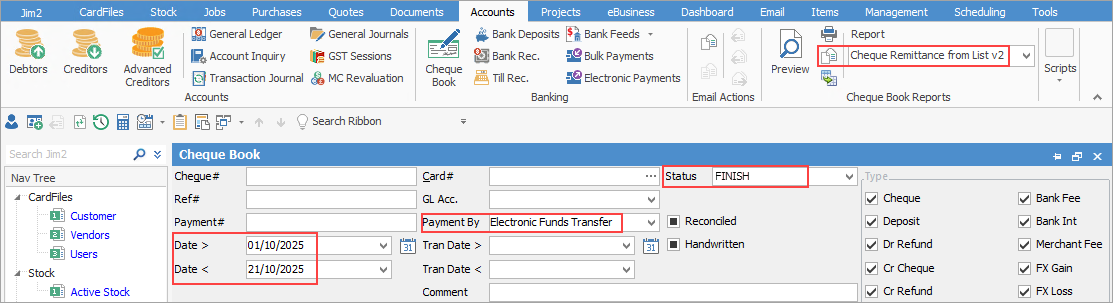
4.This will send remittance advices to all listed in the Cheque Book list.
Further information
Dealing with Dishonoured Cheques
Edit a Finished Cheque or Deposit
Transfer From One Bank Account to Another