Jim2 eBusiness allows creation of rules to be applied either upon receiving a vendor stock feed or on demand. Any number of rules can be created, as well as defining which stock or group of stock the rule applies to, and what the rule does.
For example, the vendor may supply goods from a particular manufacturer that the company doesn't want to sell or display within the vendor stock feed. It is easy to create a rule that hides all stock in Vendor Feed X, which are Brand Y, for instance. This does not delete the stock from the vendor feed, it simply flags not to display it. Tick Show Hidden at the bottom right of the Vendor Stock Feed screen to see what stock has been affected by this rule.


Create a rule by either right clicking on a stock line and choosing Create Rule or selecting Rules (located in the footer of the Vendor Stock Feed screen), then selecting Add from the Rules list.
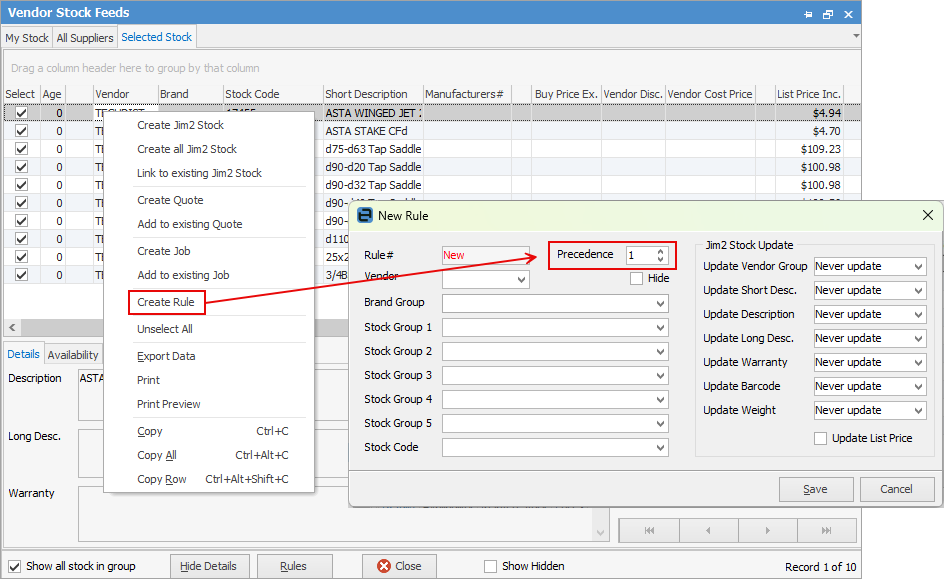
On the left side of the Rule form, add the criteria to which the Rule applies. For example, which vendor, brand, product group(s) or specific vendor stock code. Choose the rule's Precedence, which is the order that this rule will be applied (lower numbers are applied first), and whether to hide the stock from the vendor stock feed. On the right side of the Rule form, select what to do to linked stock in Jim2 when this rule is applied. For instance, automatically update the list price in Jim2 when the vendor changes their list price in the feed.
Example: updating list prices When a vendor stock feed is received and processed, the list price on linked stock in Jim2 is not automatically updated by default.
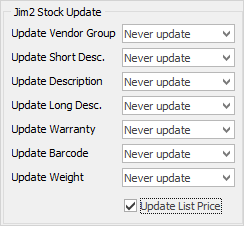
Create a simple rule to automatically update the list price as follows: ▪create a new rule ▪set Vendor to the vendor to base the list price on ▪tick Update List Price
▪save the new rule.
The next time a feed arrives from this vendor, this rule will be applied, and the list price (as well as any pricing based on list price) will be automatically updated. If this is the case, any list price set in Jim2 would change the next time a feed is processed. If receiving vendor feeds for the same product from multiple vendors, the list price would change every time the feed is received. |

When receiving a feed from a vendor, it typically contains all products that the vendor sells. They may sell ranges or brands of products that are of no interest.
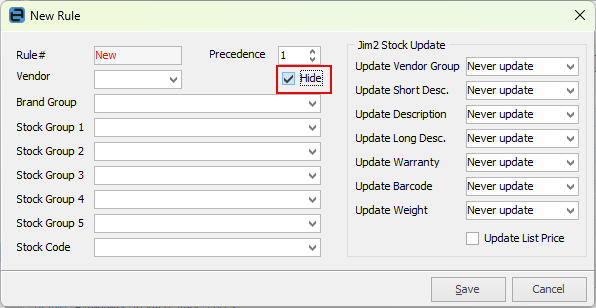
In this case, create a rule to hide these products and they will not be displayed. The products are still there but are marked as hidden. Create this rule as follows: ▪create a new rule ▪select the brand or product category of stock to be hidden ▪tick Hide ▪save the new rule.
Hidden stock can be displayed by ticking Show Hidden in the bottom left of the Vendor Stock Feeds form.
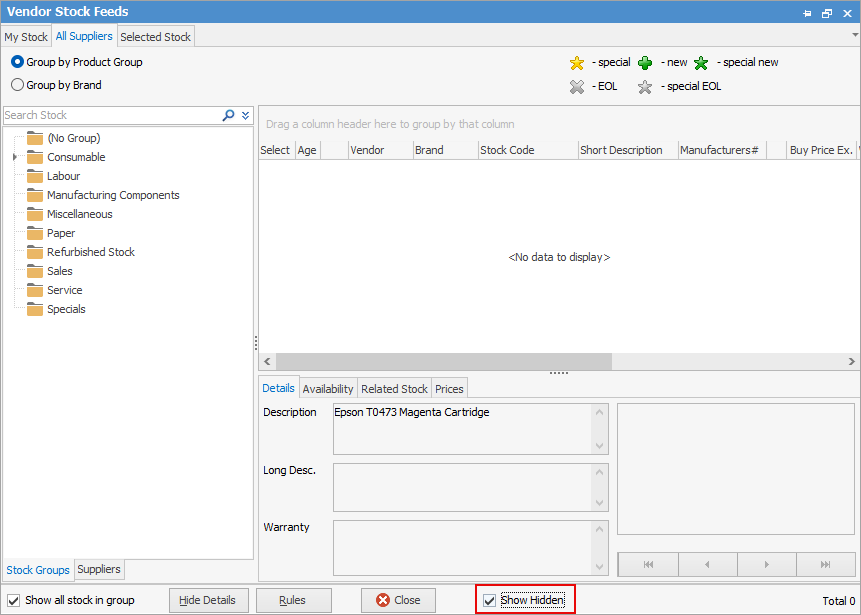
To hide multiple brands or categories of stock, create multiple rules. |
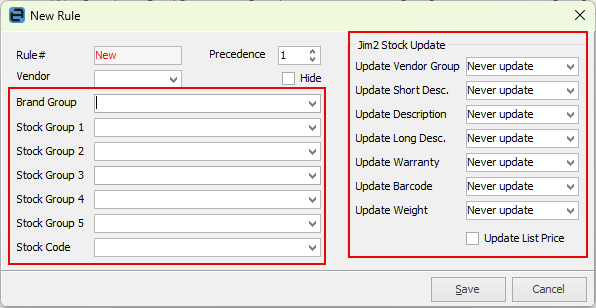
For stock descriptions for stock in Jim2 to be automatically updated based on the vendor stock feed, create a rule as follows: ▪create a new rule ▪select the brand or product category of stock for which details are to be updated ▪select the details (stock description, warranty details, etc.) to be automatically updated ▪save the new rule. |
Further information
eBusiness and the Publish Price to Options