
The Promotional Pricing tab will display the available promotions.
When viewing the Promotional Pricing tab, the following three display options are available:
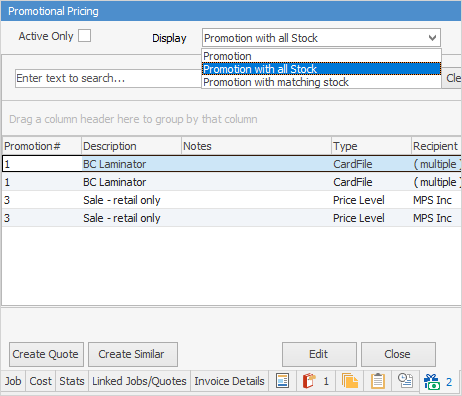
Display |
Description |
|---|---|
Promotion |
Displays all the relevant promotions matching cardfile/price level/project on the job. |
Promotion with all Stock |
Displays all the relevant promotions matching cardfile/price level/project on the job with their stock codes. |
Promotion with matching stock |
Displays all the relevant promotions matching cardfile/price level/project on job, and for the stock entered on the job. (Adds Stock Code, Qty and Price columns to the grid). |
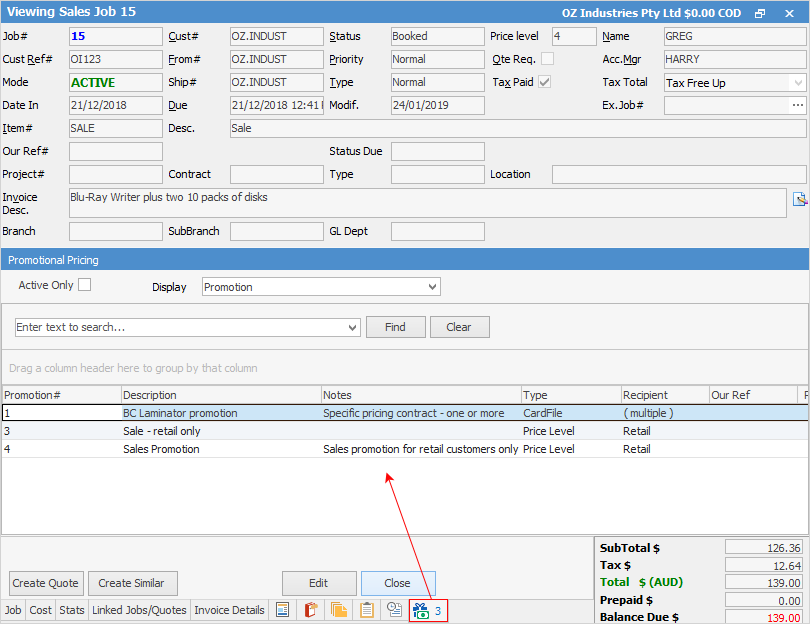
If the job uses stock with promotional pricing, this tab will show which promotions and customers it relates to.
 |
The number beside the icon represents how many active promotions apply to this job. |
Unticking Active Only, will show all promotions, including those that are finished.
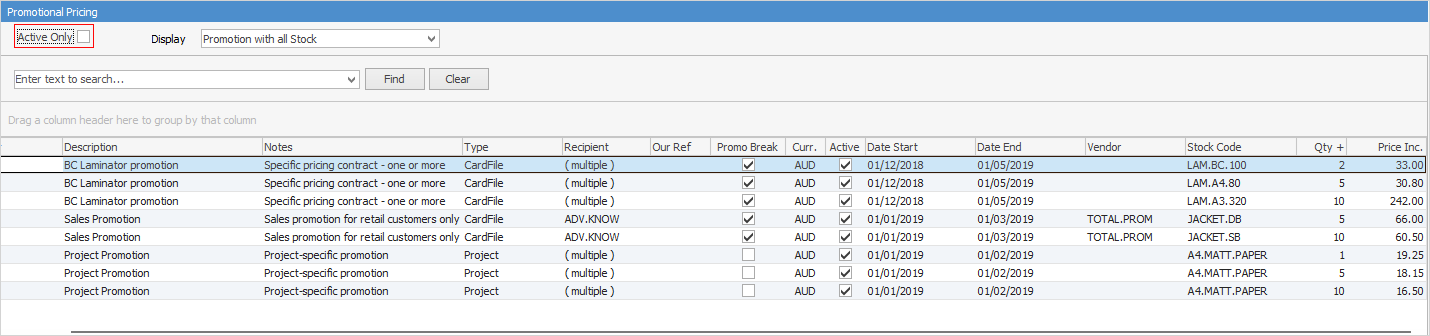
Field |
Explanation |
|---|---|
Promotion# |
The promotion code number. |
Description |
The description as it appears on the promotion. |
Notes |
Any notes that have been entered into the promotion. |
Type |
The promotion object type, ie. CardFile. |
Recipient |
Lists cardfiles that relate to the promotion – if there are many, it will show (multiple) rather than list them in this field. |
Our Ref |
Our reference as it appears on the promotion. |
Ticked, if it has been ticked on the promotion. |
|
Curr. |
Currency (if applicable). |
Active |
Ticked shows that the promotion is currently active, unticked means the promotion has finished. |
Date Start |
Start date of the promotion. |
Date End |
End date of the promotion. |
Vendor |
The vendor supplying the stock. |
Stock Code |
The stock code of the promotion. |
Qty+ |
The quantity of stock as entered on the promotion |
Price Ex. |
Price of the stock ex tax. |
Further information