Unrealised gains and losses represent the exposure or difference in the potential value of foreign currency transactions to what is currently recorded.
|
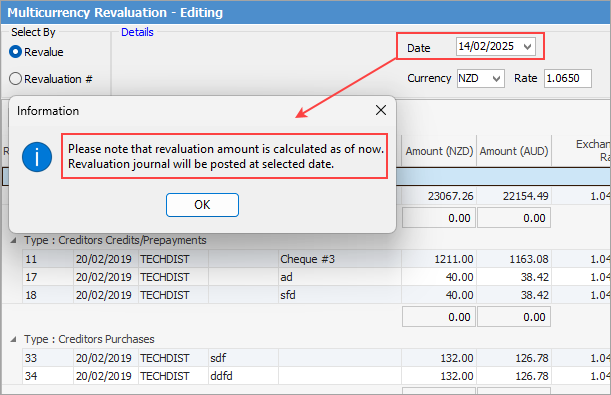
Multi-Currency works in a real-time environment, not from an as at point of view, therefore when in a revaluation session, you cannot forward date the session. However, you can backdate the session. You will be provided with a pop up explaining how it works:
|

An unrealised gain/loss is generated whenever the current asset/liability for a currency is revalued. The difference between the original home currency value and the new revalued home currency amount is the unrealised gain/loss.
|
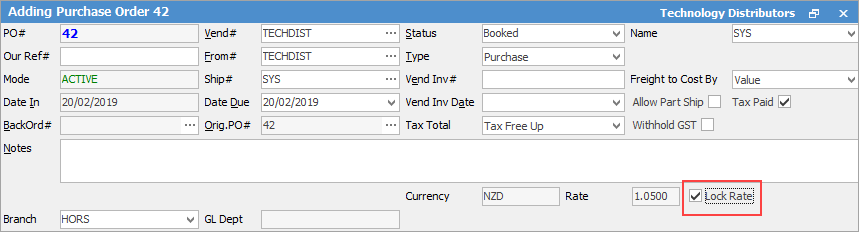
Users can also lock the exchange rate at an object level if this transaction is to be hedged at a specific rate. This will exclude this document from any further revaluation.
 |

A purchase order is finished with a value of USD22.00 at a time when the exchange rate on USD1.00 = AUD0.50. The creditor balance owing is potentially AUD44.00.
Before the creditor is paid, the exchange rate for USD then moves to $0.60. The creditor balance owing is now potentially only AUD36.67. There is an unrealised gain of AUD7.33. To adjust the creditor balance to reflect this potential change, use the Revaluation Session.
The ability to calculate unrealised gains and losses at any point in time is provided for by using the Multi-Currency revaluation wizard.
Using a very similar method to the BAS session, Jim2 Multi-Currency Revaluation will present a list of all transactions for the specified currency that can be revalued. These are grouped into the transaction types: ▪Bank account assets (positive or negative balance), ▪Bank account liability (positive or negative balance), ▪Creditor credits/prepayments awaiting payment allocation, ▪Creditor purchases awaiting payment, 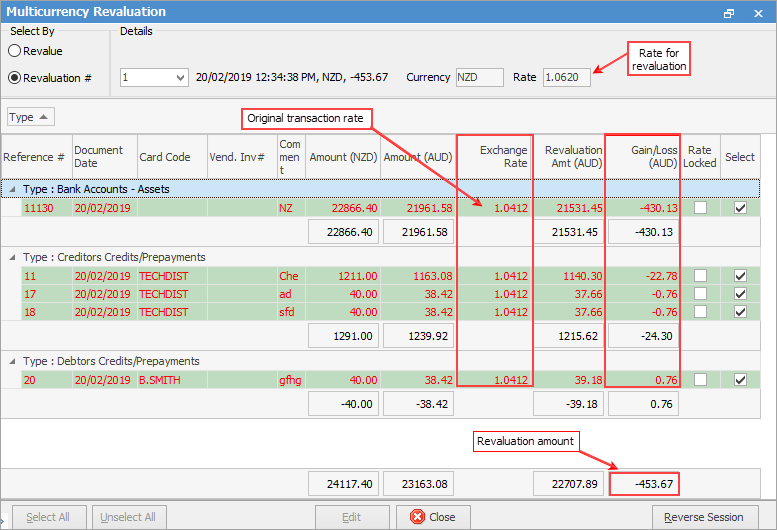
Then choose to: ▪Select all listed transactions for revaluation at a specified currency exchange rate. or ▪Select transactions individually for inclusion or exclusion in the revaluation calculation.
The calculated difference (unrealised gain/loss) for each revalued transaction is automatically journalled to the Unrealised general ledger account.
|
A warning will appear if there is nothing to revalue because the transactions selected are at the same rate as the revaluation session.
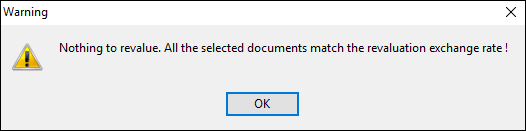
This can also be determined by looking at the Gain/Loss column of the revaluation session. If it is 0.00, there is nothing to revalue. |
From the Report menu on the ribbon, produce a Multi-Currency revaluation report for printing.
If user security allows it, right click within the list grid, select Export Data and save the list information as an XLSX file.
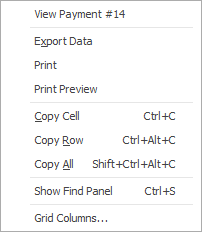
As see from the above image, there are a number of other useful right click options, all self explanatory.
Further information