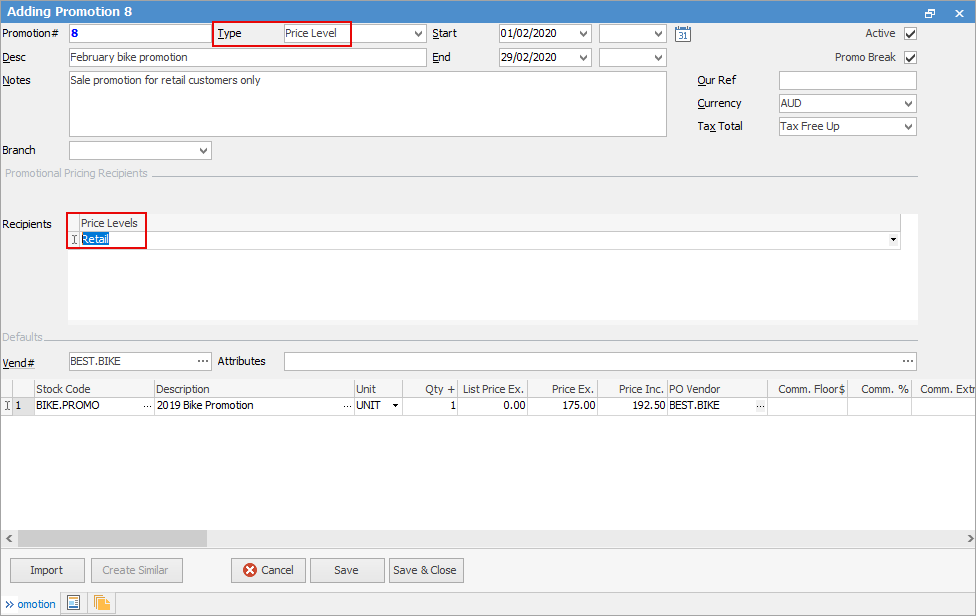
The company is having a sales promotion, but does not want to offer it to non retail customers (wholesale, government, etc.).
▪Create a new promotion and set promotion Type to Price Level
▪Add the Price Level to the promotion Recipients (eg. Retail)
▪Set the promotion start and end dates (if based on a period)
▪Add the stock, along with price, buy breaks, etc.
▪Tick Promo Break, ensuring that no other promotions will apply. The Promo Break forces a price to be calculated at that point, and stops moving down the ranking to see if there are lower prices.
Further information
Promo Pricing for All Customers
Promo Pricing for One or More Customers