When creating Project templates, you can optionally restrict where a template can be used from within a template using Template Restrictions.
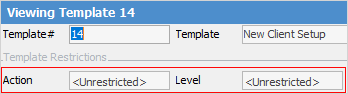
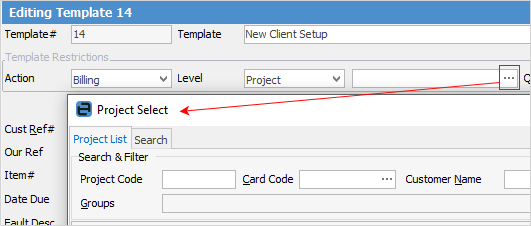
Project-specific template restrictions can also lock the template to a specific Project:

Template restriction setups:
Action – select an applicable action (job type), and the template can only ever be associated to the action specified.
Level – level allows taking the restriction further, with five possible options:
1.Asset – link to a single Asset only, by using the ellipsis [...] beside the field to select the Asset.
2.Action – link to a specific action level only.

3.Project – set to link directly to a single Project only.
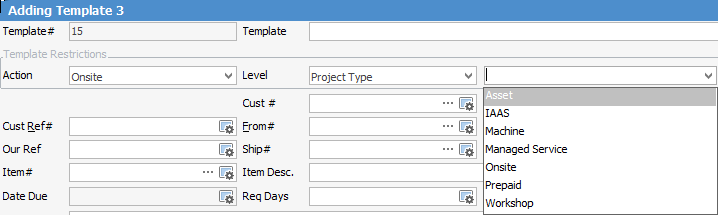
4.Project Type – set so the template can only be used by Projects of the specified Project Type.
5.Project System Type – set so the template can only be used by Projects of the specified Project System Type.
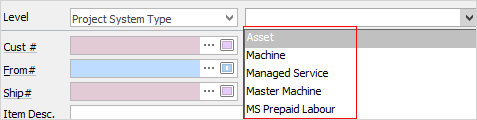
Once a level restriction is selected, enter an appropriate value in the level value selector.
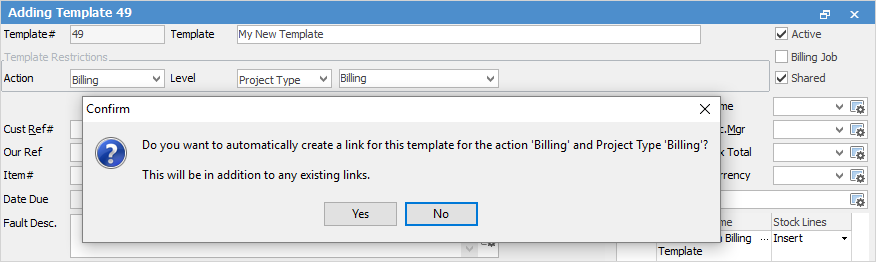
When saving, the following confirmation message will appear:

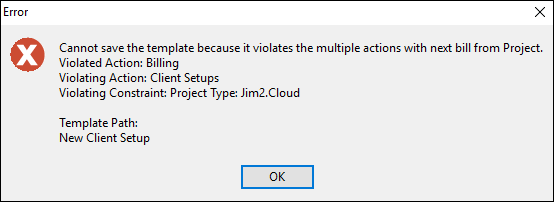
When creating restrictions it is important to note that the rules of included templates also apply. For example, if the restriction on a template is set to Action – Service, and the included template has a restriction of Action – Onsite, it would result in the following error when saving the template.
When trying to Create Similar on Project using a restricted template, the following warning will appear.

There are only two options at this point: 1.Remove the link to the template that can only be used by the specific machine, or 2.Relax the constraints on the template so that it can be used by more than just that machine. Possibly change it by saying this template can be used by all Projects of Project Type Machine. |
Further information