Actions can create completely new jobs, or update existing jobs. They can be used for recurring scheduled job creation, email job creation rules, and via dynamic menus within a Project List, Project, or Project-linked job. Once configured, the Project job creation menus are dynamically created in the footer of the Project.
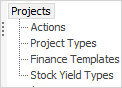
Actions – Project templates are associated to Actions.
Action Groups – Actions can be grouped together within Action groups, and their use is optional.
Once templates are associated to Actions and the Actions are associated to a Project Type, they are ready for use by any Project configured with that Project Type.
Default actions included in Jim2 are:
▪Billing
▪Onsite
▪Workshop
▪Consumable (only used with MPS licensed database)
|
Once an Action is set for Scheduled Task, it will not show in the normal Action menus. This type is used for managed service recurring tasks, and cannot be fired from a Project List, Project or job. See Add Recurring Managed Service Jobs for more information. |


On the ribbon, go to Tools > Setups > Projects > Actions
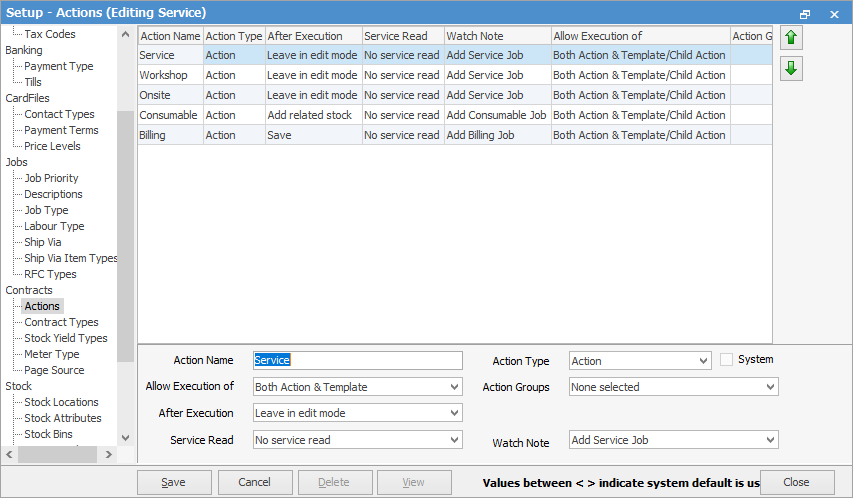
Click Add to display the action setup options.
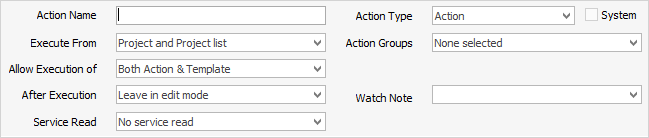
Action Setups Action Name: Enter the name for this Action. Action Type: Action or Action Group. In this case, it is Action. Execute From: Where the action is configured to display within Jim2. ▪Disabled: The action will not be available for use. ▪Project & Project List: Whether the action can be run/displayed from a Project List and a Project. ▪Project Only: When the action can only be run/displayed from within a Project. ▪Action Group Only: When the action can only be run from within an Action Group. ▪Scheduled Tasks: Once an action is set for Scheduled Task, it won't show in the normal Action menus. They are used for managed service recurring tasks, and cannot be fired from a Project List, Project or job.
Allow Execution of: How the associated templates can be run. ▪Both Action & Template: Allows the user to select the action to run all the underlying templated jobs, or to select a single template. ▪Action Only: User can only run all the templates associated to the action. They cannot be individually selected. ▪Template Only: User cannot run all templates at once, and is forced to select an individual template.
After Execution: Post Job creation options: ▪Leave in edit mode: The job is created and left in Edit mode. ▪Add related stock: Displays the related Stock Select screen. ▪Save: The job is created and saved.
Action Groups: Display and Run Action from within an Action Group (optional).
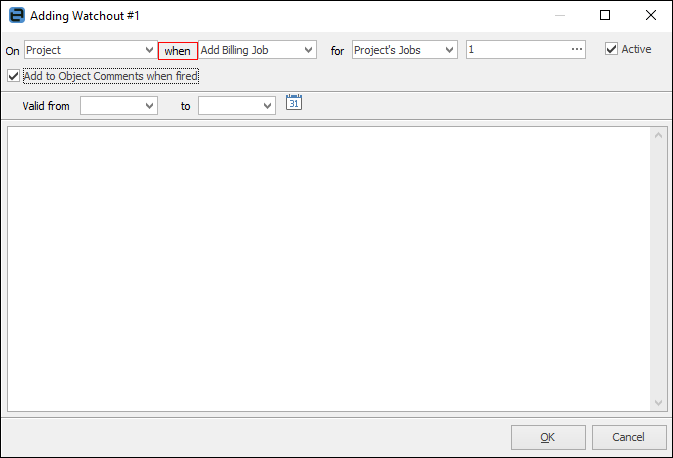
Watch Note: The Watchout note option specifies which Project watchout when option to use for the action.
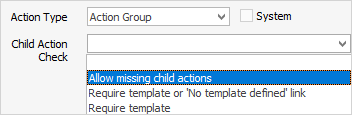
Action Group Setups Changing the Action Type to Action Group will refresh the screen to show the appropriate setups for an Action Group:
Execute From: Where the action group is configured to display within Jim2. ▪Disabled: The action group will no longer be available for use. ▪Project & Project List: Whether the action group is run/displayed from a Project List and a Project. ▪Project Only: When the action group can only be run/displayed from within a Project. ▪Scheduled Tasks: Once an action is set for Scheduled Task, it won't show in the normal Action menus. They are used for managed service recurring tasks, and cannot be fired from a Project List, Project or job.
Allow Execution of: How the associated templates can be run. ▪Both Action & Child Action: Allows the user to select the action group to run all the underlying actions and templates, or to select them individually. ▪Action Only: User must select an action. They cannot select an action group level. ▪Child Action Only: User is forced to select an individual action with its associated templates.
|

Further information