
You can add billing reads to contracts before the next scheduled bill date. This allows reads to be recorded and included in billing without needing to wait for the meter billing entry period to begin. |
If a device is removed before the billing date, you’ll need to add a contract end read to ensure the billing engine knows to stop billing that contract.
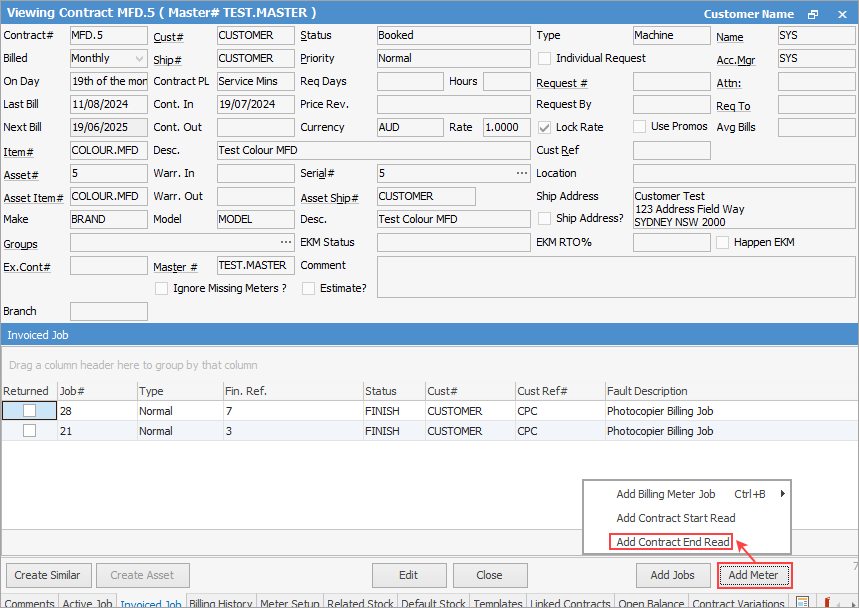
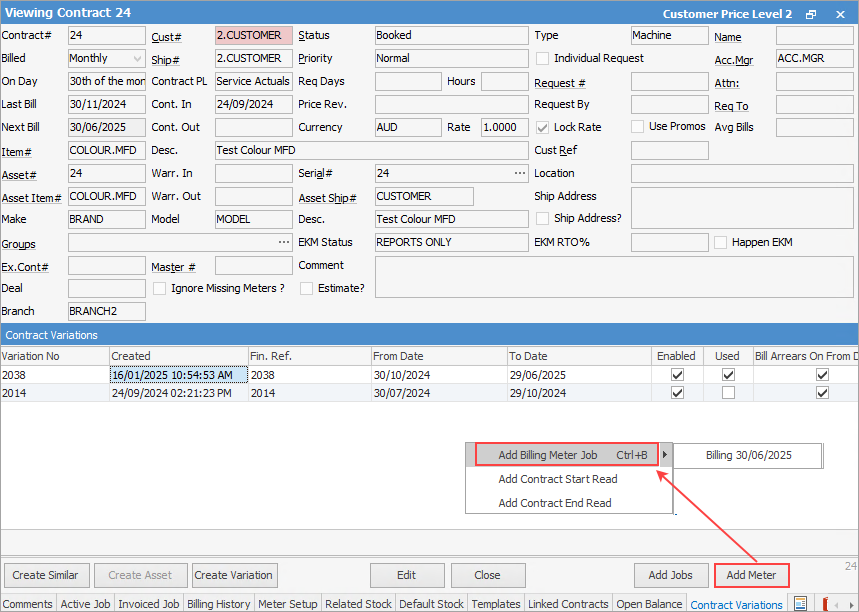
Click the Add Meter button on the contract and select Add Contract End Read.
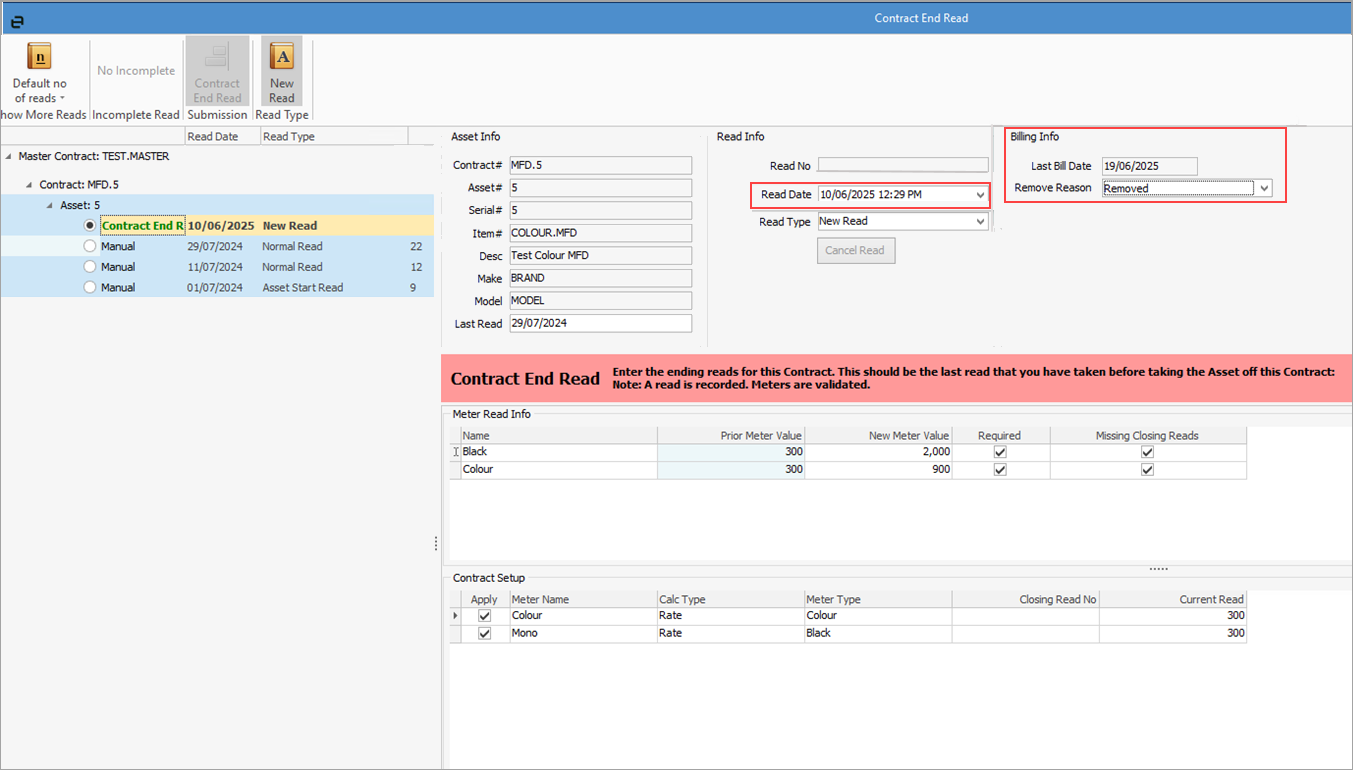
Because you are adding end read from the master contract, you can enter end reads for all child contracts in the billing screen. A Remove Reason must be chosen. Choices are Removed or Replaced.
Enter the end read in the contract end read area, repeating for all children required, then click Submit Read.
Example Contract MFD.5 was returned by the customer on 10 June, which is nine days before the next billing date. The meter entry period is set to include reads 2 days either side of the billing date, and to exclude reads older than 5 days.
To record this change, open the contract and add a contract end read:
In the example below, the final read is dated 9/06/2025. You will also need to select the reason for the end read – in this case, Removed.
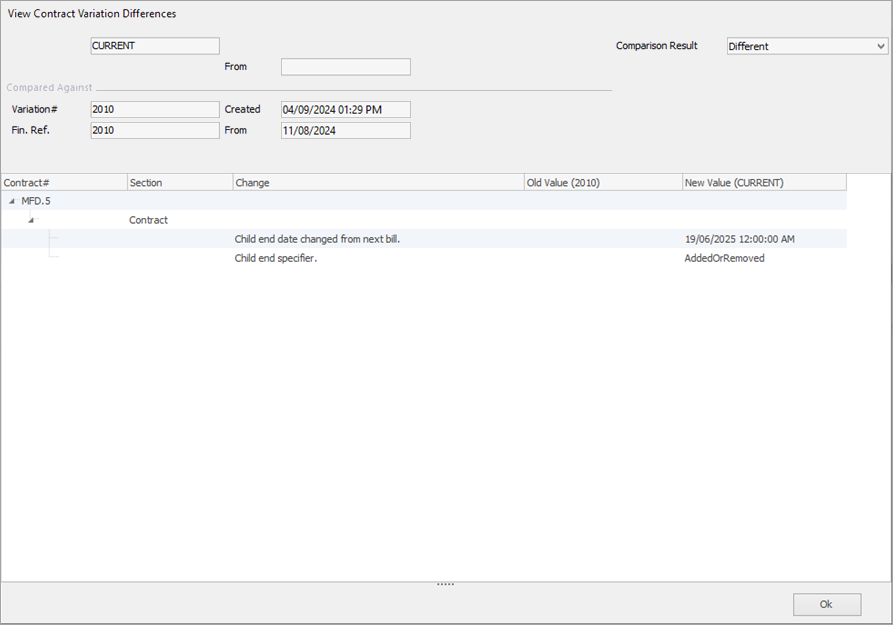
When you bill the master contract on 19 June, Jim2 will detect that a contract end read has been entered and will prompt you to update the existing variation.
You can now proceed with the new meter contract setup – you will see that the billing engine has automatically selected your contract end read.
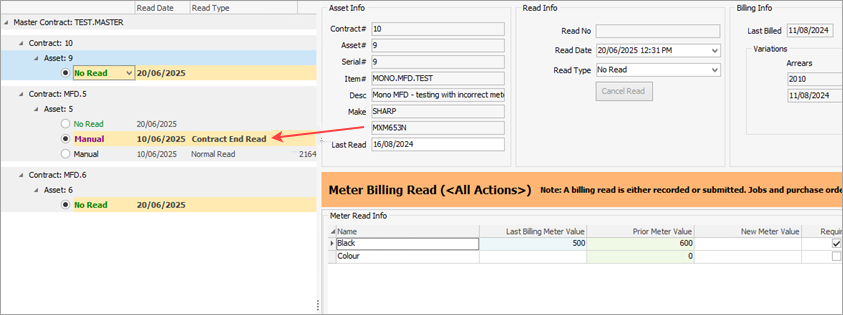
You can now complete the billing for the master. When you move on to July billing, you will notice that contract MFD.5 no longer appears as it has already been finalised.
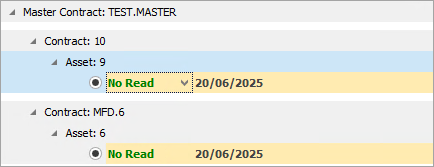
The last step is to open contract MFD.5 and change its status to Finish, which closes it off completely. |
If the contract is not linked to a master, the process is slightly different.
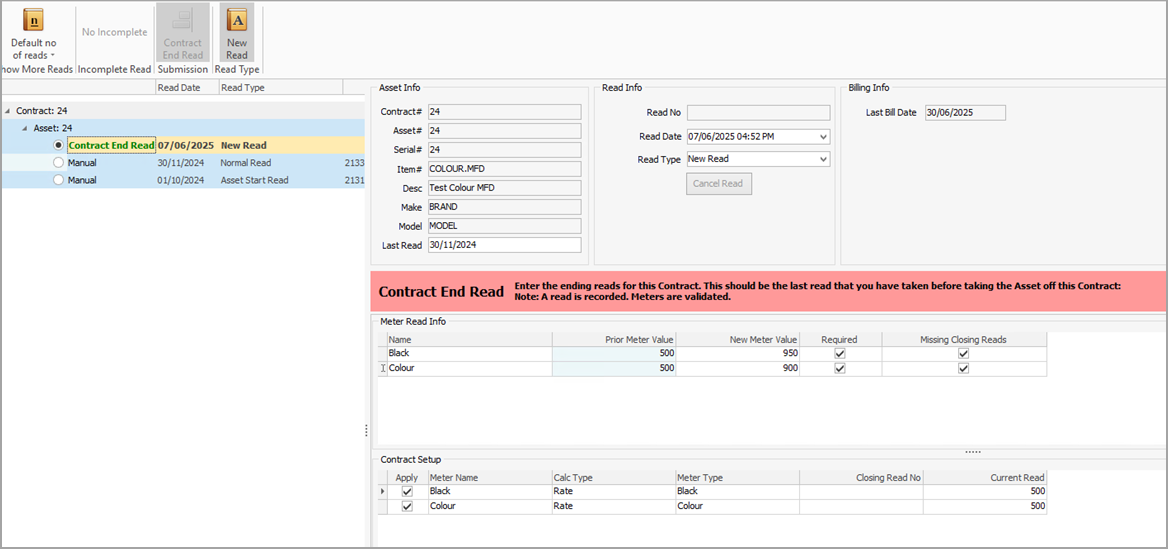
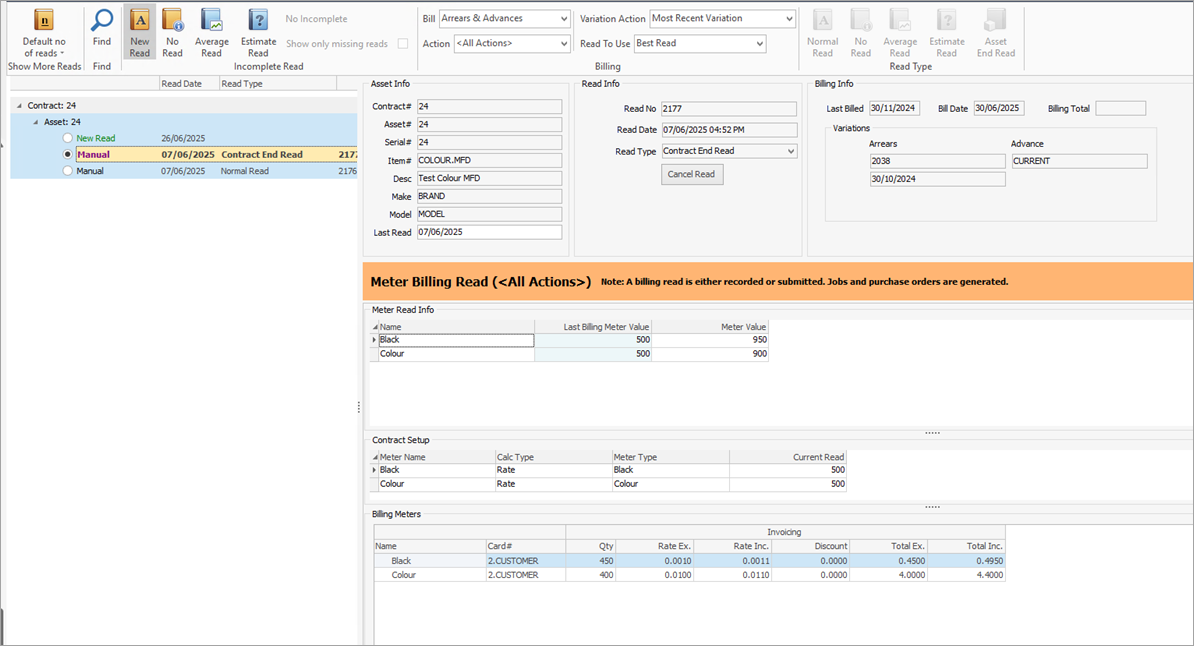
Example Standalone contract 24 was returned on 7 June. Open the contract and enter a contract end read dated 7/06/2025. Since it is a standalone contract, you do not need to choose a reason – Jim2 will automatically show the last billed date.
Next, go to the Active Variation and set an End Date by clicking the forward arrow to move to the next billing date.
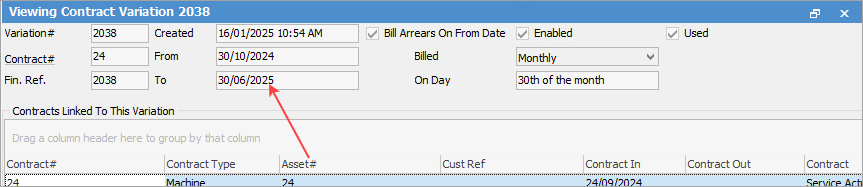
Once that’s saved, the variation will now display a To Date
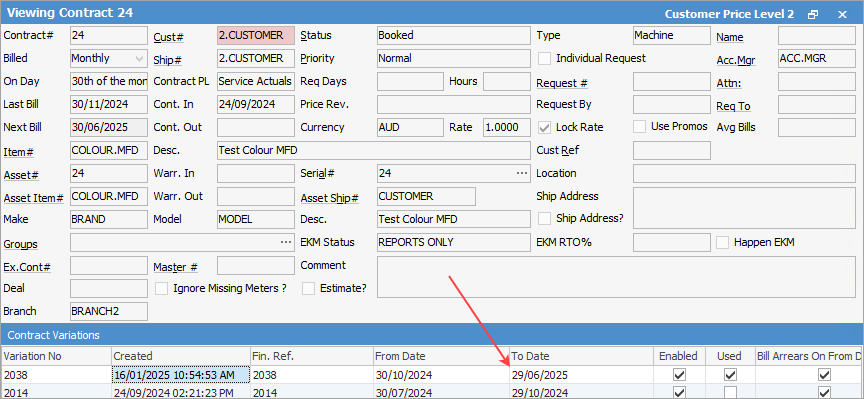
You can now enter the normal meter billing.
The billing engine will recognise both the contract end read and the variation’s end date, and it will automatically select the correct end read to finalise the billing.
The last step is to open contract 24 and change its status to Finish, which closes it off completely. |
Further information
Add a Child to Master Contract
Copy Fields to Child Contract Explanation