Writing off a bad debt should only be performed when there is no chance of ever recovering the stock or the money from the customer, or a customer whose debt just needs to be written off.
Rather than paying the outstanding invoices (by cheque or credit card, etc.), this nominates that they are effectively being paid by bad debt.
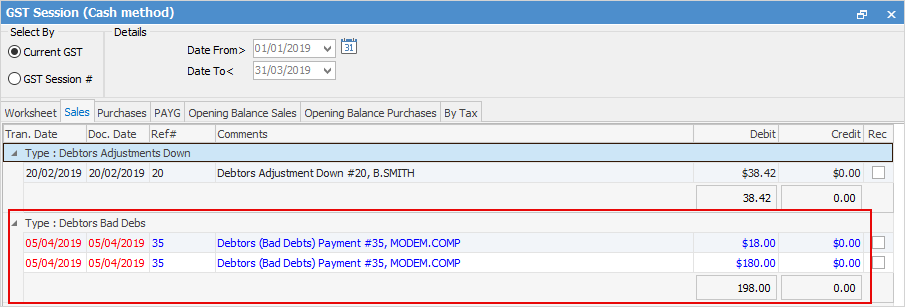
Jim2 moves the total value of the bad debt to the correct linked general ledger account, and moves the monetary value of the invoices involved to the BAS. When using Bad Debt as a payment method in debtors, Jim2 includes the credit on the GST in the entry.
 |
Note: If the amount to be cleared originated from an opening balance, Jim2 will not take up a credit for GST, as there was no recording of GST in the opening balance entry. See below for more information. |
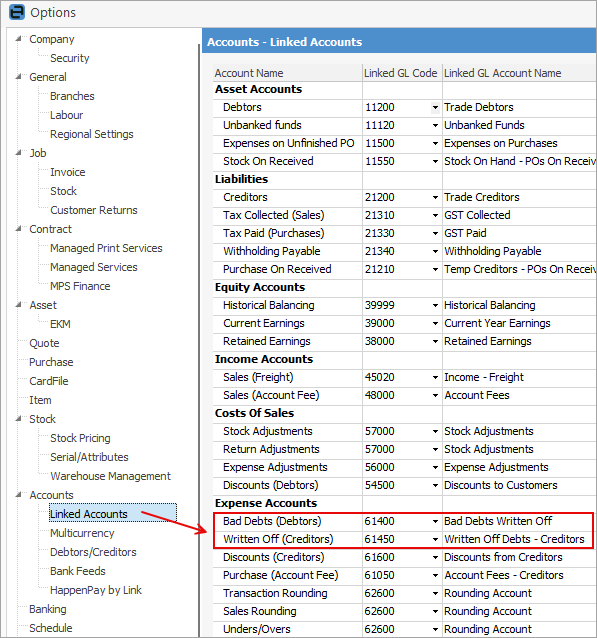
There are Bad Debts accounts already set up in Linked Accounts.

To write off a bad debt, follow the steps below.
1.On the ribbon, go to Accounts > Debtors (or Creditors) and bring into view the record to write off. 2.Click Edit. 3.Enter the required date, or use the default one already shown (today). 4.Select Type Bad Debts. The GL Acc., Payment By and Cheque No fields are not displayed for this type of transaction. 5.To enter the amount, click in the Paid Now field of the purchase (or invoice) line. This will remove any discounts and/or account fees. Enter the amount required to be written off. If necessary, repeat this for any other lines. The Amount field in the form header will be updated to show the total amount that is being written off. 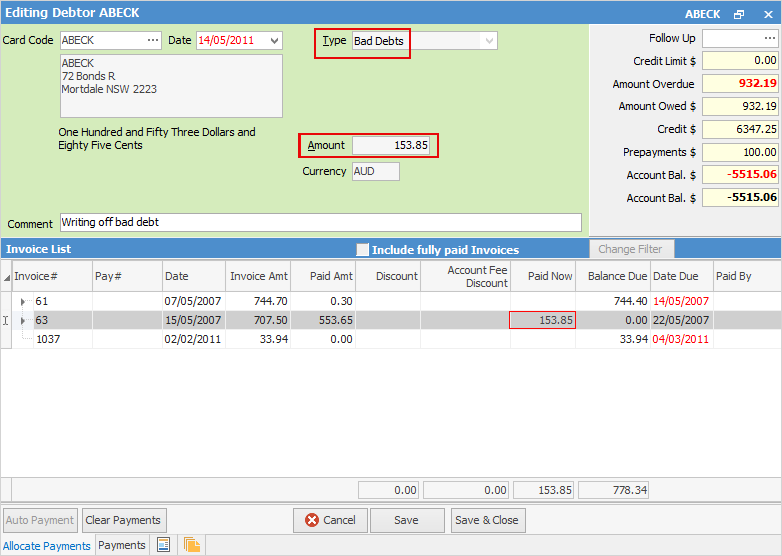 6.Enter a comment when entering a bad debt. The transaction cannot be saved until a comment is entered. 7.Click Save.
To view information relating to the bad debt, right click on it and click View Transaction Journal:
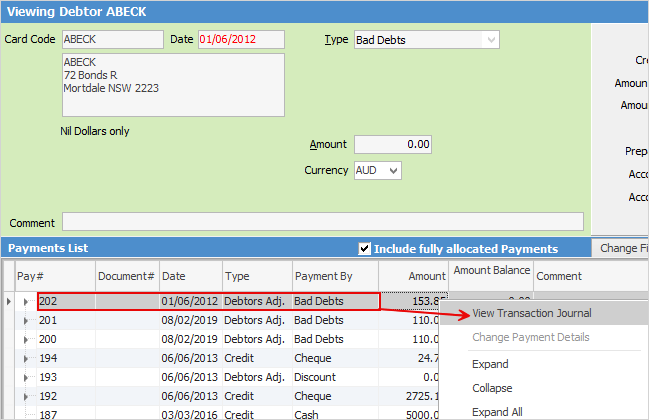
This will show all information relating to the accounts used. |
There are two ways this can be performed: 1.Add a creditors adjustment up to the required GL account to 'write off' the credit or 2.Add an Expense PO to the required GL account.
Then apply the credit to the invoice to clean up the creditor's record. |
Further information
Charge a Customer an Account Fee
Clear the Historical Balancing Account
Enter ATO Reportable Sub-Contractor Payments
Enter Capital into the Business
Enter Government Support Payments
Enter Prepaid Expenses and Amortising Costs
Remove Duplicate Payments in Closed Period
Share Utility Expenses with other Businesses
Suggested End Of Month Procedures