Alloys uses a URL feed as per the example below.
Example URL: https://feeds.alloys.com.au/src=all&signon=auto&token=U2F:CSV-MW:https//feeds.alloys.com
Please contact your Alloys account manager if you require assistance with your companycode, username or password.
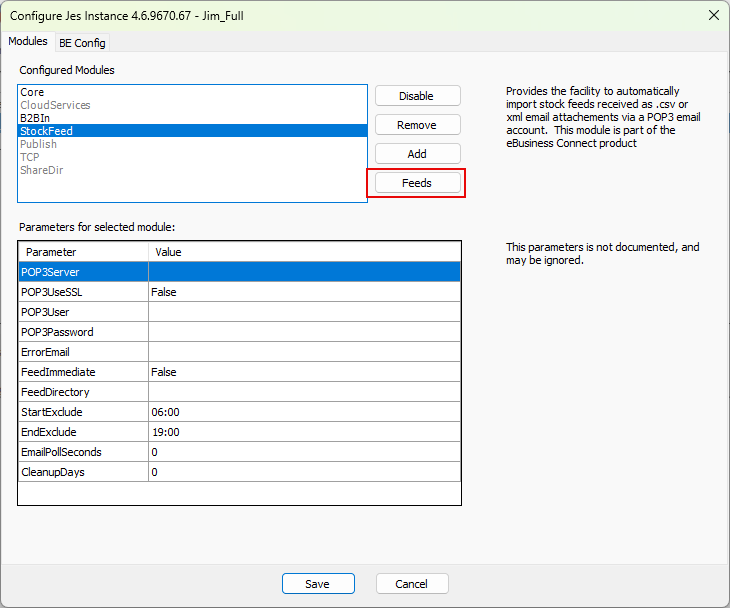
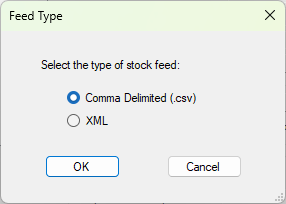
Select the Feeds button, then select Add New.
Example JES Configuration:
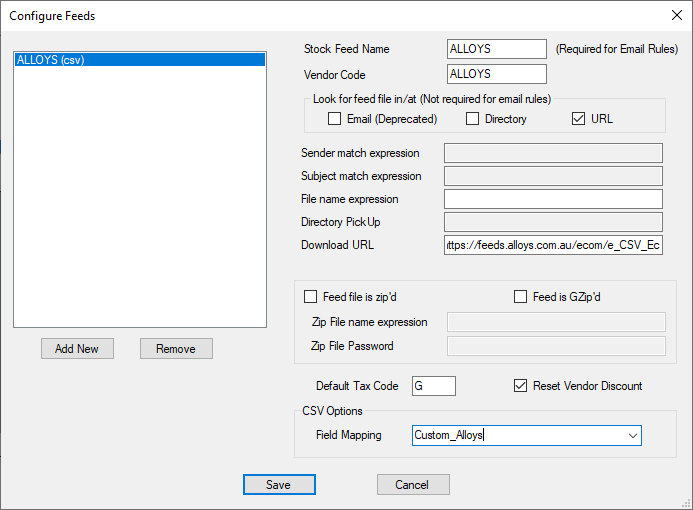
Stock Feed Name: This is used for email rules, and must match.
Vendor Code: Your vendor card code.
Restart JES.
As this is a URL feed, email rules are not required to be set up in Jim2.
To see if a feed is being processed, check the Age column for the vendor in Jim2 under eBusiness > Vendor Stock Feeds. This shows the age of the feed in days.
Further information