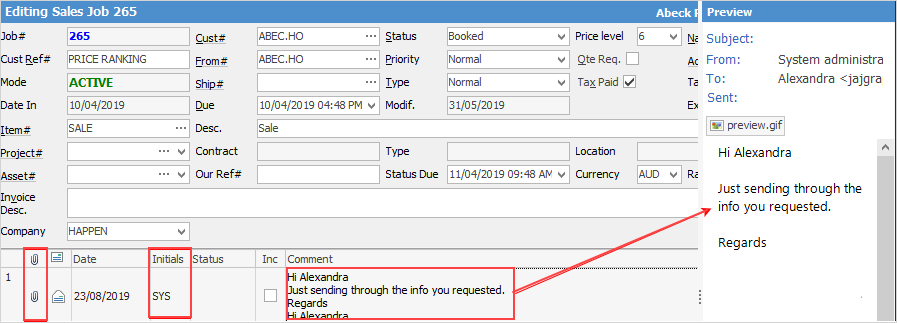
When an email has been tagged to a Jim2 object, that email will appear in the Comment grid for that object, and it will also display in the preview pane to the right of screen. Emails will display with a grey background to show that they are an email. Double clicking on the email will open it in its own window. The date and time on the Comment grid is the date and time of the email, and this is not changeable. If the email was an outbound email, the user initials of the person who sent the email will appear in the grid. A paper clip icon in the grid indicates an email attachment.
 |
The status of the object cannot be changed from the Comment grid on an email. |
Further information